What Makes a Music Video Look Cinematic? The 6 Choices That Beat a Bigger Budget
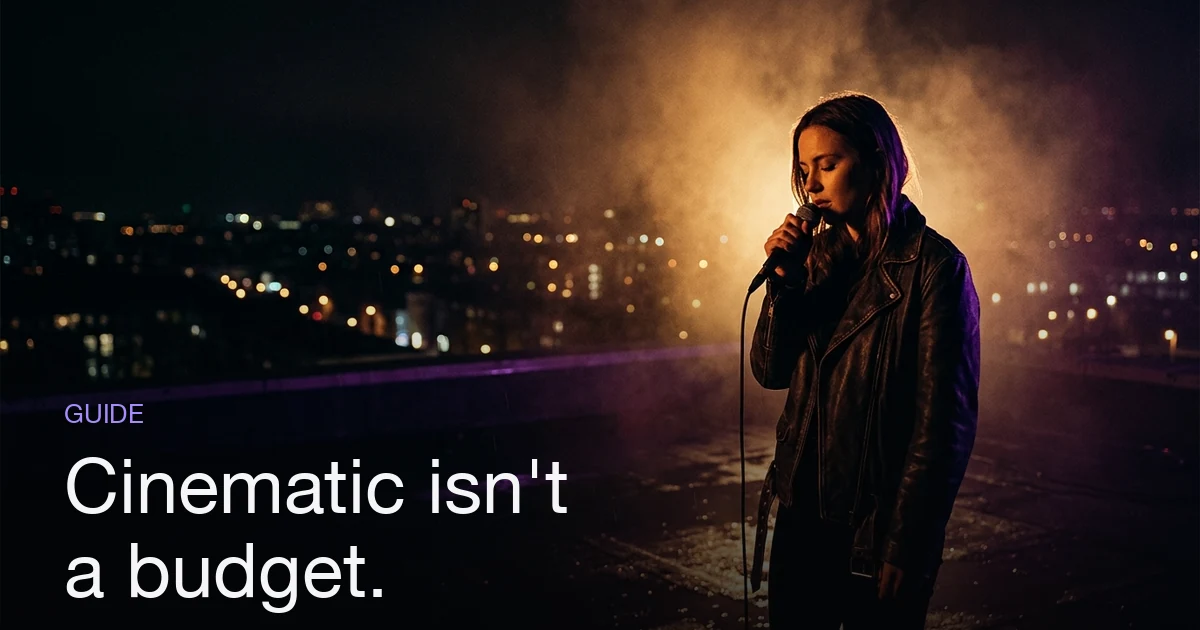
A music video looks cinematic because of six controllable choices, not a bigger budget: shallow depth of field that separates the subject from the background; a limited color palette repeated across every shot; light with one clear direction and real shadow instead of flat, even illumination; camera movement that is slow and motivated rather than constant; wide framing with deliberate empty space around the subject; and an edit that holds shots longer than feels comfortable, cutting on musical events instead of at random. The thread running through all six is restraint and consistency — fewer colors, fewer light sources, fewer camera moves, and a world that looks the same from shot to shot. Amateur footage usually fails on consistency first: every shot looks like it came from a different video.
What does "cinematic" actually mean?
The short answer: A music video looks cinematic because of six controllable choices, not a bigger budget: shallow depth of field that separates the subject from the background; a limited color palette repeated across every shot; light with one clear direction and real shadow instead of flat, even illumination; camera movement that is slow and motivated rather than constant; wide framing with deliberate empty space around the subject; and an edit that holds shots longer than feels comfortable, cutting on musical events instead of at random. The thread running through all six is restraint and consistency — fewer colors, fewer light sources, fewer camera moves, and a world that looks the same from shot to shot. Amateur footage usually fails on consistency first: every shot looks like it came from a different video.
Ask ten people what makes a music video cinematic and you get ten adjectives — moody, filmic, expensive, epic. None of them are instructions.
The useful definition is mechanical. Footage reads as cinematic when it looks chosen: every frame shows evidence of a decision about where the light comes from, which colors are allowed in, what's sharp and what's soft, and when the camera is allowed to move. It reads as amateur when it looks captured — whatever light was in the room, whatever colors were on the wall, everything equally in focus, the camera drifting because nobody locked it off.
That reframing matters because the decisions are free. The usual answers here are lists of famous videos: they show what cinematic looks like, not how to get there, and quietly imply you need the budget. You don't — the cost of a music video buys latitude in low light and a colorist, not restraint. Six levers do the real work — depth, color, light, motion, framing, pacing — and each one is a choice, not a purchase. For the end-to-end flow, see How to Make an AI Music Video; this post is about the look.
Depth: separate the subject from the background
The fastest way to make a frame look filmic is to stop having everything in focus. A sharp subject against a soft background tells the eye where to look, and it's the property phone footage lacks by default: small sensors keep everything sharp.
Three ways to get it, cheapest first:
- Distance. Move the subject away from the background and closer to camera. A singer three feet from a wall has no separation; twenty feet from it, they do.
- Longer lens, from further back. Step back and zoom in rather than walking close on a wide lens. The extra distance compresses the background and throws it soft, and the longer focal length flatters faces.
- Wider aperture. A lower f-number (f/1.8 rather than f/8) shrinks the zone of sharpness — the part gear actually buys you.
The tell: you can identify the location in a frame, but you can't read the text on anything in it.
Color: pick two or three and repeat them
Cinematic color is not a filter. It's a restriction — a small set of colors that recurs across the whole video, so the shots feel like one world.
Choose the palette first: one dominant color, one accent that opposes it, one neutral. Teal and orange is the famous pairing because skin tones sit in the warm half and everything else can be pushed cool. Violet and amber, or near-monochrome with one saturated accent, work the same way.
Then enforce it in front of the camera — wardrobe, walls, a colored practical lamp — rather than fixing it afterwards in a grade. If you're generating shots, name the palette in every shot description: "warm amber key against deep blue shadow" produces consistency that "cinematic" never will.
Light: one direction, and let it fall off
Flat light is the most reliable signature of amateur footage. If light comes from everywhere — overhead fluorescents, a ring light dead-on, an overcast sky at noon — the subject has no shadow side, no shape, and the frame goes dead.
Cinematic lighting is the opposite instinct: one main source, off to one side, with enough falloff that part of the frame is genuinely dark. Add a rim light behind the subject to peel them off the background, and let the background sit two or three stops darker than the face.
Two cheap multipliers: practicals in frame — a lamp, neon sign, headlight — make light look motivated rather than applied, and atmosphere — haze, smoke, rain — makes beams visible, which is why concert lighting reads so strongly. Then the free one: shoot at golden hour or after dark. Midday sun is the hardest light to make look expensive.
Motion: mostly still, and always motivated
Beginners move the camera constantly; directors move it rarely and on purpose. A move should be motivated — it follows the subject, reveals something, or enacts a change in the music. A slow push-in through a pre-chorus performs the build; a drift with no reason just wobbles.
| Move | Use it for |
|---|---|
| Locked-off | Most shots — hold, let performance carry it |
| Slow push-in | Rising energy; a pre-chorus or a lyric landing |
| Slow pull-out | Resolution; the wider world at an outro |
| Tracking | Moving with the subject when they move |
| Orbit | One big chorus moment — twice, it's a gimmick |
Speed matters as much as choice: slow moves read as deliberate, fast ones as reactive. When you're generating footage this goes straight into how you write the shot — "slow push-in, camera otherwise still" is executable; "dynamic camera work" is not.
Framing and aspect ratio: give the frame room
Cinematic framing is wider and emptier than instinct suggests. The beginner impulse is to fill the frame with a face; the filmic impulse is to leave space and let composition carry meaning — a small figure in a large room, weight pushed to one side, headroom deliberately cropped or deliberately generous.
Aspect ratio does a lot of that work. Films are wider than 16:9 — 1.85:1, or 2.39:1 anamorphic scope — which is exactly why letterbox bars became shorthand for "this is a film". 16:9 landscape is the practical default: it's what YouTube serves and it composes wide naturally.
Vertical 9:16 is a different craft problem, not a crop. It forces tighter, centered framing and removes the horizontal space wide compositions depend on. If your video has to live on TikTok and YouTube both, decide early — our aspect ratio guide and the vertical vs. horizontal breakdown cover planning for both.
Pacing: cut to the track, and hold longer than feels comfortable
Pacing is the sixth lever and the only one that lives in the edit, and most videos get it wrong in the same direction: too many cuts, landing nowhere in particular.
Cinematic pacing does two things. It anchors cuts to musical events — the downbeat opening the chorus, the drop, the first snare after a breakdown. A cut on the beat feels intentional; one a half-second off feels sloppy, and viewers register the difference without being able to name it. And it holds shots longer in quiet sections, letting one frame breathe through a tender verse line instead of chopping it into three.
That belongs in the plan, not the timeline — which is what storyboarding against the song's sections is for. Break the track into its sections, then set a shot budget for each: fewer, longer shots where the music is spacious; more, shorter ones where it's dense.
What makes a music video look cheap instead?
| Mistake | Why it reads as amateur | Fix |
|---|---|---|
| Flat, even lighting | No shape, no shadow side | One key off to the side; let the background go dark |
| Everything in focus | Eye has nowhere to land | Distance, longer lens, wider aperture |
| Every color present | No visual identity across shots | Lock two or three colors and repeat them |
| Constant camera drift | Movement without motivation | Lock off by default; move for a reason |
| Cuts every second | Nothing lands; the eye can't settle | Anchor cuts to musical events |
| Shots that disagree | Reads as a compilation, not a film | One palette, one light approach, one subject |
Inconsistency between shots does more damage than any single weak shot — six merely-decent shots that clearly belong to the same world beat six impressive shots that don't. That is the one to fix first.
How do you get this from an AI music video?
Depth, color, light, motion, framing and pacing all still apply when shots are generated rather than filmed — you steer them with words and structure instead of lenses and lights. Two get easier (palette and consistency can be specified outright) and one drops out of your hands (frame rate and shutter aren't dials you set). Mapped onto Melodious:
- Set the direction before anything exists. Choose a director style — the six presets include Moody cinematic — from the composer's
+menu before your first message, or write your own brief. It sits in front of the whole conversation, including the prompt written for each shot, so the look is decided before the storyboard exists rather than applied to it afterwards. - Describe the look in mechanics, not adjectives. "One hard light from the left, deep shadow, amber and blue only, wide frames with the singer small in the space" gives the AI something to execute. "Epic and cinematic" does not.
- Keep the subject identical. Save a character to your assets library and reuse it across every scene so one face carries the whole video — the consistency lever, and the one most AI videos fail.
- Read the storyboard like a director. Melodious drafts the shot list against your song's detected structure and you review it before anything generates. Each scene has its own edit and regenerate controls, so one off-look frame doesn't cost you the render — but restate the look when you rewrite a single shot's description, because a hand-edited prompt replaces what the director style put there.
- Pick the ratio up front. Landscape 16:9, vertical 9:16 or square 1:1 is a decision, not an end-of-process crop.
The honest limitation: you're directing through description, so you get less frame-by-frame control than a camera gives you. What you get back is iteration — these levers are cheap to test when a re-shoot costs a regeneration instead of a day.
Start with the two that pay most
If you fix only two things: light from one direction, and one palette repeated across every shot. Those do more for perceived production value than depth, motion, framing and pacing combined, and neither costs anything but the decision. Then plan the rest before you produce anything, so that by the time you're shooting or generating you're confirming a look rather than discovering one.
How to make a cinematic music video, reduced to one line: decide the look, write it down in mechanics rather than adjectives, and hold it for the length of the song.
Frequently asked questions
What makes a music video look cinematic?
Six things, in rough order of impact: shallow depth of field (subject sharp, background soft), a limited color palette repeated across shots, directional light with real shadow, slow and motivated camera movement, wide framing with deliberate negative space, and an edit paced to the music. Cinematic is the visible result of restraint — fewer colors, fewer lights, fewer moves — plus consistency, so every shot looks like it belongs to the same film.
Do you need an expensive camera to make a cinematic music video?
No. Depth, palette, light direction, framing and pacing are all free decisions — they cost attention, not money. A phone shot at dusk with one light source, two colors and a locked-off frame reads more cinematic than a costly camera pointed at a flatly-lit white room. Gear buys you latitude in low light and in the grade; it does not buy you decisions.
What frame rate and shutter speed make video look cinematic?
24 frames per second is the theatrical film standard, and the 180-degree shutter rule pairs it with a shutter speed of roughly 1/48 second — that combination produces the mild motion blur audiences read as filmic. Shooting at 60fps with a fast shutter gives crisp, strobe-like motion that reads as video or sports. If you are generating footage with AI rather than shooting it, this is not a dial you set; the other five levers do the work instead.
What aspect ratio should a cinematic music video be?
16:9 landscape is the sensible default — it is what YouTube serves and it gives you room to compose wide. Feature films are usually wider still (1.85:1 or 2.39:1 scope), which is why letterbox bars read as cinematic shorthand. Vertical 9:16 is for TikTok, Reels and Shorts, and it fights you on wide compositions, so if a video needs to work in both places, plan the framing for both rather than cropping at the end.
Why does my music video look flat even though the individual shots are good?
Almost always inconsistency between shots. Good shots that disagree — different color temperature, different light direction, a different location logic, a different look for the same person — read as a compilation rather than a film. Fix it by picking one palette and one lighting approach up front and applying it to every shot, and by keeping the subject visually identical throughout.
How do I make an AI-generated music video look cinematic?
Set the creative direction before the first shot exists, and keep it constant. In Melodious that means choosing a cinematic director style at the start — it steers the conversation and the prompt written for each shot — then describing the look in concrete terms (one light source, a two-color palette, wide framing) rather than adjectives like 'epic'. Reuse the same character across scenes so the subject never changes, and regenerate any individual scene that breaks the look. Since August 2026 the storyboard and its first keyframe images arrive together from your first message, so the work is correcting what came back rather than pre-specifying it.
Give your video a director, not a filter
Set a cinematic director style before your first message and it steers the whole storyboard — and the prompt behind every shot.
Direct your video