Reusable AI Characters for Music Videos: Keep One Character Across Every Scene
To keep the same character across a whole AI music video, save that character once as a reusable asset (an image plus a short description), then reference it in every project by typing `@` and its handle. The saved image is fed into the keyframe generator as a conditioning image, so the same face is preserved across scenes instead of being re-invented. One clear reference is usually enough to hold identity across very different settings, and you can reuse the same character across projects, not just scenes. Pair this with analyze-once songs, where a track is analyzed a single time on first use and reused instantly afterward.
The short answer: To keep the same character across a whole AI music video, save that character once as a reusable asset (an image plus a short description), then reference it in every project by typing @ and its handle. The saved image is fed into the keyframe generator as a conditioning image, so the same face is preserved across scenes instead of being re-invented. One clear reference is usually enough to hold identity across very different settings, and you can reuse the same character across projects, not just scenes. Pair this with analyze-once songs, where a track is analyzed a single time on first use and reused instantly afterward.
Why does character consistency break in AI music videos?
The fix isn't a better prompt — it's giving the model a reference image it conditions on for every keyframe. Character consistency is the hardest problem in AI video because one-shot text-to-video tools generate each scene independently. The model samples a fresh image for every shot with nothing tying the shots together, so the singer in your first verse becomes a different person by the chorus. For a music video, where the artist usually is the subject, that's a dealbreaker.
When the same reference image flows into every scene as a conditioning input, the subject's likeness is anchored instead of guessed from scratch. The model is no longer free to reinvent the face each frame; it's steered back to one identity. That single change — conditioning, not prompting — is what turns a sequence of unrelated clips into one coherent video about one person, and it's the hardest part of making an AI music video from a song.
How do reusable AI characters keep the same face across scenes?
In Melodious, a reusable AI character is a saved asset — a reference image plus a written brief — that you drop into any project with an @mention so the same face conditions every keyframe without re-uploading. Once saved, it lives in your asset library and you reference it anywhere by typing @ and picking it from the menu.
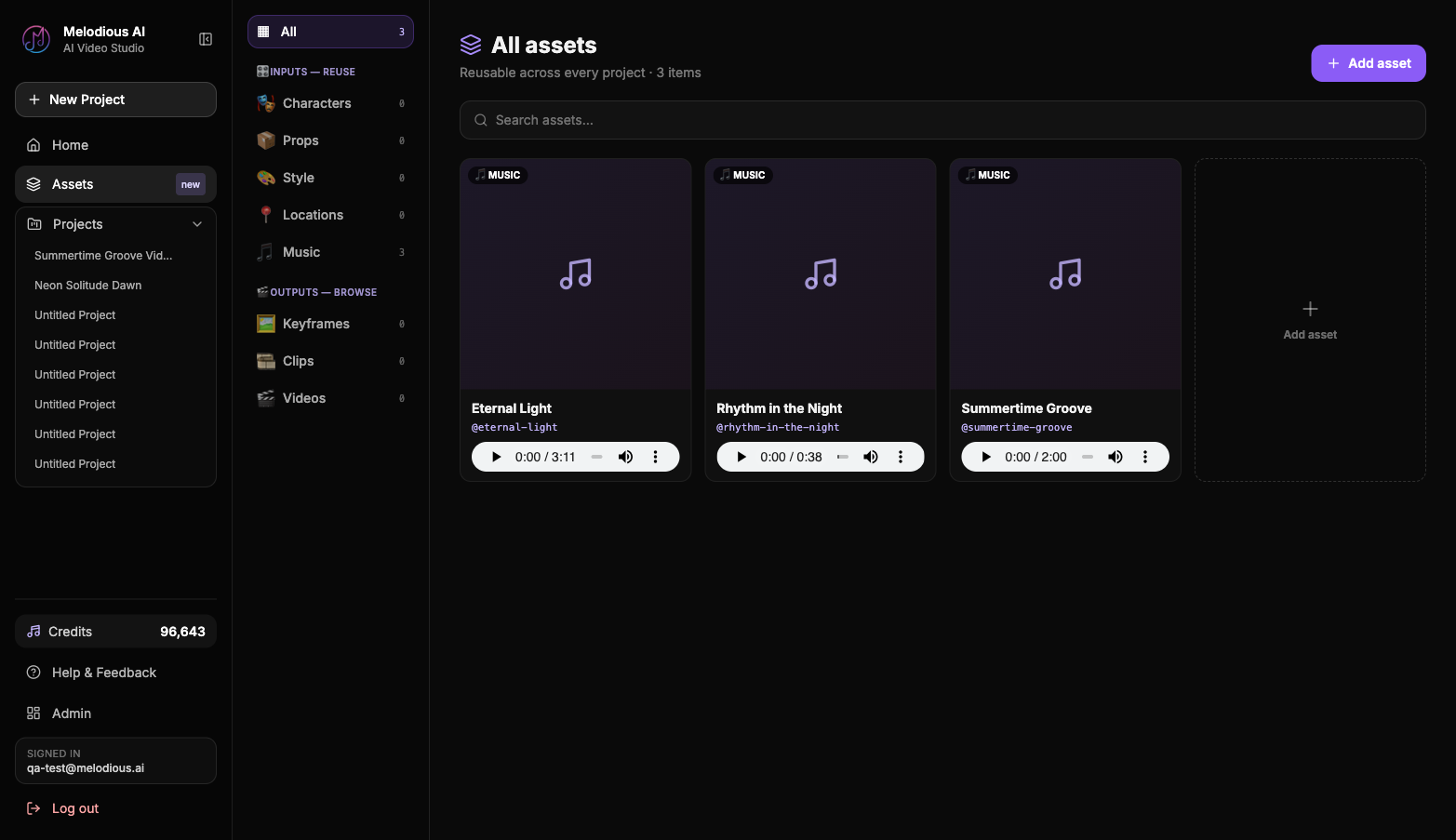
- Save the character once. Upload a reference image, name it, and write a short brief like "auburn curls, olive bomber jacket, gold hoop earrings." The more specific the brief, the more reliably the look carries.
- Reference it with
@mention. In the composer, type@, pick the character, and it stages the reference plus a consistency note in your prompt. - Generate. The saved image conditions every keyframe, so the same person appears across the rooftop, the subway, and the café, not three different people.
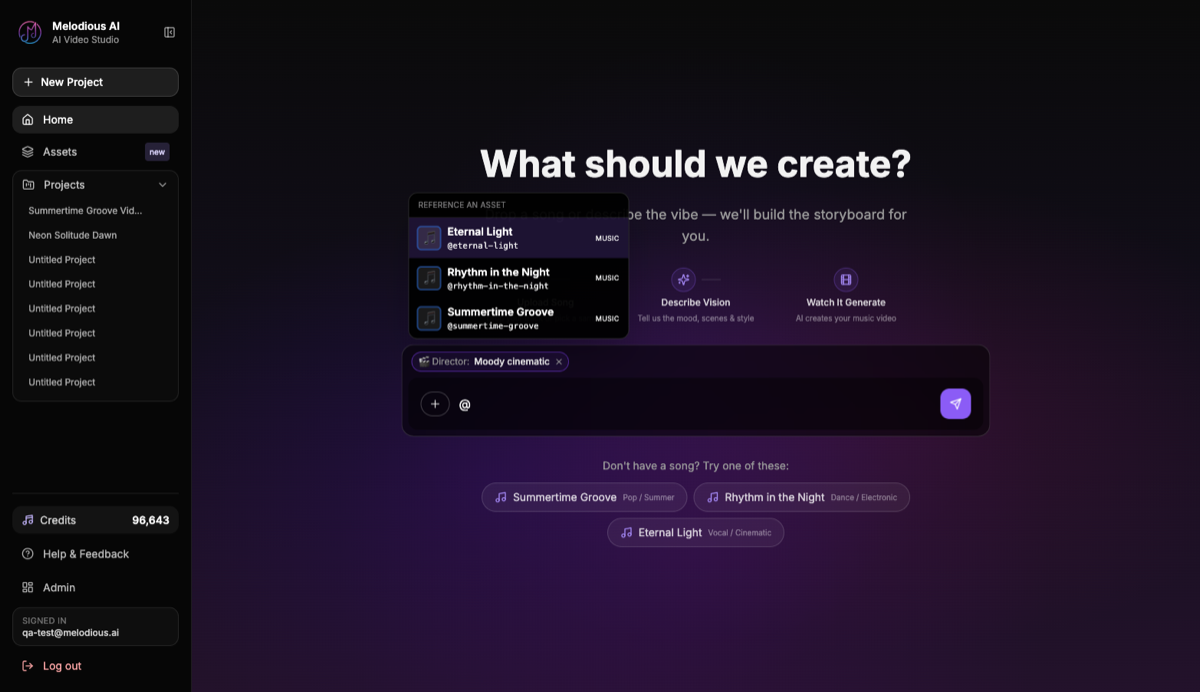
Because the character lives in your library, you can reuse it across projects, not just scenes. Build a recurring artist persona once and bring it to every video. References bind to the saved asset, not to its name, so two assets can share a display name without colliding — the picker disambiguates by thumbnail and type.
How many reference images do you need?
One clear reference is usually enough to hold a character across very different settings. A single sharp, well-lit, front-facing image carries identity across a rooftop at sunrise, a dim subway car, and a neon-lit café — the three are different lighting and backgrounds, but the same face. You don't need a multi-angle shoot to start.
Where one image gets tested is the hard cases: an extreme profile, or a wide shot where the face is only a few pixels tall. There the model has less to anchor to. The practical fix is to keep the reference high-resolution and tightly framed on the face, and to lean on the brief for the details a single photo can't fully pin down (a signature jacket, a specific hair colour). Start with one good reference; only reach for more if you actually see drift on a difficult pose.
What should you write in an AI character brief?
Lead with the features that physically define the person — hair, face, then signature wardrobe and accessories, in that order of discriminative value. The brief is the steering wheel: vague briefs drift, concrete ones hold. Aim for three to five specific, visible descriptors rather than a mood.
- Good: "Short silver buzzcut, square jaw, charcoal turtleneck, single silver ear cuff."
- Weak: "Cool-looking guy."
Exclude mood words ("edgy", "cool"), abstract adjectives, and cultural shorthand — the model interprets those inconsistently from scene to scene. And never name a real artist for the look; that's a trademark and brand-safety risk. Describe the aesthetic with concrete features instead, and the same look carries everywhere you @mention it.
Reusable characters vs. one-off prompts
It helps to see the two approaches side by side, because the difference compounds across a full video.
| One-off prompting | Reusable character | |
|---|---|---|
| What anchors the face | A text description, re-typed each scene | A saved reference image, conditioned every keyframe |
| Consistency across scenes | Drifts — a new person every shot | Held — the same face throughout |
| Effort on scene 2, 3, 10 | Re-describe and hope | @mention once, reuse everywhere |
| Across a second video | Start from zero | Same character, no setup repeated |
Prompts describe; references anchor. A prompt asks the model to imagine a person from words, and it imagines a slightly different one every time. A saved reference removes the guesswork: the keyframe generator gets the actual image as a conditioning input, so identity is preserved rather than re-invented.
Do you have to re-analyze your song for every new project?
No. In Melodious a song is analyzed once on first use, and that analysis is stored on the song itself — so every later reuse loads instantly with no re-analysis and no "analyzing audio" wait. In a lot of tools, every new project re-runs audio analysis and lyric extraction, so you sit through the same processing again and again.
A better model treats a song like a parsed document. The first time you use a track, the backend analyzes it once and stores the bundle (the audio file, its tempo and section structure, and the lyrics with their timings) on the song. That matters beyond saving a wait: because the storyboard is planned against the real section structure, the visual beats line up with the actual song — verse, chorus, bridge — instead of a generic timeline. Three free demo songs come pre-seeded, so you can test the whole flow without uploading anything.
What are the most common mistakes with AI music video characters?
| Mistake | What happens | Do instead |
|---|---|---|
| Relying on prompts alone for consistency | A new face every scene | Save a character asset and @mention it |
| A vague character brief | Look drifts across scenes | Lead with concrete features (hair, face, wardrobe) |
| Re-uploading the same song each project | Repeated analysis waits | Reuse the saved song; it's analyzed once |
| Treating outputs as disposable | Lost keyframes after a refresh | Outputs auto-save to your library |
| Naming a real artist for the look | Trademark and brand-safety risk | Use aesthetic descriptors instead |
What is the full workflow for a consistent AI music video?
Here is the whole loop, with a concrete example running through it. Say you're making a video for an artist you save as @zara, with the brief "auburn curls, olive bomber jacket, gold hoop earrings."
- Save your artist as a reusable character with a sharp brief — that's @zara, saved once.
- Pick (or
@mention) a song that's already analyzed, so there's no waiting through audio analysis again. - Set a director style so the whole storyboard shares one visual lens — a single look across every shot.
- Generate the storyboard,
@mention-ing the character so it carries across scenes. Drop@zarainto the chorus and the bridge, and the same auburn-curls, olive-jacket figure appears in both — not two different people. - Reuse the same character and song on the next single. Three weeks later, the follow-up track starts with @zara already in your library and its song already analyzed. No setup repeated.
Generated keyframes, clips, and final videos auto-save to your library too, so nothing is lost between sessions — if you close the tab mid-render, the work is still there on reload. That's the difference between a one-off generation and a production workflow you can run every release. It is also what makes a multi-video project practical at all — videos for a whole EP or album leans entirely on the same saved cast.
Try it with Melodious — save a character, @mention it across a storyboard, and watch the same face hold from verse to chorus. A first finished video is $19, and three demo songs are included if you'd rather not upload your own track yet.
Frequently asked questions
Can AI keep the same character across every scene of a music video?
Yes. Save a character once as a reusable asset, then reference it in each project. The saved image conditions every keyframe, so the same face appears across scenes instead of a new person each time.
Do I have to re-analyze my song for every new project?
No. A song is analyzed once on first use and that analysis is stored on the song. Every later reuse loads instantly with no re-analysis.
How many reference images do I need for a consistent character?
One clear reference holds a character across very different scenes. More angles can help on hard poses, but a single good reference is enough to start.
Can I reuse the same character across different projects, not just scenes?
Yes. A saved character lives in your asset library and can be referenced in any project by typing its @handle.
Is this free to try?
Every Melodious account is seeded with three free demo songs you can use to test reusable characters and storyboarding without uploading anything.
Make your next music video in Melodious
Attach your song and an AI director builds the storyboard scene by scene — with characters that stay consistent the whole way through. Your first video is $19.
Start your video