Music Video Size & Aspect Ratio Guide (TikTok, YouTube Shorts, Reels)
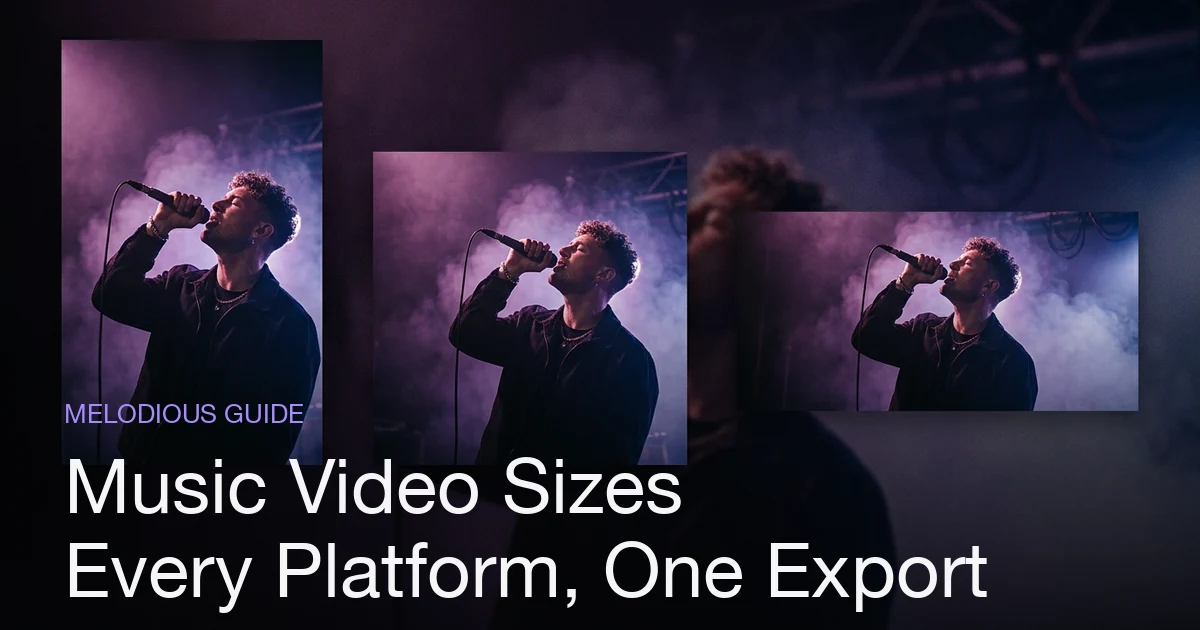
Every platform wants a different music video size. YouTube Shorts, TikTok, and Instagram Reels are all vertical 9:16 at 1080×1920 pixels. Standard YouTube is landscape 16:9 at 1920×1080. Instagram feed video is 4:5 portrait (1080×1350) or 1:1 square (1080×1080). X (Twitter) and Facebook both take 16:9 landscape or 9:16 vertical. YouTube Help puts Shorts at up to 3 minutes; length caps on TikTok, Reels and Facebook change often, so check them before you upload, and short clips of 15–60 seconds are a sensible default. The practical rule: pick your aspect ratio before you post, not after — a video made in the right ratio fills the screen, while a cropped one loses its subject or gets black bars.
Plans from $19/month, cancel anytime. Starter makes one 30-second video a month.
What size should a music video be for each platform?
The short answer: Every platform wants a different music video size. YouTube Shorts, TikTok, and Instagram Reels are all vertical 9:16 at 1080×1920 pixels. Standard YouTube is landscape 16:9 at 1920×1080. Instagram feed video is 4:5 portrait (1080×1350) or 1:1 square (1080×1080). X (Twitter) and Facebook both take 16:9 landscape or 9:16 vertical. YouTube Help puts Shorts at up to 3 minutes; length caps on TikTok, Reels and Facebook change often, so check them before you upload, and short clips of 15–60 seconds are a sensible default. The practical rule: pick your aspect ratio before you post, not after — a video built at the right ratio fills the screen, while a cropped one loses its subject or gets black bars.
There is no single "correct" size for a music video anymore. A track that lives on YouTube as a widescreen film also needs a vertical cut for TikTok, a Shorts version, a Reel, and maybe a square edit for a feed post — and each of those wants different pixels. Get the ratio wrong and you get black bars, an awkward crop that decapitates your artist, or a clip that looks reposted. This guide is the one spec table that covers all of it, followed by how an AI music video generator that makes the video in its final shape lets you skip the manual cropping.
The music video size and aspect ratio table
Here are the dimensions and ratios for every platform that matters for a music release, with length caps where they are stable. Resolutions are the recommended 1080p targets; platforms accept lower, but 1080 is the safe default for a music video you want to look sharp. Length caps change often and some differ by account, so confirm in the app before you upload.
| Platform | Aspect ratio | Resolution (px) | Orientation | Max length (check the app) | Suggested length (our guidance) |
|---|---|---|---|---|---|
| TikTok | 9:16 | 1080×1920 | Vertical | 10 min recording in-app; uploads can run longer | 15–60 sec |
| YouTube Shorts | 9:16 | 1080×1920 | Vertical | 3 min | 15–60 sec |
| Instagram Reels | 9:16 | 1080×1920 | Vertical | 3 min or more, varies by account | 15–60 sec |
| YouTube (standard) | 16:9 | 1920×1080 | Landscape | 12 hr | Full song |
| Instagram feed | 4:5 | 1080×1350 | Portrait | Varies | 30–90 sec |
| Instagram feed (square) | 1:1 | 1080×1080 | Square | Varies | 30–90 sec |
| X (Twitter) | 16:9 or 9:16 | 1920×1080 / 1080×1920 | Either | 2 min 20 sec (free) | Under 60 sec |
| Facebook feed | 16:9 or 9:16 | 1920×1080 / 1080×1920 | Either | Long (hours); varies | Under 90 sec |
| Facebook Reels | 9:16 | 1080×1920 | Vertical | Changing; check Facebook | 15–60 sec |
A few things fall out of this table immediately, and they're the reason it's worth understanding rather than just copying.
Why the three big short-form platforms share one size
The single most useful fact here: TikTok, YouTube Shorts, and Instagram Reels are all 9:16 vertical at 1080×1920. They are the same shape. That means one well-made vertical clip covers all three feeds without re-cropping — you make the vertical video once and post it three times. If short-form is your priority, that's the ratio to build around, and the full guide to making a music video for TikTok walks through composing shots that survive in a tall frame.
The catch is length, not size. Caps differ by app and keep changing, but the long limits are rarely the point: short clips built around a single hook are the practical default. The dimensions are shared; the discipline is trimming.
Why landscape is still the home format
Standard YouTube is 16:9 landscape at 1920×1080, and that's still where the "real" music video lives: the full-length, watch-it-properly version. It's the widest canvas and looks right on a TV or a laptop. It is also not a master you can safely cut a vertical video from. Cropping the sides off a landscape frame loses the subject unless every shot was composed for it, and any lyrics burned into the picture get cut too.
So aspect ratio is a planning decision, not a post-production one. If you know you need a vertical video, make it vertical from the start; if you need both, plan two videos.
Aspect ratio vs resolution: don't confuse the two
These get used interchangeably and they shouldn't be.
- Aspect ratio is the shape — the proportion of width to height. 9:16 (vertical), 16:9 (landscape), 1:1 (square), 4:5 (portrait).
- Resolution is the pixel count — how many dots fill that shape. 1080×1920, 1920×1080, 1080×1080.
Two files can share a ratio at different resolutions: 720×1280 and 1080×1920 are both 9:16, one just has more detail. The order of operations is always the same — match the aspect ratio to the platform first, then export at the highest resolution it supports. For a music video, that's almost always 1080p. Getting the ratio right but the resolution low gives you a correctly-shaped but soft video; getting the resolution high but the ratio wrong gives you a sharp video with black bars. You need both, and ratio is the one that decides whether the clip looks native.
The black-bars problem (and how to avoid it)
When you post a 16:9 landscape video straight to a 9:16 vertical feed, the platform doesn't crop it — it shrinks it to fit the width and fills the empty top and bottom with black. That's letterboxing, and every viewer reads it as "this was made for somewhere else." The picture shrinks. The reverse — a tall video in a wide frame — gives you pillarboxing, black bars on the sides.
There are only two real fixes:
- Crop the landscape video into the vertical frame, keeping your subject centered. Works, but you lose the edges of every shot, and burned-in captions go with them.
- Make the video in the native ratio from the start, so the frame is filled edge to edge with no cropping and no bars.
The second is always better when it's available, because nothing gets thrown away. Which is the whole point of the next section.
How Melodious handles the size
Most tools hand you one widescreen file and leave the resizing to you. Melodious used to crop vertical and square versions out of the landscape master; it no longer does. Now the shape is a decision in the brief, under "Where's it going?":
- Landscape 16:9 for YouTube.
- Vertical 9:16 for TikTok, Reels and Shorts.
Your keyframes, clips, rough cut and final video are all made in that shape, so nothing is cut off the sides and lyrics always fit the frame. If you start from a music video template, the shape is picked for you from the template. It locks once your first keyframe is drawn. Square (1:1) and 4:5 are not offered.
The pixel size follows the quality you choose at render: a vertical video is 720×1280 at 720p, which is the default, and 1080×1920 at 1080p. Landscape is 1280×720 and 1920×1080 at the same settings. For the full 1080p sizes in the table, choose 1080p on the render screen; the price is shown before you pay.
Want the other shape? "Make a vertical version" (or a landscape one) on the finished screen starts a new video from the same brief, with its own keyframes and clips and its own price. A vertical render also has a Spotify Canvas download, a short muted loop, which a landscape video does not. You pick a plan first, from $19 a month, and you see the price before you render.
Common mistakes with music video sizes
| Mistake | What happens | Do instead |
|---|---|---|
| Posting a 16:9 video to a vertical feed | Black bars top and bottom, a small picture, reads as reposted | Make the video in 9:16 so it fills the screen |
| Making only a landscape video | No short-form presence where discovery happens | Make a vertical video for TikTok / Shorts / Reels |
| Cropping a wide shot with edge detail | The subject gets sliced out of the vertical frame | Make the video in native 9:16 |
| Confusing ratio with resolution | Right shape, soft image — or sharp image, wrong shape | Match ratio first, then render at 1080p |
| Posting the full song everywhere | Long clips rarely suit short-form feeds | Trim to a 15–60 sec hook for vertical platforms |
| Re-uploading the same square 1:1 to every feed | Wastes vertical real estate on TikTok/Shorts | Use 9:16 for feeds; 1:1 and 4:5 are only for the Instagram grid |
The thread through all of these is the same: decide the aspect ratio before you publish, not after. A video made at the platform's native size fills the screen and looks native; a video resized at the last minute looks borrowed.
Which sizes should you actually make?
You don't need all nine rows of that table for one release. In Melodious you choose between two:
- 9:16 vertical if the song's first job is discovery. One video covers TikTok, YouTube Shorts and Instagram Reels, and you pick a 16, 30 or 60 second length so it is already the hook rather than the whole song.
- 16:9 landscape if the video is the official YouTube release. Pick the full song.
Do vertical first for most independent artists, then make the landscape version once the song earns it; the vertical vs horizontal guide covers that sequence. If you want a saved face or character to carry across both, reusable AI characters keep the same subject from shot to shot.
Start a brief in Melodious and pick "Where's it going?" before anything is drawn. You pick a plan first, from $19 a month.
Frequently asked questions
What is the YouTube Shorts aspect ratio and size?
YouTube Help describes Shorts as vertical videos up to 3 minutes long, with 1080p as the maximum resolution. For a music video, that means 9:16 at 1080×1920 so the frame fills the screen. Short clips of 15 to 60 seconds are our suggested length, not a platform rule.
What size should a music video be for TikTok versus Instagram Reels?
They're the same shape: vertical 9:16 at 1080×1920. A clip built for TikTok drops straight onto Reels and YouTube Shorts without re-cropping, which is why one vertical video can cover all three short-form feeds. The differences are in length caps and captions, not dimensions, and the caps change, so check each app's current help page.
Do I need black bars if my video is the wrong aspect ratio?
No — black bars (letterboxing or pillarboxing) are what you get when you post a landscape video to a vertical feed without adapting it, and they make the picture small and read as reposted content. The fix is to export at the platform's native ratio so the frame fills the screen edge to edge.
What's the difference between aspect ratio and resolution?
Aspect ratio is the shape (9:16, 16:9, 1:1); resolution is the pixel count (1080×1920, 1920×1080). Two videos can share an aspect ratio at different resolutions — 720×1280 and 1080×1920 are both 9:16. Match the ratio to the platform first, then export at the highest resolution it supports, usually 1080p.
Which shapes can Melodious make my music video in?
It makes it in one of two shapes, chosen in the brief under "Where's it going?": Landscape 16:9 for YouTube or Vertical 9:16 for TikTok, Reels and Shorts. The whole video is made in that shape, not cropped afterwards. Square 1:1 and 4:5 are not offered, and a second shape is a new video made from the same brief.
Make your next music video in Melodious
Attach your song and an AI director builds the storyboard scene by scene — with characters that stay consistent the whole way through. Plans from $19/month, cancel anytime. Starter makes one 30-second video a month.
Make your music video