Vertical vs. Horizontal Music Video: Which Should You Make First?
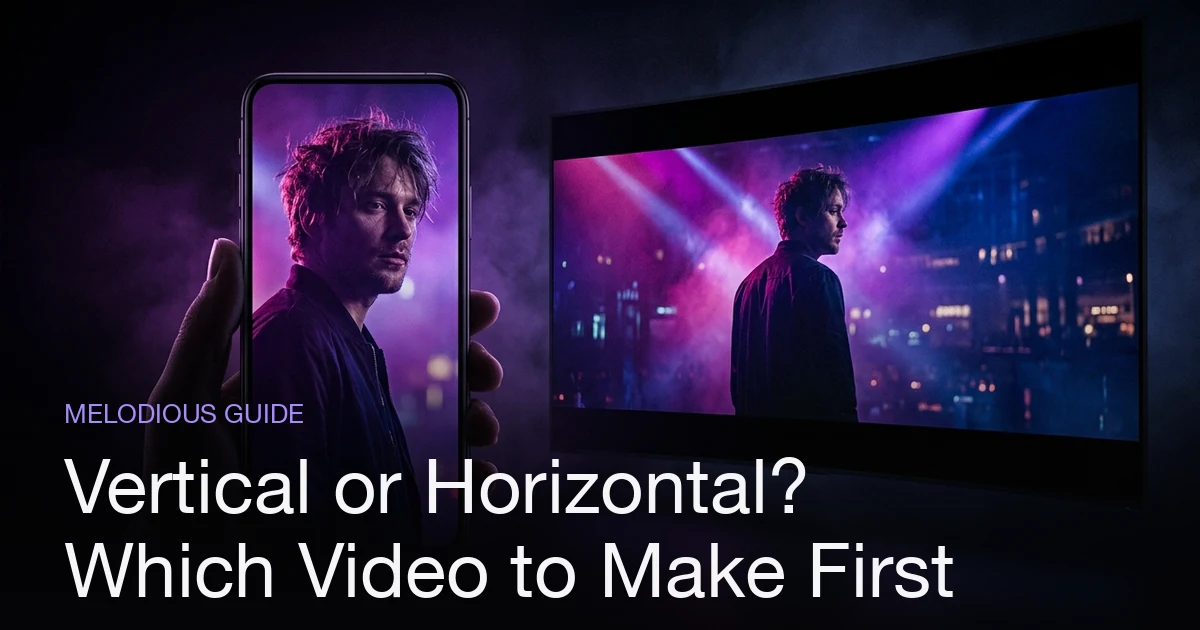
For most independent artists, make the vertical (9:16) version first. Vertical is the aspect ratio of discovery: TikTok, Reels, and Shorts are full-screen 9:16 feeds where new listeners find you, and a phone-filling frame looks native where a letterboxed widescreen clip sits small. Horizontal (16:9) is the format of the destination: YouTube, where the video becomes the song's permanent, searchable home once someone already cares. So the decision is sequence, not either/or. In Melodious the brief asks "Where's it going?" and the whole video is made in that shape, Landscape 16:9 or Vertical 9:16, never cropped from the other. To get both, make a vertical version, which starts a new video from the same brief.
Plans from $19/month, cancel anytime. Starter makes one 30-second video a month.
Vertical or horizontal — which music video do you make first?
The short answer: For most independent artists, make the vertical (9:16) version first. Vertical is the aspect ratio of discovery: TikTok, Reels, and Shorts are full-screen 9:16 feeds where new listeners find you, and a phone-filling frame looks native where a letterboxed widescreen clip sits small. Horizontal (16:9) is the format of the destination: YouTube, where the video becomes the song's permanent, searchable home once someone already cares. So the decision is sequence, not either/or. In Melodious the brief asks "Where's it going?" and the whole video is made in that shape, Landscape 16:9 or Vertical 9:16, never cropped from the other. To get both, make a vertical version, which starts a new video from the same brief.
The vertical-vs-horizontal question feels like a technical one — a number in an export dialog. It isn't. The aspect ratio you pick quietly decides where your song gets heard and who hears it first. Get the sequence right and one music video does two different jobs. Get it backwards and you either bury a great video in a feed that punishes widescreen, or you spend discovery energy on a format nobody searches for. This guide is the decision itself — when vertical wins, when horizontal wins, and why the honest answer for most artists is "both, in this order." For the full production walkthrough, see the pillar, How to Make an AI Music Video; for the exact dimensions and specs, the companion music video size and aspect ratio guide has the numbers.
What actually changes between vertical and horizontal?
The shape does more than fill a screen; it changes the medium itself. A 9:16 vertical frame and a 16:9 horizontal frame are consumed in different postures, on different platforms, by people in different mindsets.
| Vertical (9:16) | Horizontal (16:9) | |
|---|---|---|
| Where it's native | TikTok, Reels, Shorts | YouTube, web players, TVs |
| The viewer's job | Discovering — swiping a feed | Deciding — they clicked to watch |
| Screen fill on a phone | Full screen, no bars | Letterboxed, about a third of the screen |
| Typical length (our guidance) | 15–30 seconds, one hook | The whole song |
| What it's for | Getting found | Being the official home |
| Composition | Center-weighted, tight | Wide, cinematic shots are fine |
The one-line version: vertical is how strangers find your song; horizontal is where fans go to watch it properly. Those are different moments in a listener's relationship with you, which is exactly why the format question is really a sequencing question.
Why most indie artists should start vertical
If you're independent and building an audience rather than serving one you already have, vertical is where the growth is — and here's the mechanics of why.
- The feed is the discovery engine. TikTok, Reels, and Shorts push content to people who don't follow you yet. That's the single hardest thing for an independent artist to buy: reach to strangers. Horizontal YouTube, by contrast, tends to suit videos people already search for or get recommended once they know you.
- Full-screen wins attention. A vertical clip fills the entire phone. A 16:9 video dropped into a vertical feed sits in a letterbox with black bars, reads as reposted, and looks small. You're competing for a thumb that moves fast, so a frame that fills the screen helps.
- Short-form forgives a smaller production. A 20-second vertical hook needs one strong moment, not a four-minute narrative. You can lead with the chorus, loop it, and test which clip lands before committing to the full cut. Our deeper walkthrough on how to make a music video for TikTok covers that cut-down in detail.
- It compounds. One vertical video is several posts — the chorus, a bridge visual, an alternate hook. Each is a fresh at-bat with the algorithm, all from the same song.
The exception proves the rule: if you already have a following that will hit "subscribe" and watch a full release — an established act, a sync placement, a big single with a real budget — horizontal-first makes sense, because you're serving demand, not creating it. Most independent artists are creating it. Start vertical.
When horizontal is the right call
Vertical-first doesn't mean vertical-only. Horizontal 16:9 is still the format that matters for the parts of your career that outlast a single scroll.
- YouTube is the permanent home. It's where listeners actively search for and rewatch music videos, and a 16:9 upload is what reads as the official music video — the version you link from your bio, your press kit, your release announcement. Vertical clips expire in the feed; the YouTube page is evergreen and searchable.
- The lean-back watch. On a TV, a laptop, or a desktop, widescreen is how people actually sit and watch a video start to finish. That's where cinematic, wide compositions land — the establishing shots and framing that a vertical crop would slice off.
- It's the archive. When someone wants to rewatch your video months later, they go to YouTube, not back through a TikTok feed. Horizontal is the copy that sticks around.
So horizontal doesn't lose this comparison. It's the destination. The mistake is treating it as the only output and wondering why a beautifully-made widescreen video isn't getting discovered. It's not built for discovery. That's vertical's job.
How to get both shapes in Melodious
The reason "vertical vs. horizontal" feels like a hard choice is that each shape is usually a separate production. In Melodious it is a question in the brief, and the video is made in that shape rather than cropped.
- Answer "Where's it going?" The brief offers Landscape 16:9 (YouTube) or Vertical 9:16 (TikTok, Reels, Shorts), and picks one for you if you started from a template. Your keyframes, clips, rough cut and final video are all made in that shape, so nothing is cut off the sides and lyrics always fit the frame. The shape locks once your first keyframe is drawn.
- Want the other one? Make a vertical version. The finished screen offers "Make a vertical version" (or a landscape version), which starts a new video from the same brief. It has its own keyframes and clips, so it is another render with its own price, quoted before you pay. It is not a free re-export.
- Square is gone. 1:1 is no longer offered, and the old 9:16 and 1:1 crop downloads were removed. A 9:16 video works in Reels and Stories.
So the sequence from the short answer is a workflow: make the vertical video, post it for discovery, then make the landscape version for YouTube once the song has traction. A vertical render also unlocks one extra: its finished screen has a Spotify Canvas download, a short muted loop that only a vertical video has (see Spotify Canvas size and dimensions). For frame sizes and platform specs, the aspect ratio guide is the reference.
Choose the shape before you draw keyframes
Because the video is made in its shape, you do not fight a crop. A vertical video is planned as a tall frame: tighter shots, the subject near the middle, lyrics sized to fit. A landscape video can use wide establishing shots. The practical advice is to decide before the first keyframe, since that is when the shape locks, and to describe framing that suits it in your brief: close and centered for vertical, wide for horizontal.
Common mistakes — and the fixes
| Mistake | What happens | Do instead |
|---|---|---|
| Making only the horizontal cut | A widescreen video built for YouTube, with nothing made for the feeds where strangers find songs | Lead with vertical; keep horizontal as the home |
| Posting a 16:9 video to a vertical feed | Black bars, a small picture, a "reposted" look | Make the video in 9:16 so it fills the screen |
| Cropping a landscape video in an editor | The sides of every shot, and any burned-in lyrics, are lost | Choose 9:16 in "Where's it going?" before keyframes are drawn |
| Expecting a free re-export in the other shape | The other shape is a new render with its own price | Pick the shape that matters most first; make the second if the song earns it |
| Uploading only vertical to YouTube | No permanent, searchable home | Publish the 16:9 version as the official upload |
The thread through all of these: the format isn't the decision, the sequence is. Vertical to get found, horizontal to be the home, each made in its own shape.
Ready to pick a shape? Start a brief in Melodious. You pick a plan first, from $19 a month, and you choose "Where's it going?" before anything is drawn.
Frequently asked questions
Should I make a vertical or horizontal music video first?
Vertical first, for most independent artists. Vertical (9:16) is where discovery happens — TikTok, Reels, and Shorts are full-screen vertical feeds that surface new music to people who've never heard of you. Horizontal (16:9) is the YouTube home for the video once someone's already interested. Lead with vertical to get found, then publish horizontal as the definitive version.
What's the difference between vertical and horizontal aspect ratio?
Vertical is 9:16 — taller than it is wide, built for a phone held upright (TikTok, Reels, Shorts). Horizontal is 16:9 — the classic widescreen shape of a TV or YouTube player. There is also 1:1 square, which some platforms accept, but Melodious makes only 16:9 and 9:16. The ratio decides how much of a phone screen your video fills and which platforms treat it as native.
Can I just crop a horizontal video to make it vertical?
You can in an editor, but it costs you the sides of every shot, and any burned-in lyrics get cut off with them. Melodious no longer does it: the brief asks "Where's it going?" and the keyframes, clips and final video are all made in the shape you pick, so nothing is cut off. If you want the other shape later, "Make a vertical version" starts a new video from the same brief.
Do I have to make two separate videos for vertical and horizontal?
In Melodious, yes: a project has one shape, Landscape (16:9) or Vertical (9:16), and it locks once your first keyframe is drawn. The second shape is a new video made from the same brief, with its own keyframes and clips and its own price, shown before you pay. The brief, the concept and your song carry over.
Which aspect ratio is best for YouTube?
Horizontal 16:9. YouTube's player, its recommendations, and its search all assume a widescreen frame, and that's where a full-length music video reads as the official release. Use vertical 9:16 for YouTube Shorts as a discovery on-ramp, but the main channel upload should be 16:9.
Make your next music video in Melodious
Attach your song and an AI director builds the storyboard scene by scene — with characters that stay consistent the whole way through. Plans from $19/month, cancel anytime. Starter makes one 30-second video a month.
Make your music video