How to Make Music Videos for a Whole EP or Album
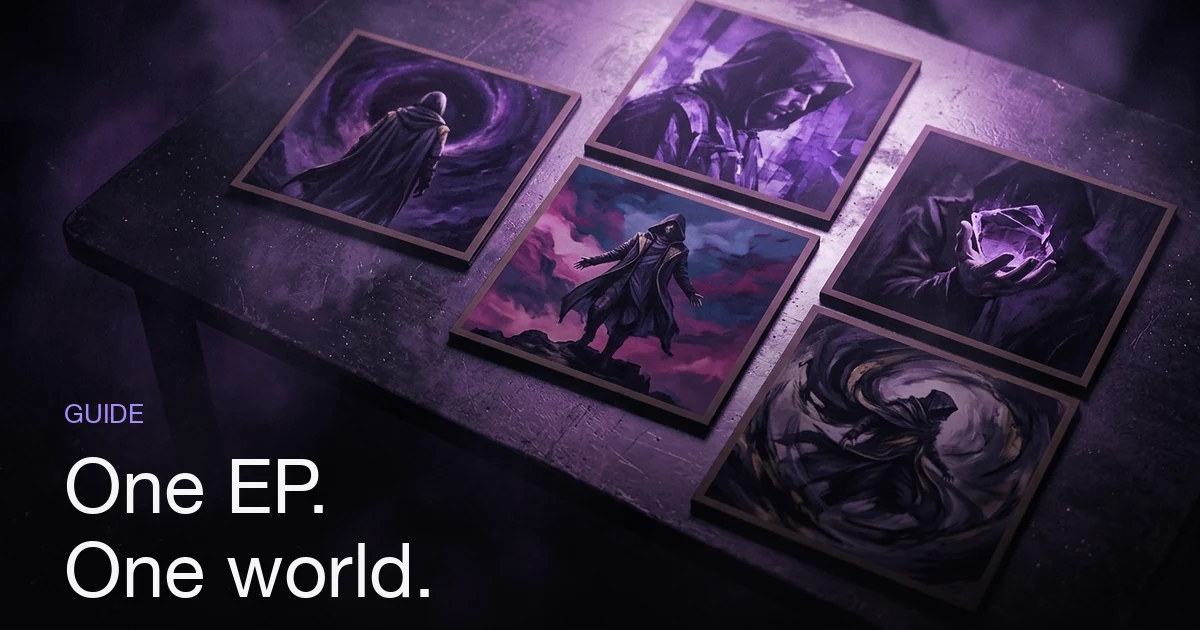
Don't give every track on your EP a video. Pick one flagship for the lead single, one supporting video, and short clips for the rest — an EP is a continuity problem, not a volume problem. Before you make any of them, decide the shared visual world: one recurring character, one palette, one director style. Then hold that world across every track and change exactly one thing per video — the location, the time of day, a single colour accent — so the set reads as siblings rather than repeats. Budget the set as one number, not five: the flagship takes most of the credits and the short clips cost a fraction of it. In Melodious, that shared world is saved once in your assets library as a character, a style and a location. Each track's project then pulls them in with an @mention, so the same face and look condition every keyframe across the release.
How do you make music videos for a whole EP?
The short answer: Don't give every track on your EP a video. Pick one flagship for the lead single, one supporting video, and short clips for the rest — an EP is a continuity problem, not a volume problem. Before you make any of them, decide the shared visual world: one recurring character, one palette, one director style. Then hold that world across every track and change exactly one thing per video — the location, the time of day, a single colour accent — so the set reads as siblings rather than repeats. Budget the set as one number, not five: the flagship takes most of the credits and the short clips cost a fraction of it. In Melodious, that shared world is saved once in your assets library as a character, a style and a location. Each track's project then pulls them in with an @mention, so the same face and look condition every keyframe across the release.
Most advice about music videos assumes you are making one. An EP is a different job. The hard part is not producing five videos — it is producing five that a stranger can tell belong together, so seeing the third one reminds them of the first instead of introducing a new artist. Get that wrong and you have not made a body of work; you have made a playlist of unrelated clips that share a name.
Everything below is about that continuity problem: what to decide before you make anything, what to hold fixed, what to change on purpose, and what the whole set costs. The biggest single lever is covered in depth in our guide to reusable AI characters — one saved character, referenced in every project.
Which tracks on an EP should get a video?
The instinct with a five-track EP is five videos, each getting a fifth of your attention and budget. That is the worst possible split. Attention does not divide evenly across a release; one video will carry most of it whether you plan for that or not, and the others exist to extend its reach.
Plan in three tiers instead:
| Tier | How many | Length | Its job |
|---|---|---|---|
| Flagship | 1 | Full-length or 2 minutes | Establishes the visual world; the YouTube centrepiece |
| Supporting | 1 | ~60 seconds | A second reason to look, two or three weeks later |
| Clips | 2–3 | 30 seconds | Vertical social material, spread over months |
Choosing the flagship is the only decision here that is genuinely hard, and streaming numbers should not decide it alone. Ask instead which track gives you something to look at: does the lyric describe a place, a person, or an action? Does the arrangement change character partway through, so the video has somewhere to go? A track with a great hook and completely abstract lyrics is harder to build a flagship around than a quieter track with one vivid image in the second verse.
Two tracks usually get skipped entirely, and that is fine. Interludes and the track that exists to make the sequencing work don't need videos. Nobody notices an absent video; everyone notices a weak one.
Decide the visual world before you make video one
The mistake that ruins EP rollouts is making video one, liking it, then trying to reverse-engineer a world from it three weeks later. By then you have forgotten which shade of amber you used and what the jacket looked like, and video two drifts. Write the world down first.
A workable release bible is four lines long:
- The character. Who is in these videos, described physically. "Short silver buzzcut, square jaw, charcoal turtleneck, single silver ear cuff" — concrete, visible features, not a mood. Our guide to writing a character brief that holds goes deeper on why abstractions drift and specifics don't.
- The palette. Two or three colours, named. One dominant, one accent that opposes it, one neutral. This is the strongest continuity signal you have, and it is purely a decision.
- The light. One direction, one quality. "Hard single source from the left, deep shadow" reads consistently across wildly different settings; "nice lighting" does not.
- The director style. The shot grammar — how fast it cuts, how the camera moves, how close it gets.
That last one has a direct control in Melodious. A director style is a creative-director persona set from the composer's + menu before you write anything, and it threads through the storyboard and into every shot's prompt. There are six presets — Hip-hop video producer, Moody cinematic, Indie / lo-fi, High-energy performance, Surreal / dreamlike, Documentary-realist — plus a Custom option where you write your own brief in under 200 characters.
Pick one for the EP and keep it. Two different directors genuinely give you two different-looking videos from the same song, which is exactly what you don't want across tracks that are meant to be siblings. If you want more on the mechanics of the look itself, the six choices that make a video look cinematic covers palette, light and framing in detail.
What to hold constant, and what to change per track
Continuity is not sameness. Five videos that are visually identical are boring in a different way — the viewer clocks the repetition and stops watching. The rule that solves both problems: hold three things, move one.
| Hold across every track | Move once per track |
|---|---|
| The character and their wardrobe | The location |
| The palette (same two or three colours) | The time of day |
| The light direction and quality | Which of the accent colours dominates |
| The director style | The season or weather |
So the rooftop at dusk, the subway at night, and the empty café at dawn are the same video world seen three times — same person, same amber-and-blue, same hard side light — with one variable moved. A viewer reads that as one release. Change the character's hair in track three and the whole effect collapses, no matter how good that individual video is.
There is a second axis worth moving deliberately: energy. If the flagship is slow and wide, let the 30-second clips be tighter and busier. That gives you variety in the edit rather than in the world, which is the safe place to put it.
How do you reuse one character across every video?
This is where a multi-video release either works or doesn't. If your protagonist is a different human in each video, nothing else you do will hold the set together.
In Melodious the mechanism is the assets library. You save a character once — a reference image plus a short written brief — then reference it in any project by typing @ in the composer and picking it from the menu. The saved image is passed to the keyframe generator as a conditioning image, so the likeness is preserved rather than re-imagined from a text description each time. That is the difference between a prompt, which asks the model to imagine a person slightly differently every time, and a reference, which anchors it.
The library holds more than characters, which matters for an EP:
- Character — the artist or protagonist. You can attach up to 4 character reference photos for likeness.
- Style — the look itself, saved as an image you can reapply.
- Location — the recurring world your tracks live in.
- Prop — the guitar, the jacket, the car that shows up in every video.
- Music — your tracks, saved and reusable. A song is analysed once on first use and that analysis is stored on the song, so later projects for the same track don't repeat the work.
Between characters and object or style references you can attach up to 14 reference images in total, and all of them are applied to every scene in the storyboard. For an EP, the practical setup is one character, one style image, and one or two location images saved before you start — then each track's project begins by @mention-ing the same three or four assets. Every keyframe generated across the whole release is conditioned on the same inputs.
If the recurring figure is your brand rather than just a device, the longer play is covered in building an artist persona with AI video — the same mechanism, applied across releases rather than across one EP.
Sequencing: which track leads, and what comes after
The flagship goes first, and not just because it's the single. It defines the world, so every video after it is read against it. Releasing a 30-second clip first and the flagship third means your audience meets the world in its thinnest form.
A workable schedule for a five-track EP:
| When | What ships |
|---|---|
| ~2 weeks before EP release | First 30-second clip as a teaser; announce the date |
| ~1 week before | Second clip; flagship video scheduled as a YouTube premiere |
| EP release day | Flagship video published, pinned, linked from every platform |
| ~2–3 weeks after | Supporting 60-second video for the second-strongest track |
| Ongoing | Remaining clips, spaced out — one every couple of weeks |
Two things about this shape. The clips do double duty — they tease before the drop and sustain after it — so make them early even though they publish late. And the supporting video is deliberately held back to the point where launch attention is dying, which is exactly when a release goes quiet and a second video gives your audience a reason to look again.
The single-track version of this timeline is laid out in our guide to the single release workflow. An EP is that same runway, run for the flagship and then extended.
Budgeting a release, not a video
Credits in Melodious scale with the length of the finished video at 20 credits per second, and 100 credits is $1. That makes the arithmetic for a whole EP easy to do up front — which is the point, because the mistake here is spending three-quarters of your budget on the first video you happen to make.
| Track | What it gets | Length | Credits |
|---|---|---|---|
| Lead single | Flagship | 3 minutes | 3,600 |
| Second single | Supporting | 60 seconds | 1,200 |
| Tracks 3–5 | Clips | 30 seconds each | 1,800 |
| Whole EP | 6,600 |
Five videos for 6,600 credits, against 3,600 for the flagship alone. The set costs under twice what one full-length video costs, because length is what you pay for and four of the five are short. That ratio is the whole argument for the tiered plan — and it disappears if you make five full-length videos instead.
Three things to build into the number:
- The image stage is charged when you send the first message. Attaching a song and describing what you want produces the storyboard and generates all the keyframes in one run, and the cost of that image stage is stated under the composer before you send — around 48 credits on the standard 30-second first run. Pressing send is what spends it, so read the number first. Full details in one-message storyboards.
- Rebuilding at a longer length regenerates the keyframes. The first run is always a 30-second clip; you ask in chat for something longer and the storyboard is rebuilt at the new length. That regenerates the keyframes, so you pay the image stage again at the new length — roughly 96 credits at 60 seconds, ~288 at three minutes. For the flagship, expect to pay the short version's image stage before you pay the long one's.
- Regenerating a single keyframe is about 12 credits. Across five videos you will redo a handful of frames. Add a cushion of a few hundred credits rather than budgeting to the exact figure.
On the paying side: the $19 First Video covers 750 credits and one finished 30-second clip, one per account, which is enough to test your world on a real track before committing to the set — and it is credited in full toward a full video for 14 days. The $97 Full Video is 5,200 credits and covers one complete release video of up to four minutes, with no subscription. Pro plans start at $147/month and include from 6,000 credits a month, so a 6,600-credit EP is roughly one month of the entry plan plus a small top-up. See credits and plans for the current table.
What goes wrong on a multi-video release
| Mistake | What it does to the set | Do instead |
|---|---|---|
| Making video one before deciding the world | Videos two to five drift; no two match | Write the four-line release bible first |
| A different protagonist in each video | Reads as five artists, not one EP | Save one character asset; @mention it in every project |
| Equal effort on all five tracks | One thin flagship instead of one strong one | Tier it: flagship, supporting, clips |
| Changing the director style per track | Shot grammar disagrees; the set feels assembled | One style for the whole release |
| Publishing everything in launch week | Nothing left when attention fades | Hold the supporting video for weeks two to three |
| Budgeting per video | Flagship eats the budget; clips never get made | Cost the whole set before making anything |
The first two are the ones that actually kill releases. Everything else on that list makes a set weaker; those two make it stop being a set.
Running an EP through Melodious, track by track
The setup is done once, and then each track is a short loop.
Before any track:
- Save your character to the assets library — a reference image plus a concrete brief. Add a style image and a location image if the world has a specific look you want reapplied rather than re-described.
- Upload each track and save it as a Music asset. First use analyses the song's tempo, sections and lyrics and stores that analysis on the song, so later projects for the same track don't repeat it.
- Choose the EP's director style from the composer's
+menu and note which one you picked, so track four gets the same one as track one.
Then, for each track:
- Start a project, attach the song,
@mentionyour character and any style or location assets, and describe the one thing that changes for this track — the setting, the time of day, the dominant accent colour. Set the director style before you send. - Send once. Melodious writes the storyboard and generates all the keyframes from that single message. The credit cost of the image stage is shown under the composer before you send, and sending is what spends it.
- Read the storyboard. It is fully editable — rewrite any scene's title or prompt, add or delete scenes, regenerate an individual keyframe that missed. This is where you check the world held: same face, same palette, same light direction as the last track.
- For the flagship, ask in chat for the longer length here, once the 30-second version has shown you whether the look is right. The storyboard rebuilds at the new length.
- Approve the video render explicitly. Turning keyframes into video clips is the expensive stage and it has its own separate approval — nothing renders because you sent a chat message.
- Download. Every finished render comes in three shapes — the 16:9 master, a 9:16 cut at 1080×1920, and a 1:1 at 1080×1080 — so the vertical social material for that track is already made rather than generated separately. They are centre crops of the master, so check the ones where your subject sits off to one side.
Track two onward is faster to set up because nothing is redefined: the character, the style, the location and the analysed songs are already in the library, and the only new decision is the one variable you are moving.
Start with the world, not the first video
If you take one thing from this: the EP's visual world is a deliverable, and it comes before video one. Four lines — character, palette, light, director style — written down before you generate anything, then held across every track while you move exactly one variable per video.
That is what separates a body of work from five clips that share a release date — and it is the cheap part. The brief and the palette are decisions, not purchases, and tiering the set spends fewer credits than five equal videos would. Decide the world, then spend the credits.
Frequently asked questions
Do I need a music video for every song on my EP?
No, and trying to usually hurts the release. A five-track EP is better served by one flagship video, one supporting video, and short clips for the remaining tracks than by five videos of equal, thinned-out effort. Pick the tracks by what they have to work with visually — a strong hook, a story in the lyrics, a section that changes character — not by track order or by which one you personally like most.
Which track on an EP should get the full music video?
The one you would play to a stranger with ten seconds to spare. That is usually the track with the clearest hook and the most visual lyric, and it is not always the opener. Give that track the longest video and the most attention, then let the other tracks reuse its world at shorter lengths — the flagship establishes the look, and everything after it inherits it.
How do I make five music videos look like one release?
Fix three things across all of them and vary only the fourth. Hold the character (the same face in every video), the palette (two or three colours, repeated), and the director style so the shot grammar matches. Then change the setting, the time of day, or a single accent colour per track. Continuity comes from what stays the same; interest comes from the one thing you deliberately move.
How much does it cost to make music videos for a whole EP?
In Melodious, credits scale at 20 credits per second of finished video, and 100 credits equals $1. A three-minute flagship is 3,600 credits, a 60-second supporting video is 1,200, and a 30-second clip is 600. A five-track EP built as one flagship, one supporting video and three clips comes to roughly 6,600 credits — under twice the cost of the flagship on its own.
In what order should I release EP music videos?
Lead with the flagship, because it sets the visual world every later video refers back to. Release the supporting video roughly two to three weeks after the EP drops, when the initial attention is fading and you need a second reason for people to look. Hold the short clips back as ongoing social material rather than spending them all in launch week.
Can I use the same AI character across every video on my EP?
Yes. Save the character once in your assets library as a reference image plus a written brief, then reference it with an @mention in each track's project. The saved image is fed to the keyframe generator as a conditioning image, so the same likeness carries across scenes within a video and across every video in the set, instead of being re-invented each time.
One cast, one world, five videos
Save your EP's character, style and location once in your assets library, then pull them into every track's project with an @mention so the whole release shares a face.
Plan your EP