Building an Artist Persona With AI Music Videos
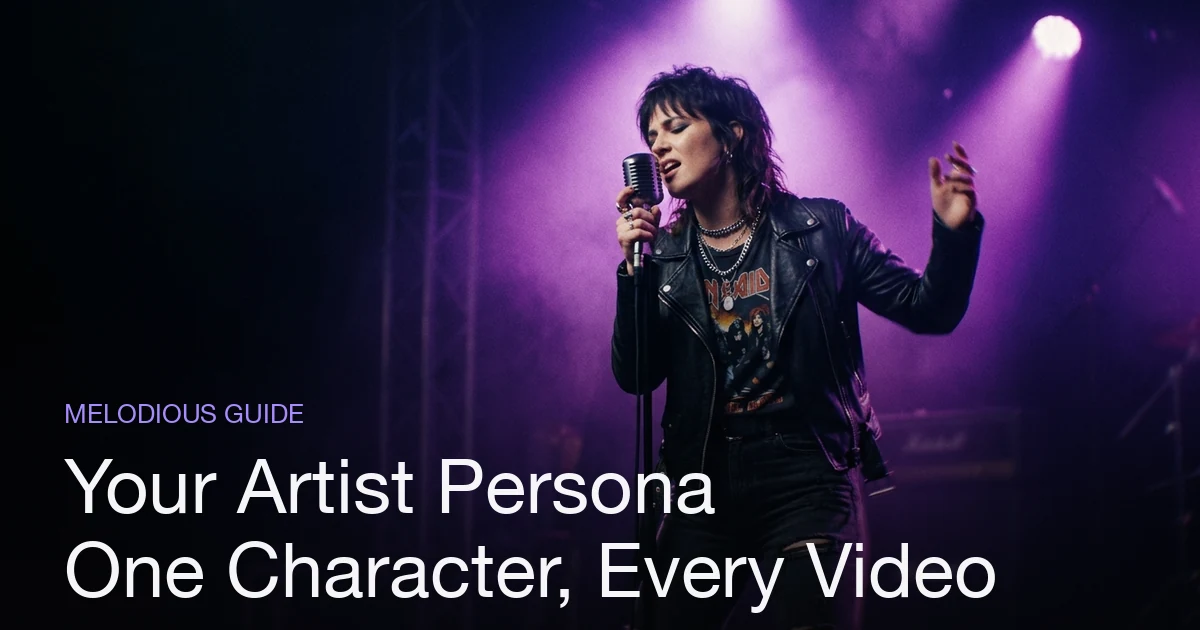
An artist persona is the recurring visual identity — a face, a look, a world — that fans learn to recognize across your releases. To build one with AI music videos in Melodious, define the persona as a concrete character (hair, face, signature wardrobe), save it once as a reusable character asset, then reference it in every project so the same character conditions every keyframe. Because the character is saved to your Melodious library, it holds not just across scenes in one video but across every video you make, so a listener seeing your second single recognizes the same figure from the first. Pair the persona with one director style per release and you get a coherent visual brand that compounds with each drop instead of resetting to a stranger every time.
Plans from $19/month, cancel anytime. Starter makes one 30-second video a month.
The short answer: An artist persona is the recurring visual identity — a face, a look, a world — that fans learn to recognize across your releases. To build one with AI music videos in Melodious, define the persona as a concrete character (hair, face, signature wardrobe), save it once as a reusable character asset, then reference it in every project so the same character conditions every keyframe. Because the character is saved to your Melodious library, it holds not just across scenes in one video but across every video you make, so a listener seeing your second single recognizes the same figure from the first. Pair the persona with one director style per release and you get a coherent visual brand that compounds with each drop instead of resetting to a stranger every time.
Why does an artist persona matter more than any single video?
Fans don't remember individual shots — they remember a face and a world they've seen before. An artist persona is that recurring visual identity: the character, the look, the aesthetic that a listener starts to associate with your name after they've seen it two or three times. It's the reason you can recognize a major artist's era from a single frame with the sound off. The persona is the brand; the songs are what fills it.
For an independent artist, this is the most underused lever in visual marketing. Most people obsess over making one video look good and never think about whether video two, three, and four look like they came from the same artist. That's a mistake, because recognition is cumulative. A viewer who sees a consistent figure across your last three releases builds a mental shortcut — "that's them" — and that shortcut is worth more than any single polished clip. If every release features a different-looking protagonist, you're paying the full cost of introducing yourself every single time.
This is also where AI music video tools quietly fall apart, and where the difference between them actually matters. If you're new to the format, the full workflow for making an AI music video from a song is the place to start; this guide is about the layer on top — turning those videos into a persona that compounds.
What breaks personas in most AI video tools
Here's the trap. Most text-to-video tools generate each scene independently. You describe a singer, the model imagines one, and it imagines a slightly different one for the next shot — a different jaw, different hair, a different person by the chorus. Within a single video that already reads as sloppy. Across a whole release it's fatal to a persona, because there's no continuous identity for a fan to latch onto.
The root cause is that a text prompt describes; it doesn't anchor. Words like "auburn-haired singer in a bomber jacket" leave enormous room for the model to interpret, and it interprets differently every time it samples. You can't build brand recognition on a subject that reshuffles its own face between shots. So the first requirement for a persona isn't a better prompt — it's a way to lock one identity in place and reuse it everywhere.
How Melodious keeps one persona across every scene and every video
This is Melodious's most defensible capability, and it's the whole reason a persona is possible: reusable character consistency. You save your persona once as a character asset — a reference image plus a short written brief — and from then on you drop it into any project with an @mention. The saved image is fed into the keyframe generator as a conditioning input, so the model is steered back to one identity instead of guessing a new one each shot. The mechanics of this are covered in depth in reusable AI characters for music videos; the short version is that references anchor where prompts only describe.
The part that makes it a branding tool, not just a consistency trick, is scope. The character lives in your asset library, so its reach isn't limited to scenes within one video:
- Across scenes: the same persona appears on the rooftop, in the subway, and in the café — not three different people.
- Across videos: three weeks later, your follow-up single starts with the persona already in your library. You
@mentionit and the same figure carries into an entirely new song.
That second point is the real leverage. Holding a face steady for a few seconds inside a single render is one thing; carrying the same saved identity into a brand-new project weeks later is what actually builds a persona. Because the character lives in your library, Melodious does exactly that — durable identity that outlives any single video.
How to define an artist persona worth building on
A persona is only as strong as how concretely you define it. Vague inputs drift; specific ones hold. Treat the definition like a character sheet, leading with the features that physically identify the figure.
- Choose who the persona is. It doesn't have to be you on camera. It can be a stylized version of you, an invented protagonist, or a recurring mascot. What matters is that it's repeatable — a figure you'll be happy bringing back release after release.
- Write a discriminative brief. Lead with hair and face, then signature wardrobe and one or two accessories: "Silver buzzcut, square jaw, charcoal turtleneck, single silver ear cuff." Aim for three to five concrete, visible descriptors — not a mood.
- Pick one clear reference image. A sharp, well-lit, front-facing shot carries identity across very different lighting and backgrounds, and using your own photo as the reference is the simplest source. One good reference is usually enough to start; save it as your character asset.
Two rules keep a persona brand-safe and consistent:
- Describe features, not vibes. "Edgy" and "cool" get interpreted differently every scene. Concrete features ("olive bomber jacket, gold hoop earrings") don't.
- Never name a real artist for the look. That's a trademark and brand-safety risk. Build the aesthetic from described features you own.
The persona brief: good vs. weak
| Weak brief | Strong brief | |
|---|---|---|
| Subject | "A cool singer" | "Auburn curls, freckles, olive bomber jacket, gold hoop earrings" |
| What the model does | Reinvents a new person each shot | Reproduces one recognizable figure |
| Brand value | None — no one remembers a stranger | Fans recognize the persona on sight |
How to give a persona a consistent world, not just a consistent face
A persona is a face plus a world. Two levers in Melodious extend the identity beyond the character itself.
Director styles. A creative-director visual style (for example, a cinematic look) sets the lens the whole storyboard shares — the color, mood, and framing language of the piece. Lock one style per release and the persona doesn't just have a consistent face; it lives in a consistent world. The look becomes part of the brand the same way the character is.
Storyboard planning. Because the storyboard is planned shot by shot against the song's real structure — verse, chorus, bridge — you can decide deliberately where the persona appears and how it's framed across the arc. That intentionality is what separates a branded video from a random reel of clips. If you want to go deeper on shaping the arc, see how to storyboard a music video.
Title cards. Intro and outro title cards let you stamp the artist name and single title onto the piece itself, so the persona always arrives wearing its own branding — an opening frame that names the artist, a closing credit that signs off.
How to roll a persona out across a release
A persona pays off across a sequence of releases, not a single upload. Here's how it compounds through a rollout.
| Stage | What you do | Why the persona compounds |
|---|---|---|
| Define once | Save the persona as a reusable character + set one director style | Every asset in the campaign starts from the same identity |
| Single #1 | @mention the persona across the storyboard; export by platform | First impression — fans meet the figure |
| Teasers / clips | Reuse the same persona in short vertical cuts | Repetition builds recognition before the drop |
| Single #2 | Open the new project; the persona is already saved | Second video reinforces the first instead of resetting |
| The era | Same persona + same director style across the campaign | A coherent visual brand fans can name at a glance |
Two practical points make this real. First, by-platform export: the same persona-driven video can be exported to the aspect ratios each platform wants, so your vertical teaser and your widescreen main cut are the same identity, framed for where they'll live. Second, reuse costs almost nothing: because the persona and its analyzed song are saved, spinning up the next asset in the rollout doesn't mean rebuilding from scratch. For the release-planning side of this — timing, assets, sequencing — pair this with making a music video for a single release.
Common mistakes when building an artist persona
| Mistake | What happens | Do instead |
|---|---|---|
| Relying on prompts for consistency | A new face every scene — no persona forms | Save a character asset and @mention it everywhere |
| A different look every release | Fans re-meet a stranger each drop | Reuse the same saved persona across videos |
| Vague, mood-based brief | The look drifts scene to scene | Lead with concrete features (hair, face, wardrobe) |
| Switching director style each video | The "world" resets even if the face holds | Lock one style per release era |
| Naming a real artist for the look | Trademark and brand-safety risk | Describe features you own |
| Treating each video as a one-off | Recognition never accumulates | Plan the persona across the whole rollout |
The short version
A single good video is a moment; a persona is a brand. The reason to care which AI tool you use isn't the polish of one render — it's whether the same identity can survive from scene to scene and, more importantly, from release to release. That durability is what turns scattered uploads into an artist fans recognize on sight.
Define your persona once as a concrete character, anchor it with a saved reference so it conditions every keyframe, wrap it in one director style, and carry it across your whole rollout. Do that and each new video stops starting from zero and starts building on the last.
Pick a plan and try it in Melodious — save your persona once, @mention it across a storyboard, and watch the same figure hold from verse to chorus and into your next single.
Frequently asked questions
What is an artist persona in a music video?
An artist persona is the recurring visual identity a listener associates with you — a consistent character, look, and world that shows up across your videos. It's what lets someone recognize your brand in three seconds of a scroll, before they even hear the track.
How do I keep my artist persona consistent across every AI video?
In Melodious, save the persona once as a reusable character asset — a reference image plus a short brief — then reference it with an @mention in every project. The saved image conditions every keyframe, so the same face appears across scenes and across separate videos instead of being re-invented.
Can one artist persona appear across multiple music videos, not just one?
Yes. Because the character lives in your Melodious asset library, you reference the same saved persona in every new project. Your second and third singles start with the persona already defined, so the visual brand carries across the whole release.
Does building a persona require me to be on camera?
No. The persona is an AI character you define with a reference image and a written brief. It can be a stylized version of you, an invented figure, or a mascot — no filming or crew required.
How does a persona help a release rollout?
A consistent persona ties every asset in a rollout — teaser, single, follow-up — to one recognizable identity. Fans connect the dots across drops, so each new video reinforces the last instead of starting the recognition from zero.
Make your next music video in Melodious
Attach your song and an AI director builds the storyboard scene by scene — with characters that stay consistent the whole way through. Plans from $19/month, cancel anytime. Starter makes one 30-second video a month.
Make your music video