How to Make a Lyric Video (With AI): A Step-by-Step Guide
To make a lyric video with AI, start by getting your lyrics timestamped to the audio — line by line, with a start and end time for each — because timing is what makes a lyric video feel synced instead of sloppy. Then choose a visual approach: a simple animated background, AI-generated scenes, or kinetic typography, where the words themselves are the motion. Lay the timed lyric lines over that background, keep the type large and high-contrast so it reads on a phone, and export at 1080p. The two things that separate a good lyric video from a bad one are accurate timing and legible text — get those right and the style matters far less.
Plans from $29/month, cancel anytime. Starter makes one 30-second video a month.
The short answer: To make a lyric video with AI, start by getting your lyrics timestamped to the audio — line by line, with a start and end time for each — because timing is what makes a lyric video feel synced instead of sloppy. Then choose a visual approach: a simple animated background, AI-generated scenes, or kinetic typography, where the words themselves are the motion. Lay the timed lyric lines over that background, keep the type large and high-contrast so it reads on a phone, and export at 1080p. The two things that separate a good lyric video from a bad one are accurate timing and legible text — get those right and the style matters far less.
What is a lyric video, really?
A lyric video's primary job is to put the words of a song on screen, in time with the vocal. The visuals behind the words can be anything — a still image, an animated gradient, footage, or AI-generated scenes — but the defining feature is synced, readable text. If a viewer can sing along without knowing the song, you've nailed it.
Defining the format that way tells you where to spend your effort. People obsess over the background and underinvest in the two things that actually decide whether the video works: timing (do the words land on the beat?) and legibility (can you read them on a phone?). Get those right and even a plain animated backdrop looks intentional.
For artists releasing music, lyric videos punch above their weight: cheaper and faster than a full narrative music video, and the format YouTube viewers reach for to learn the words. For the broader picture, our pillar guide on how to make an AI music video covers the full storyboard-to-render flow — this post zooms in on the lyric-video case.
How do you make a lyric video with AI, step by step?
Here's the workflow from finished track to exported lyric video, using AI to remove the tedious parts.
- Start with finished audio and clean lyrics. Have your final mix and the full, correctly-spelled lyrics as plain text. Fix typos now — every mistake gets baked in.
- Get timestamped lyrics. The make-or-break step: each line paired with a start and end time. AI tools that understand audio can extract lyrics and estimate per-line timings automatically, saving you from transcribing and timing by ear. Expect to nudge a few lines by hand afterward.
- Pick a visual approach. Three lanes: a simple looping background (fastest), AI-generated scenes that match the song's mood (most cinematic), or kinetic typography where the words are the animation (most lyric-forward). You can mix them — AI scenes under the verses, bold typography on the hook.
- Generate or choose the background. For the AI-visuals route, describe the mood, setting, and palette and let the tool generate scenes synced to the song's structure. Going minimal? A slow gradient or single on-brand image is plenty.
- Lay the lyrics over the visuals. Drop the timed lines on top. Keep one or two lines on screen at a time. Make the type large, bold, and high-contrast.
- Fine-tune the timing. Play it back against the audio and fix drift — usually a handful of lines where the AI estimate was slightly early or late. This polish pass is what makes it feel professional.
- Export at 1080p (or higher). 16:9 for YouTube, 9:16 for Shorts/Reels/TikTok — our music video size and aspect ratio guide has the per-platform specs. Render, watch it once on your phone, then publish.
The AI shortcut lives in the timing and background steps: a model handles transcription, per-line timing, and (optionally) the visuals, leaving you with creative choices and a short polish pass instead of hours of manual keyframing.
How do you get the lyric timing right?
Timing is the single most important variable. A lyric video where the words appear a beat late reads as broken, even to viewers who can't say why.
- Lead the line slightly. Show a line a fraction of a second before it's sung, not on the exact syllable. Viewers need a moment to read it, and a tiny lead makes the video feel "ahead" of the music.
- Clear lines promptly. Don't leave a sung line lingering while the next one starts — that creates a pile-up. Each line should be readable for its duration, then make way.
- Respect the song's structure. Group lines by phrase, not by arbitrary timing — the natural breaks in the vocal are your edit points. Starting from a tool that already knows the song's sections (verse, chorus, bridge) means the breaks are mapped for you.
- Watch the fast parts. Rapid sections (rap verses, busy bridges) are where timing falls apart. Fix them line by line; don't trust an auto-estimate blindly through a dense passage.
If you started from AI-generated per-line timings, your job here is correction, not creation — nudging a handful of lines, not timing all of them from scratch. That's the whole point of the AI-assisted path.
What style and look should a lyric video have?
Once timing and legibility are handled, style is where you express the song. Three approaches, fastest to most involved:
| Approach | What it looks like | Best for |
|---|---|---|
| Animated background | Lyrics over a moving gradient, particles, or a single image | Fast turnarounds, lyric-first songs, limited budget |
| AI-generated scenes | Lyrics over AI visuals that match the song's mood and sections | A cinematic feel without filming anything |
| Kinetic typography | The words themselves move, scale, and animate | Hooks, hip-hop, anything where the text is the star |
A few rules hold regardless of approach: pick a typeface that matches the song's energy (a serif for a ballad, a heavy sans for a banger), commit to one or two colors plus white, and keep the layout consistent. Resist adding a new font or effect every section — restraint reads as professional.
Can an AI tool make the whole lyric video for you?
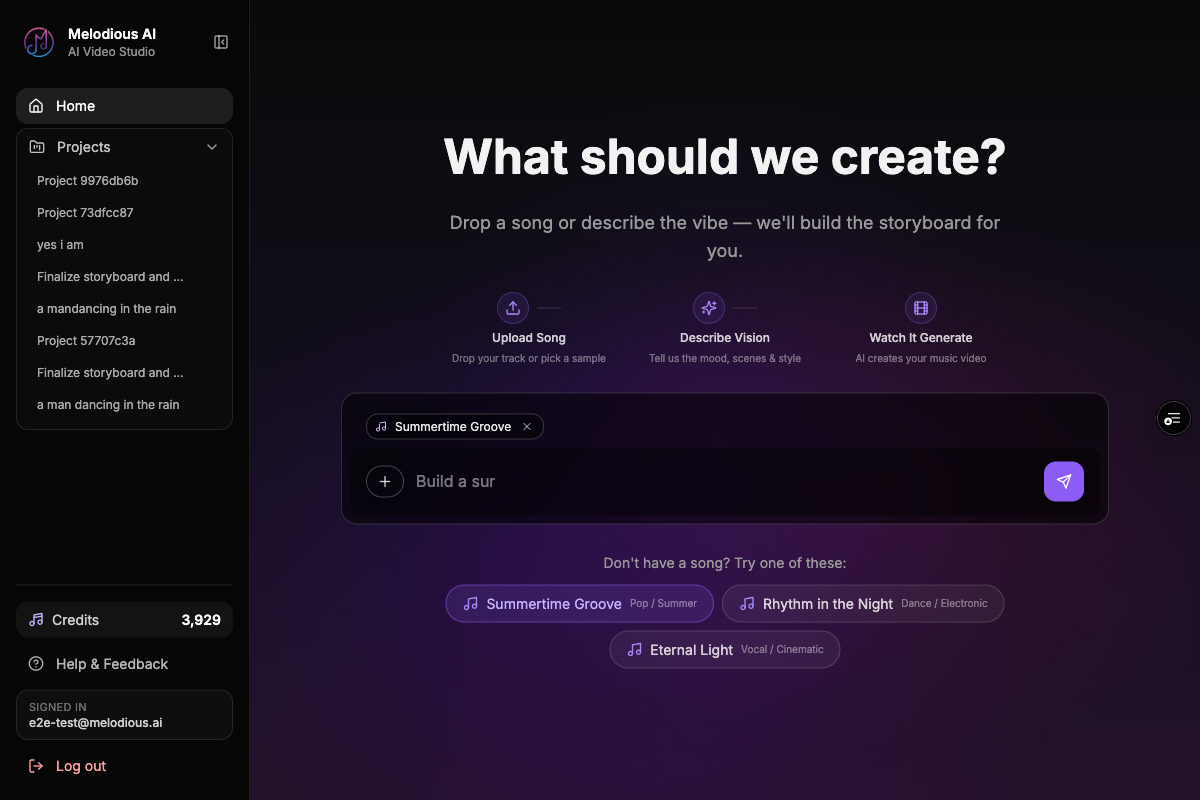
Melodious does both halves — the visuals and the synced text — in one pass. Attach your song, let the AI director build the storyboard, then switch the output type to Lyric video before you generate. It renders AI scenes planned against your track's real structure and burns word-synced lyrics over them, so you never hand off to a separate caption tool.
Three caption styles ship today:
- Karaoke Highlight — each word sweep-fills as it's sung, the classic sing-along treatment
- Line Reveal — lines fade in over the visuals, understated and cinematic
- Bold Center — large centred word-pop, built for social feeds
The timing deserves a note, because it's where most AI lyric tools fall apart. Rather than trusting a language model's guess at when each line happens, Melodious isolates the vocal from your mix, derives word-level timings from the audio itself, and aligns those against your actual lyrics — so a line lands where it's genuinely sung rather than where a model estimated. Before anything renders, the extracted lyrics are shown to you to correct, which is your chance to fix a mis-heard word instead of discovering it baked into the final file.
The scenes behind the lyrics come from that same pass over the audio. Melodious reads your track once — sections, tempo, lyrics — and plans the storyboard against that structure, so the verse and the chorus don't just look different at random. They change where the song changes.
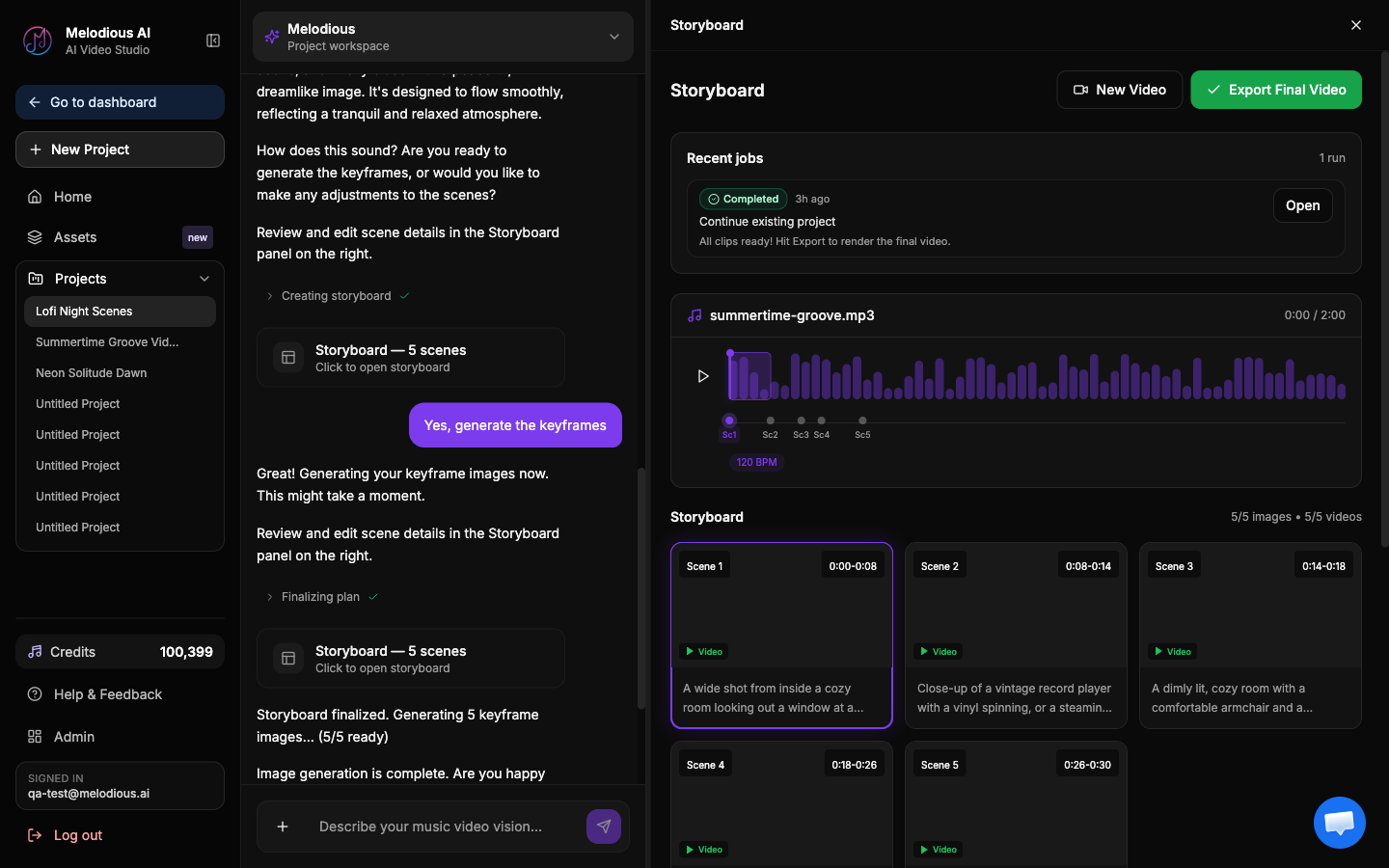
Start a lyric video in Melodious — attach a track, let the director storyboard it, then set the output to Lyric video and pick your caption style.
What are the most common lyric video mistakes?
These errors show up in first attempts again and again — and each one is avoidable.
| Mistake | What happens | Do instead |
|---|---|---|
| Text too small or low-contrast | Unreadable on phones, where most people watch | Large, bold type with a shadow or backing |
| Lyrics out of sync | The video feels broken even if it looks great | Start from timestamped lyrics; lead each line slightly |
| Too many lines on screen | Viewers can't track which line is sung | One or two lines at a time, cleared promptly |
| Typos baked into the render | Permanent, embarrassing, hard to fix post-publish | Proofread the lyric text before generating |
| Busy background fighting the text | Words get lost against the visuals | Dim the background under text, or use a backing plate |
| New font/effect every section | Looks amateur and chaotic | Commit to one type system and stick to it |
| Wrong aspect ratio for the platform | Letterboxing or cropped text | Export 16:9 for YouTube, 9:16 for Shorts/Reels/TikTok |
Do you need permission to publish a lyric video?
Worth settling before you render. Putting lyrics on screen uses the composition, not just the recording — so if you didn't write the song, a lyric video can attract a copyright claim on YouTube even when the audio itself is licensed (how Content ID treats a lyric video is covered separately). Your own original song, publishing under your control: you're clear. Someone else's: check what your distributor or licence actually permits first, because a claim after the fact can mute, demonetise, or block the video in some territories. This is a rights question, not a technical one, and no AI tool resolves it for you.
How long does a lyric video take to make?
With timestamped lyrics in hand and an AI tool doing the heavy lifting on visuals, a solid first draft is an under-an-hour job — where the equivalent hand-built version meant keyframing every line in After Effects and timing by ear, comfortably a full day's work. The render itself is the quick part. What's left is the polish: the tricky lines where the timing drifts, and the look you actually want. If you are weighing the no-cost options first, what free lyric video makers actually cost you is an honest accounting of the trade-offs.
When you're ready to make one, start in Melodious: the AI director plans scenes against your track, the lyrics are timed against the vocal, and you correct the words before it renders.
Running a church media desk rather than a release? Worship lyric videos covers the same job on a weekly turnaround, where the deadline is Sunday and the volunteer rota is the real constraint.
Frequently asked questions
What do I need before I make a lyric video?
You need your finished audio track, the full lyrics as text, and ideally a timestamped version of those lyrics (each line with a start and end time). The timestamps are what let you sync words to the beat; without them you're eyeballing every line by hand.
Can AI time the lyrics to the music for me?
Yes. AI tools that 'understand' audio can extract lyrics and estimate when each line is sung, giving you per-line timings to start from. You'll usually still nudge a few lines by hand, but it removes most of the manual transcription and timing work.
Does Melodious make dedicated lyric videos?
Yes — Melodious renders lyric videos as a first-class output, not just a subtitle overlay. Once the AI director has built your storyboard, switch the output type from 'Music video' to 'Lyric video' and pick one of three caption styles: Karaoke Highlight (each word sweep-fills as it's sung), Line Reveal (lines fade in over the visuals), or Bold Center (large centred word-pop for social). The timing is derived from the audio itself rather than guessed by a language model, and the extracted lyrics are shown for you to correct before anything renders. Lyric captions aren't a Pro-only feature.
What font size and style works best for lyric videos?
Use a large, bold, high-contrast typeface — most lyric videos are watched on phones, so text that looks fine on a laptop is often unreadable on mobile. Add a subtle shadow or semi-transparent backing if the background is busy, and keep one or two lines on screen at a time rather than a wall of text.
How long does it take to make a lyric video?
With timestamped lyrics and an AI tool for the visuals, a first draft can take under an hour. Most of the time goes into fine-tuning the timing on tricky lines and choosing a look you're happy with, not the rendering itself.
Do I need video editing skills?
No. The AI-assisted path is built so you don't need to keyframe text by hand. You provide the song and lyrics, pick a style, and adjust timing where it drifts. Traditional editors (Premiere, After Effects) give more control but a much steeper learning curve.
Make a lyric video from your song
Attach your track, pick a caption style, and the words are timed against the vocal — you correct the lyrics before anything renders.
Make a lyric video