Worship Lyric Videos for Church Media Teams
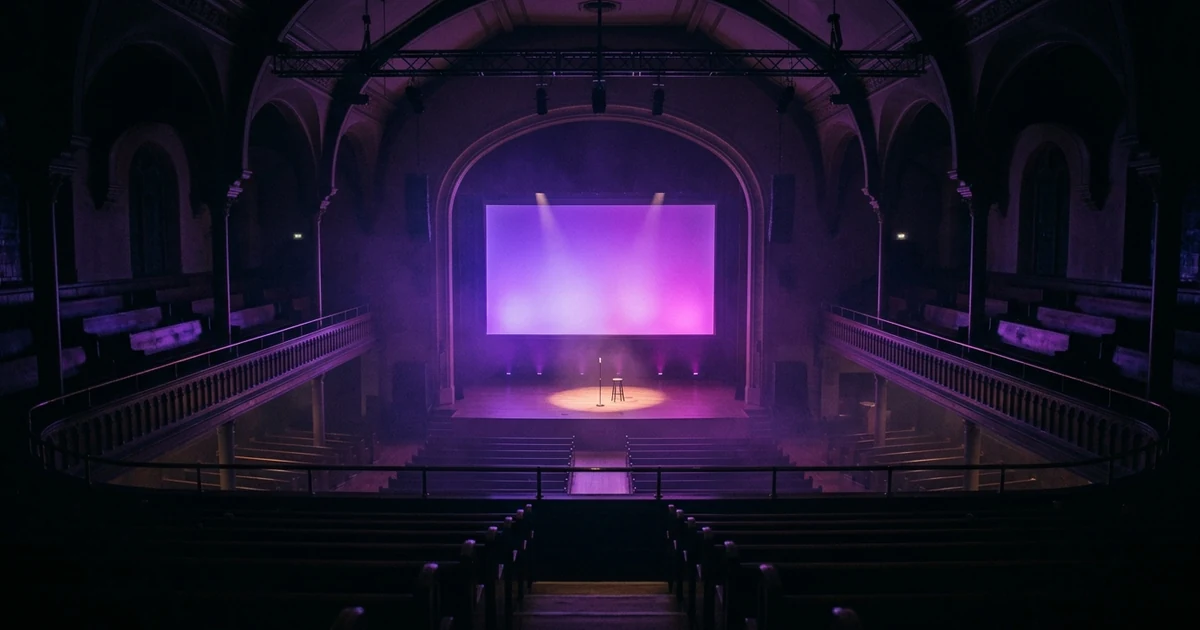
A worship lyric video is one of two different things, and mixing them up is the usual mistake. For live congregational singing you want slides driven by presentation software, not a pre-rendered file, because the band will repeat a chorus and a video cannot follow. That job's constraints are your projector's native resolution, text large enough to read from the back row, and enough contrast to survive house lights that stay up during singing. Licensing differs too: CCLI's Church Copyright License covers projecting lyrics in your services, while streaming or uploading needs a separate CCLI Streaming License.
Plans from $29/month, cancel anytime. Starter makes one 30-second video a month.
The short answer: A worship lyric video is one of two different things, and mixing them up is the usual mistake. For live congregational singing you want slides driven by presentation software, not a pre-rendered file, because the band will repeat a chorus and a video cannot follow. That job's constraints are your projector's native resolution, text large enough to read from the back row, and enough contrast to survive house lights that stay up during singing. Licensing differs too: CCLI's Church Copyright License covers projecting lyrics in your services, while streaming or uploading needs a separate CCLI Streaming License.
Two jobs that share a name
Ask five church media volunteers what a worship lyric video is and you get two answers. One means the words on the screen behind the band on a Sunday morning. The other means a video file — the kind a worship collective publishes when it releases a single.
They are not the same product. The first is a live instrument played by a person at a laptop; the second is a finished artefact with a fixed runtime. Almost every piece of bad advice here comes from someone answering for one job while their reader is doing the other. The guide splits accordingly. Both jobs sit downstream of the same question — what the song should look like on screen — which our main guide to making a music video from a song covers in general terms.
Job one: words on the screen, live
Build to the projector's native resolution
Find the projector's or LED wall's native resolution in its own settings menu and build to exactly that number. Most church rooms are 1920x1080 at 16:9. A meaningful minority are 16:10 — common in older business-class projectors, and the reason a 16:9 background sometimes arrives with grey bars top and bottom. Genuinely old rooms may still be 4:3.
Rendering 4K for a 1080p projector buys nothing, and 16:9 content on a 16:10 device gets scaled, which makes the text softer.
Design for the back row, not the laptop
The failure is always the same and always invisible to the person who made it: text sized at a desk, three feet from a 15-inch monitor, looks generous. From row twenty-four under house lights it is a smear.
The fix costs two minutes. Put a real slide up, set the lights to their normal Sunday level, and walk to the back. If you have to lean in, it is too small. Before you walk back there, set a capital letter to around a twentieth of the screen height — an opening bid, not a standard.
Two related rules: keep to two lines per slide, occasionally four, never a whole verse; and leave a margin, because text at the very edge is the first thing to fall off the frame when a screen is re-hung.
Contrast, in a room with the lights on
This is the constraint that separates church projection from every other kind of video work. Cinema assumes darkness. A congregational singing room does not go dark, because people need to see each other and find their seats. Ambient light lands on the screen, and the projector's black is only as dark as the room.
So: light text on a dark background, and a wide gap between the two. Pure white at full weight on something close to black is not a lack of imagination, it is the thing that works. Add a thin outline or a soft drop shadow so that a line crossing a bright patch of background does not disappear into it. And avoid mid-tone backgrounds entirely — a grey-blue gradient that looks tasteful on a monitor is exactly the value range that swallows white text once the house lights are up.
When the line advances
Here is the adjustment most teams have never made deliberately, and it changes a room more than any font choice.
A congregation cannot sing a line it has not read. If the slide changes on the exact syllable the worship leader sings, everyone in the room is reading while they should be singing, and the whole room arrives a fraction late — which they hear, which makes them tentative, which is how a room stops singing.
Advance the line early. A beat or two ahead of the vocal is a good default; more at slow tempos, less at fast ones. If you drive slides by hand, the operator's job is not to follow the singer but to stay slightly ahead of them. If you are timing a lyric file, build the same lead time in.
Motion backgrounds: use fewer
Motion means the value under your text keeps changing, so a line legible at second three is marginal at second nine, and a moving background competes for the eye of someone trying to read and sing at once. Default to still and dark. A near-static, low-contrast texture is fine; save real motion for a specific moment.
Job two: the published lyric video
If you are making a video to upload instead of to project, the craft is the same as any other release. The workflow is in how to make a lyric video, and the platform side is in how to make a lyric video for YouTube.
Three things change for worship. Your audience is likely singing along at home, so the early-advance rule still applies. Your recording is the fixed timeline. And nobody is reading across a lit room, so there is room for a real visual idea.
How do you make a publish-ready worship lyric video in Melodious?
This is the one job where Melodious fits: a finished lyric or music video for a song you have already recorded, not slides for Sunday.
- Upload the mix you will release. The vocal is transcribed and aligned to the audio, so a buried lead vocal aligns worse than a present one. Prepare your song first.
- Write a short brief. Describe the place and mood in concrete terms. Choosing a style is worth ten minutes.
- Correct the lyrics. The extracted words are shown to you before anything renders, which is your chance to fix a mis-heard word instead of finding it baked into the file.
- Review the storyboard, then set the output to Lyric video and pick a caption style: Karaoke Highlight, Line Reveal or Bold Center.
- Render and download the finished file.
Start your worship lyric video from the recorded song, and keep the projection slides in presentation software.
The licensing question, answered by CCLI and not by us
We are not lawyers; here are the right documents.
Projecting lyrics during your services is explicitly covered by CCLI's Church Copyright License, which permits projecting lyrics from a computer or digital device and printing them in bulletins and song sheets. Read your own licence terms for the copyright-notice and reporting obligations.
Putting anything online is a different licence. CCLI sells a Streaming License covering streaming or uploading services that include worship songs and hymns performed live by your church's musicians, to your church website, your social pages or other platforms.
That is a licence for your service, performed by your people. CCLI's own streaming page notes that including video content would usually need permission from the copyright owner. So a standalone lyric video for a song your church did not write is a different request, and the permission comes from the song's publisher. Ask CCLI where to start.
If the song is original to your church, none of this applies: you can publish its lyric video without asking anyone.
The mistakes worth fixing first
| Mistake | What the room experiences | Fix |
|---|---|---|
| Text sized at a laptop | Back third of the room stops singing | Walk to the back row with the lights up |
| Slide changes on the vocal | Whole room a half-phrase behind | Advance one to two beats early |
| Busy motion background | Legibility flickers line to line | Still, dark, low-contrast — or nothing |
| A whole verse per slide | Skimmed, not read | Two lines; four at most |
| Pre-rendered video for a live set | Band can't repeat the chorus | Presentation software driven by a person |
| Wrong aspect ratio for the projector | Soft, scaled text | Build to the device's native resolution |
If you are making the published version and not the projection version, make your lyric video in Melodious from the recorded song. The mix you upload is the timeline everything else is built against.
Frequently asked questions
Do I need a CCLI licence to project worship song lyrics?
For copyrighted songs, yes. CCLI's Church Copyright License explicitly covers projecting lyrics from a computer or digital device and printing them in bulletins and song sheets, across a repertoire CCLI states as more than 600,000 songs. It also carries reporting and copyright-notice obligations — check the terms attached to your own licence for exactly what you must display and where; do not copy what another church does.
Does CCLI cover putting a lyric video on YouTube?
Not under the basic Church Copyright License. CCLI sells a separate Streaming License covering streaming or uploading services that include worship songs performed live by your own musicians. That is narrower than it sounds: CCLI's own streaming page notes that to include video content in your streaming activity you would usually need permission from the copyright owner. A standalone lyric video for a song your church did not write is therefore not something to assume is covered — ask CCLI, and if the answer is no, the permission you need comes from the publisher.
What resolution should a worship lyric video be?
Match the projector, not the camera. Most church projectors and LED walls run 1920x1080 at 16:9, some 16:10, and older units 4:3. Rendering 4K for a 1080p projector gains nothing and costs you scaling artefacts if the aspect ratio is wrong. Find the device's native resolution in its menu and build to that number exactly.
How big should the lyric text be for congregational singing?
Big enough that you can read it standing in the back row with the house lights at their normal Sunday level. That is the only test that matters, and it takes two minutes to run. As an opening bid — not a standard — set a capital letter to roughly a twentieth of the screen height and adjust from what you see at the back. Most teams undersize text because they set it while sitting at a laptop three feet from a monitor.
Should the lyrics advance on the beat the singer hits them?
No — slightly before. A congregation has to read a line before it can sing it, so the line needs to be on screen roughly a beat or two ahead of the vocal. Advance exactly on the vocal and you get a room half a phrase behind. This is the single highest-impact adjustment most church media teams have never deliberately made.
Can I use a pre-rendered lyric video for live worship?
You can, but it removes the band's freedom. Worship sets change in the room — an extra chorus, a held bridge, a spontaneous repeat — and a video file has one fixed timeline. Presentation software advancing slides by hand follows the room. Reserve pre-rendered video for songs where the arrangement is fixed, or for playback moments where nobody is expected to sing along.
Making the release video, not the projection loop?
Upload your recorded song and Melodious storyboards it, transcribes and aligns the vocal, and renders a finished lyric video you can publish.
Make my lyric video