AI Music Video Generator: Solo Artist vs Band (What Actually Changes)
Using an AI music video generator as a solo artist versus as a band changes the production, not the tool. A solo artist has one recurring figure to hold steady, so one sharp reference image carries the whole video. A band has several, and each one you add makes every shot harder to keep consistent. Save each member once as a reusable character asset, then cast them per scene rather than putting the whole lineup in every shot. Melodious accepts up to 14 reference images per message, and Gemini 3.1's guidance is up to four character references plus ten object or scene references — so a four-piece is the comfortable ceiling for a full-band frame. Both cases share one constraint: there is no lip-sync, so plan around wide shots, silhouettes, hands, and instruments instead of a close-up of someone singing the hook.
What actually changes between a solo artist and a band?
The short answer: Using an AI music video generator as a solo artist versus as a band changes the production, not the tool. A solo artist has one recurring figure to hold steady, so one sharp reference image carries the whole video. A band has several, and each one you add makes every shot harder to keep consistent. Save each member once as a reusable character asset, then cast them per scene rather than putting the whole lineup in every shot. Melodious accepts up to 14 reference images per message, and Gemini 3.1's guidance is up to four character references plus ten object or scene references — so a four-piece is the comfortable ceiling for a full-band frame. Both cases share one constraint: there is no lip-sync, so plan around wide shots, silhouettes, hands, and instruments instead of a close-up of someone singing the hook.
The interesting difference isn't who you are. It's how many people the generator has to recognise and re-draw correctly, shot after shot.
For a solo artist that number is one. Every scene that features a person features the same person, so the model has a single identity to anchor to and you have a single reference to get right. For a four-piece it's four, and the difficulty doesn't add — it compounds, because a frame with four faces gives each face less of the model's attention than a frame with one.
Everything else in making an AI music video from a song — attaching the track, picking a director style, storyboarding against the real song structure — is identical either way. The rest of this is what changes once there's more than one of you.
How many reference images do you actually need?
One clear reference per recurring person. Melodious accepts up to 14 reference images per message, and the underlying image model (Gemini 3.1 Flash Image) is guided toward up to four character references plus ten object or scene references — so four faces is the practical ceiling for one frame.
That rule holds for both cases; a band just repeats it. A single sharp, well-lit, front-facing image holds a character across very different lighting and locations — that's covered in depth in our guide to reusable AI characters across scenes. A solo artist needs one of these and is done. A band needs one per member, and then needs to think about how many of them share a frame.
By lineup size:
| Lineup | Full-band frame | What to do |
|---|---|---|
| Solo artist | 1 character reference | One good photo carries the whole video |
| Duo | 2 character references | Comfortable; both hold well together |
| Three or four piece | 3–4 character references | The ceiling for a single frame — expect some softening |
| Five or more | Over the ceiling | Don't shoot the whole lineup; split across scenes |
The remaining slots aren't wasted. Object and scene references are where the specific guitar, the venue, the jacket go — those often carry more identity than a fifth face crammed into a wide.
Save each member once, then reuse them
The mechanism is the asset library, and it's the same one whether you're saving yourself or five people.
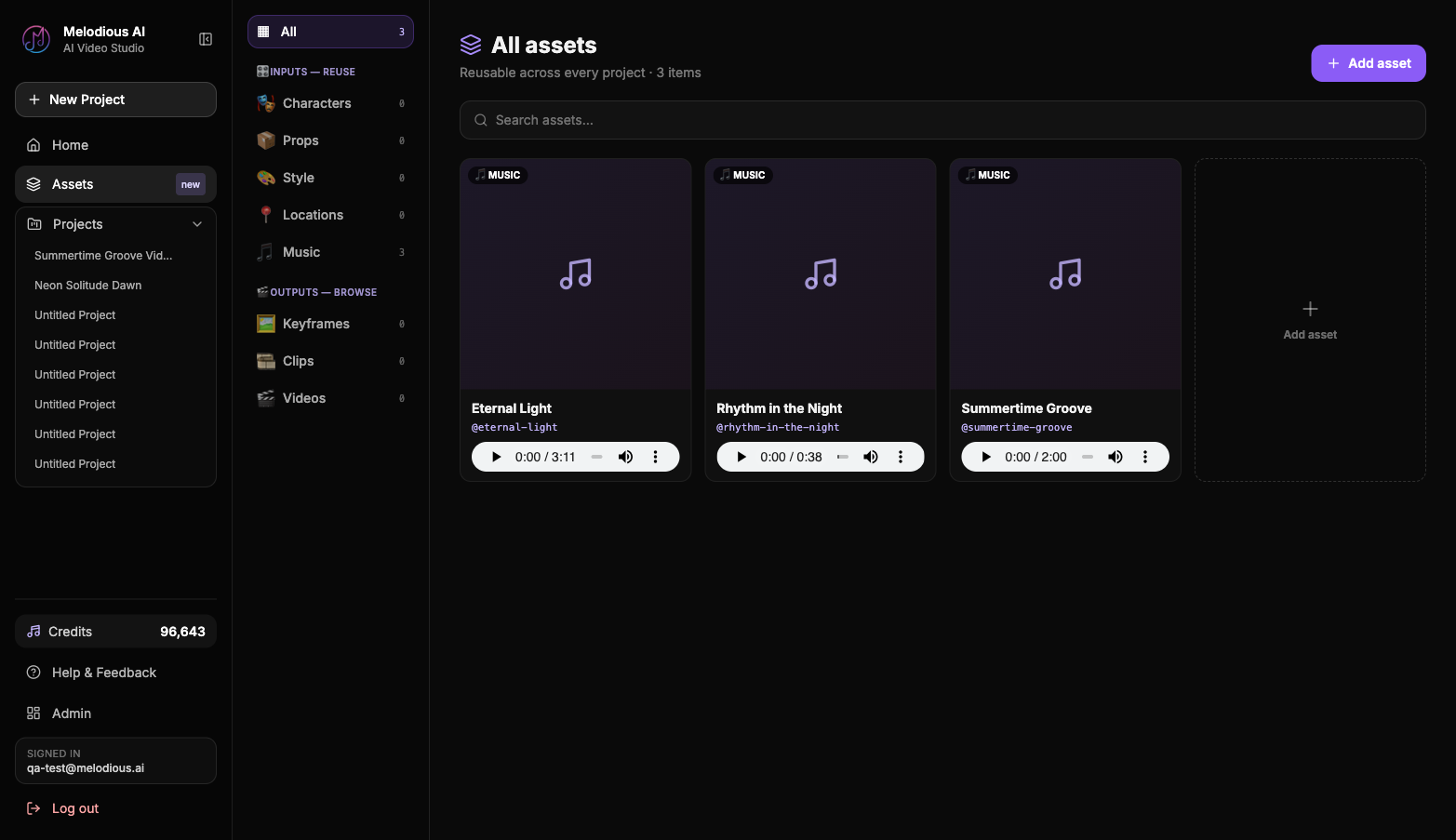
- Save each recurring figure. Upload a reference image, name it, and write a short brief — concrete visible features, not mood. "Shaved head, wire-frame glasses, black western shirt with pearl snaps" beats "the cool one."
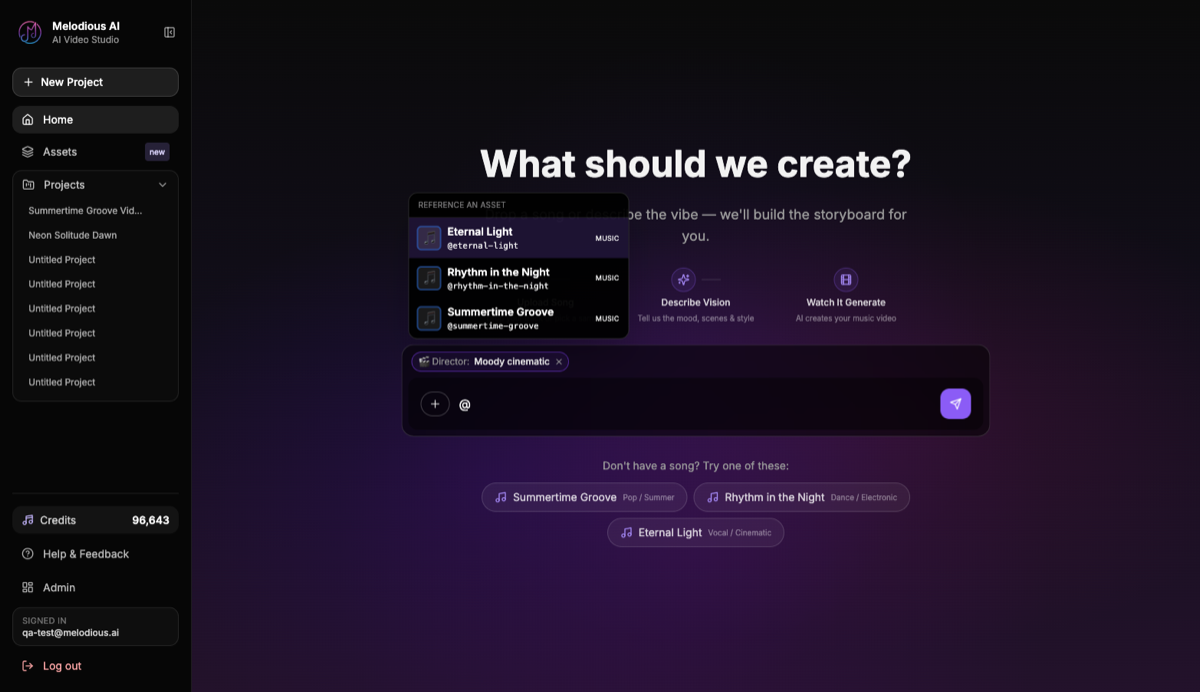
- Reference them where they appear. In the composer, type
@, pick the member, and the saved image is staged as a conditioning input alongside a note telling the director who that reference is. - Generate. The saved images condition the keyframe, so the same figures recur instead of the lineup resetting every shot.
Because the assets live in your library rather than in one project, the setup is a one-time cost. A band that saves four members before its first video starts its second with the lineup already cast — the same compounding logic behind building a recurring artist persona, multiplied.
No usable photos of the band? The Add asset box has a Browse / Generate toggle. Pick Generate, describe the character, and Melodious creates the image — optionally conditioned on a reference you drop in. That gives you a reusable figure without a photo shoot, though it's a stylised character built to your description, not documentary footage of your actual members.
Cast each scene — the step bands skip
Here's the band-specific mistake, and it's a quiet one.
If you don't specify who's in a scene, every saved reference is used for that scene. Attach four members and the director will, by default, try to fit all four into every shot it generates. The result is a video where the whole band stands in a row for three minutes, each face slightly less like itself than it would have been alone.
The fix is to cast, scene by scene, the way an actual music video is cut. Melodious's storyboarding supports per-scene reference assignment, so you can say who's in each shot:
| Section | Who's in it | Why |
|---|---|---|
| Intro | Nobody — venue, gear, empty room | Sets the world; costs no likeness budget |
| Verse 1 | One member, close | Strongest consistency, most intimate |
| Pre-chorus | Two members | Still holds; builds toward the lift |
| Chorus | Full lineup, wide | The payoff shot — use it sparingly |
| Bridge | Hands, silhouettes, instruments | Breaks up the faces, hides nothing |
Fewer people per frame is both the technically safer choice and the better edit. A chorus where the whole band finally appears together only lands if the verses didn't already show you everyone.
If the video's job is to sell the band rather than the song, our guide to making a band promo video without a film crew covers what changes about the brief.
When to keep faces out of frame entirely
There is no lip-sync. Nothing in the render moves a mouth in time with the vocal, so a tight close-up of your singer delivering the hook is the one shot that will always look wrong — and it's the shot everyone's instinct reaches for first.
Plan around it deliberately:
- Wide and mid shots where a mouth is small enough that sync isn't legible.
- Silhouettes and backlight — a figure against a window, a stage light behind the head.
- Hands on strings, keys, a mic stand, a fader.
- Motion and cutaways — crowd, street, headlights, the room reacting.
- Turned away or looking off-camera during vocal-heavy sections.
This constraint hits solo artists harder, because a solo video naturally gravitates toward one person's face for three minutes. A band has more places to point the camera. If you want the words on screen, the lyric video mode renders word-synced lyrics over the generated scenes — timing derived from the audio, not guessed — which carries the vocal without needing a mouth to move.
Solo vs band: the practical differences
| Factor | Solo artist | Band |
|---|---|---|
| Recurring figures to hold | 1 | 2–5 |
| Reference images to prepare | 1 good photo | 1 per member |
| Hardest shot | Anything close on the face (no lip-sync) | Full lineup in one frame |
| Setup effort | Minutes | Longer once, then reused |
| Main risk | A video that's one face for three minutes | Every reference in every shot |
| Biggest advantage over filming | Skips a shoot day | Skips aligning five calendars |
The last row is the one bands underrate. Cameras got cheap; coordination didn't. Generating from the track means the only person who needs to be free is whoever runs the session.
Common mistakes
| Mistake | What happens | Do instead |
|---|---|---|
| Putting the whole band in every scene | Crowded frames, softer likenesses | Cast per scene; save the full lineup for the chorus |
| One group photo as the only reference | The model can't isolate individuals | One clean reference per member |
| Vague briefs ("the bassist") | Members drift into each other | Concrete features: hair, face, signature wardrobe |
| Building the video around a singing close-up | No lip-sync, so it reads as wrong | Wides, silhouettes, hands, or lyric captions |
| Describing shots before setting a director style | Scenes look generic and unrelated | Pick the style first — it steers the storyboard and the prompt behind every shot |
Once the storyboard exists, writing a brief for your AI director is what turns a decent set of shots into your set of shots.
Start with the cast, not the concept
Whether it's one of you or five, the first decision is the same: who recurs, and where. Save each person once, decide which scenes they're in before you generate, and keep the faces small where the vocal is loudest. Start your video with a track and the references you already have.
Frequently asked questions
Is an AI music video generator better for solo artists or bands?
It's easier for solo artists, for a mechanical reason rather than a creative one: one recurring figure is easier to keep consistent than four. Every extra person you need to recognise across shots is another likeness the generator has to hold. Bands get a real advantage elsewhere though — they're the ones who can't get five people, a venue, and a camera operator free on the same day, so generating from the track removes a bigger obstacle than it does for a solo artist.
How many reference images do I need for a band music video?
One clear, well-lit, front-facing image per member is the starting point — the same standard as a solo artist, just repeated. Melodious accepts up to 14 reference images per message; Gemini 3.1's guidance is up to four character references plus ten object or scene references, so a four-piece fits comfortably in a single full-band frame. Beyond four members, don't try to fit everyone in one shot — split the lineup across scenes.
Can I keep all my band members consistent across scenes?
Yes, with the same mechanism a solo artist uses, applied per person. Save each member once as a reusable character asset — a reference image plus a short written brief — and reference them with an @mention where they appear. The saved images condition the keyframe, so the same figures recur instead of a new lineup every shot. Expect consistency to degrade as you add people to a single frame; two members in a shot holds more reliably than five.
Should the whole band appear in every shot?
No, and this is the most common band mistake. If you don't say who's in a scene, every saved reference gets used for that scene, which crowds the frame and dilutes each likeness. Cast each scene deliberately — the drummer alone on the verse, two members on the pre-chorus, the full lineup on the chorus. That's better filmmaking anyway, and it's how real music videos are cut.
Can I make an AI music video if I don't have good photos of my band?
Yes. In the assets library, the Add asset box has a Browse / Generate toggle — pick Generate, describe the character, and Melodious creates the image for you, with an optional reference image to condition the look. That gives you a saved character to reuse even when you have no usable band photos. It produces a stylised figure conditioned on your description, not a documentary photograph of your actual members.
Cast your video before you generate it
Save each performer as a reusable character, then pick who appears in each scene — one figure or the whole band.
Start your video