AI Album Cover Generators Have Two Real Strengths and One Hard Limit
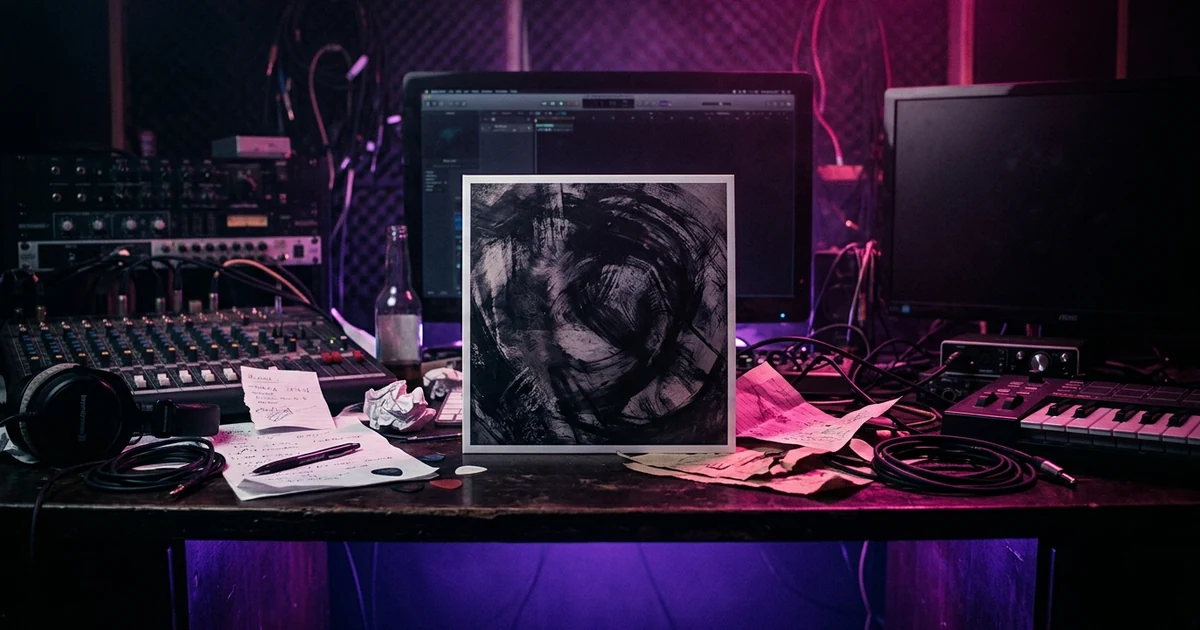
An AI album cover generator turns a written prompt into a square image using a diffusion model, which starts from visual noise and repeatedly refines it toward something matching your description. It is genuinely good at atmosphere, texture, colour and unusual composition, and reliably bad at legible lettering, so the sensible workflow is to generate the artwork and set your own type over it afterwards. Two questions matter before you commit to one: what native pixel dimensions it outputs, since distributors want a large square master, and what its terms say about commercial use — in the US, purely AI-generated material is not itself protected by copyright.
Plans from $29/month, cancel anytime. Starter makes one 30-second video a month.
The short answer: An AI album cover generator turns a written prompt into a square image using a diffusion model, which starts from visual noise and repeatedly refines it toward something matching your description. It is genuinely good at atmosphere, texture, colour and unusual composition, and reliably bad at legible lettering, so the sensible workflow is to generate the artwork and set your own type over it afterwards. Two questions matter before you commit to one: what native pixel dimensions it outputs, since distributors want a large square master, and what its terms say about commercial use — in the US, purely AI-generated material is not itself protected by copyright.
What is actually happening when you press generate
Almost every cover generator you will meet is a front end on a diffusion model. The model begins with a square of random noise and takes it through a series of denoising steps, each one steered by a numerical representation of your prompt, until the noise resolves into a picture. It is not searching a library and it is not assembling clippings. The image is produced from scratch on every run, which is why the same prompt gives you a different cover the second time you press the button.
The same machinery produces the frames of a generated music video, so a cover is one frame of the AI music video problem.
That mechanism explains both of the model's characteristic behaviours. Because the picture emerges from noise as a whole, it is excellent at things that live in texture and tone — grain, haze, wet asphalt, the specific quality of light through a dirty window. And because it has no concept of a glyph as a discrete symbol, it is poor at anything that has to be exactly right rather than plausibly right. Lettering is the obvious case. Hands are the famous one.
What it is genuinely good at
Atmosphere before subject. If you can describe a temperature, a time of day and a material, a generator will get you there faster than you could brief a human. It tells you whether your record wants to look cold or warm before you spend money.
Unfamiliar composition. Ask for an odd crop — a subject cut off by the frame edge, an object photographed from underneath — and you get variations you would not have sketched.
Volume. Forty candidates in ten minutes lets you pick instead of settle.
What it is bad at, and will stay bad at for your purposes
Type. Do not ask for your title. You will get letterforms that read as text from across the room and dissolve into invented characters up close, and you will burn an hour on rerolls that all fail the same way. Generate a clean image and set the type yourself. That is the correct division of labour: typography is the element a listener reads at 50 pixels square.
Repeating a specific thing. Getting the same face, jacket or room across a cover and four single artworks is the hard problem. It is the same problem as holding a character across a video, and we have written about what a character brief has to contain.
This is where the cover pays off twice. Once you have a cover you like, the hard part is already solved: its palette, light and subject are decided. Melodious lets you attach the cover as a reference and save its subject as a Character or Style asset, so the keyframes for your music video start from the same look instead of a new guess.
Matching a reference precisely. A model takes the flavour of a reference image, not its composition, and pushing it to copy one produces something close enough to be recognisable and wrong enough to be embarrassing.
The resolution question people ask too late
Two things worth settling before you get attached to an image.
First, find the generator's native output size — the resolution it actually renders at, which can differ from the size of the file it lets you download. Some tools generate at a modest resolution and upscale on the way out. Upscaling is interpolation: it makes the file bigger and adds no detail that was not there, and on a flat, graphic image it can look worse than the original by introducing a plasticky smoothness across areas that should be crisp.
Second, your distributor sets the requirement, not the generator. Cover art specifications come from whoever is delivering your release to the stores, and they are the ones who will reject a file. Read their spec page, check it against the platform-by-platform cover art specs, note the exact minimum, and generate comfortably above it, not exactly at it — a master you can crop into is worth having.
The practical rule is unglamorous: work square from the start, keep the largest version you ever had, and treat every downscale as a one-way trip. To see what a file actually is, a cover art size checker that runs in your browser reads its dimensions, ratio and format against each platform's published rules and uploads nothing.
The copyright question, stated properly
There are two separate questions here and conflating them causes most of the confusion.
Can I use this commercially? That is answered by the generator's terms of service. Some grant broad commercial rights, some restrict it by tier, some reserve rights over outputs. It is a contract question and the answer is in the document you clicked through.
Do I own it? In the United States, that is a different matter. The Copyright Office's registration guidance for works containing AI-generated material holds that copyright protects human authorship, and that material produced by a generative model without sufficient human creative control is not protectable — a position it applied concretely when it refused registration for the AI-generated images in a comic book while registering the human-written text and arrangement. The policy statement itself is short and worth ten minutes of your time.
The practical consequence for a musician is narrow but real: an untouched generator output is something you may well be allowed to use and unlikely to be able to stop anyone else from using. Your typography, your composite and your edit are human work and are yours; they are also what makes the cover look like your record instead of a prompt.
How to brief a generator properly
The single change that improves results most is replacing adjectives with nouns and verbs.
A weak prompt names the feeling you want: moody, cinematic, epic, atmospheric album cover. Those words describe your reaction to a finished image, and the model cannot work backwards from a reaction. A strong prompt names the things that would cause it:
- A subject — one concrete object or figure, not a scene.
- A medium — expired 35mm film, wet-plate collodion, risograph, charcoal on grey paper. This does more work than any other word in the prompt.
- A light — a single window, sodium street lamp, screen glow from below, overcast noon.
- A constraint — one dominant colour, an empty half of the frame, a horizon line low in the picture: the kind of single, early decision that famous album covers are built on.
Then iterate on one variable at a time. Changing four things between runs tells you nothing about which one helped. This is the same discipline as writing a brief for a music video director, and it transfers directly.
Where we disagree with how these tools are sold
Most cover generators are marketed as one-click products: type your band name, receive a finished cover with your title on it. We think that framing produces worse covers and wastes your time, for the reason set out above — the text will be wrong, and the text is the part that has to be right.
Treat the generator as an image source, not a design tool: it is one of three routes in making an album cover end to end, after the brief and the spec. Generate artwork with deliberate empty space in it, then set your type over that space in whatever you already use. It is one extra step and it separates a cover that looks generated from one that looks designed.
The cover is finished — what next
If the cover is now the strongest visual you own, do not let it sit as one square. Release day needs moving picture, and the cover has already decided the palette, the light and the world.
- Write the cover down in five plain lines: palette, light, subject, setting, texture. From album art to music video shows exactly how.
- Upload your song to the Melodious music video maker, paste those lines into your first message and attach the cover as a reference. You get a storyboard with a keyframe for every shot, built from your sleeve.
- Check the keyframes against the cover, regenerate any that drift, then approve the render. Nothing renders until you do.
Attaching the cover strongly biases the result; it does not guarantee a match, which is why step 3 exists.
Frequently asked questions
How does an AI album cover generator work?
Nearly all of them use a diffusion model. The model starts from a field of random noise and removes a little of it at a time, each step nudged toward whatever your text prompt describes, until an image emerges. Nothing is retrieved or collaged — the picture is produced fresh each run, which is why the same prompt twice gives you two different covers.
Can an AI generator put my album title on the cover?
It can try, and it will usually give you something that looks like lettering without being your lettering — wrong glyphs, invented characters, kerning that no typographer would sign off. Generate the image without text and set the type yourself in any design tool. You keep control of the font, and the typography is the part a listener reads at thumbnail size.
What resolution do I need for an album cover?
Square, and larger than you think you need, because the master gets downscaled everywhere it appears and upscaling after the fact never adds detail back. Check the native output size of the generator before you commit to it rather than after — and check the exact minimum your distributor asks for, since that requirement comes from them, not from the generator.
Do I own an AI-generated album cover?
Ownership and copyright are two different questions. Your right to use the image commercially comes from the generator's terms of service, so read them. Copyright is separate: the US Copyright Office's registration guidance holds that material generated by AI without sufficient human authorship is not protected, so an untouched output is not something you can register or easily stop someone else from reusing.
What makes a good prompt for cover art?
Name a subject, a medium and a light source. 'A cracked ceramic mask, shot on expired 35mm film, lit by a single window' gives a model three things to act on. 'Moody, epic, cinematic album cover' gives it three adjectives that describe a mood you already have and no instructions for making one. Adjectives are the weakest part of any prompt.
Will an AI cover look like everyone else's?
If you prompt like everyone else, yes. Generators have strong default aesthetics and a vague prompt lands squarely on them — the glowing neon portrait look is a default, not a style choice. Specificity is the whole defence: a named medium, a real light, an odd crop, and a colour palette you picked instead of one you simply accepted.
The cover is done. Now make it move.
Upload your song, describe the cover in colours and light, and Melodious storyboards the track with a drawn keyframe for every shot. You approve the plan before any video renders.
Turn your cover into a video