Quickstart: make a video in the chat
Make your first music video in the chat studio. Add a song, talk to the Music Video Director, pick one of three ideas, and approve the storyboard and the video at their price.
Last updated
The studio is a chat. You add a song and a sentence about your idea, and the Music Video Director works through it with you: questions, three ideas, a plan, a storyboard and then the video. The storyboard, the video and every change after it are shown as a card with the exact price, and none of them runs until you tap the card. Ideas, the plan and your messages use a few credits each as you go.
Before you start
- A song. MP3, WAV, M4A, AAC, OGG or FLAC, up to 50 MB.
- Starting credits. New accounts usually get starting credits that last 7 days. They cover video ideas, the plan and messages to the director. The storyboard and the video need a plan. See Plans and top-ups.
Make it
Add your song
On the start screen, press + and choose Upload a song. The hint above the box ticks off as you go: choose a song, choose a character (optional), describe your idea. Your song appears with its length, tempo and sections once it has been read.
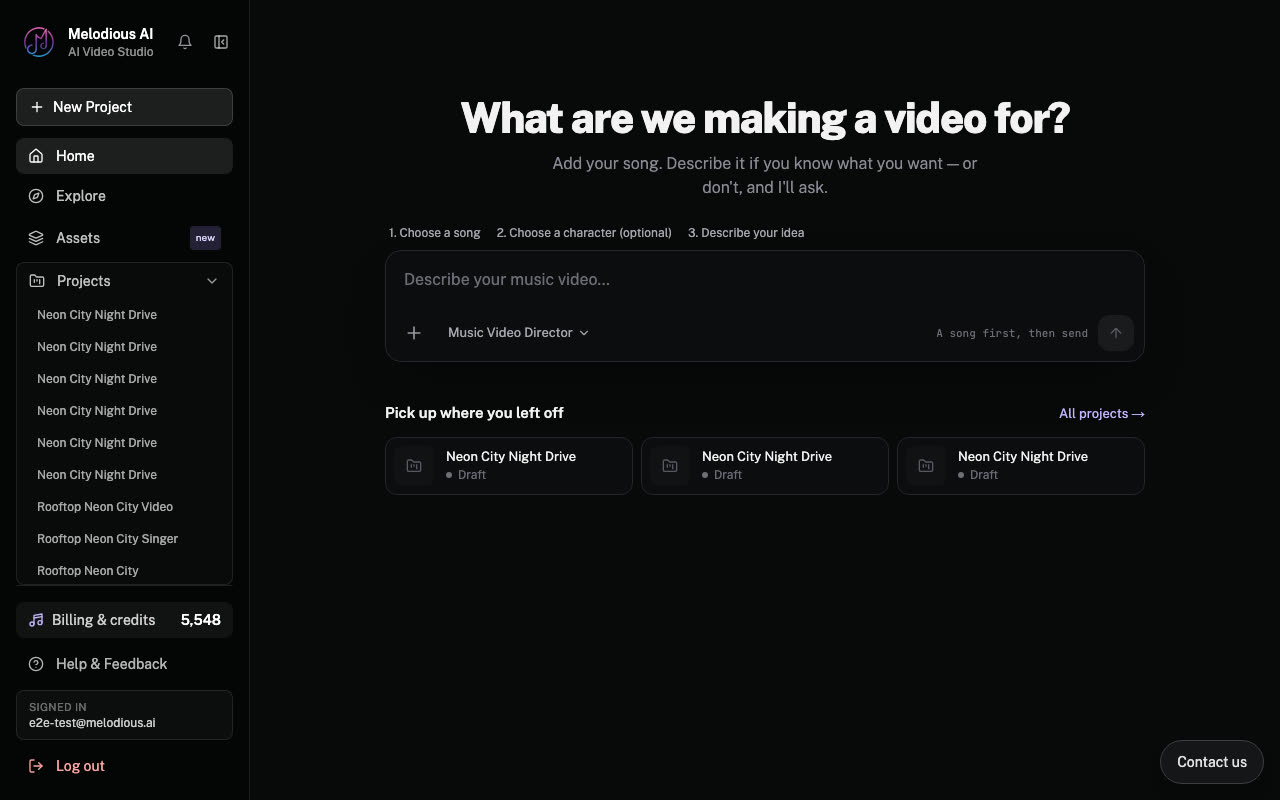
Add a singer if you want one
The + menu also has Upload a photo of the singer and Choose from my assets for a saved character. If you use a photo of a real person, Melodious asks for your permission to use the likeness first.
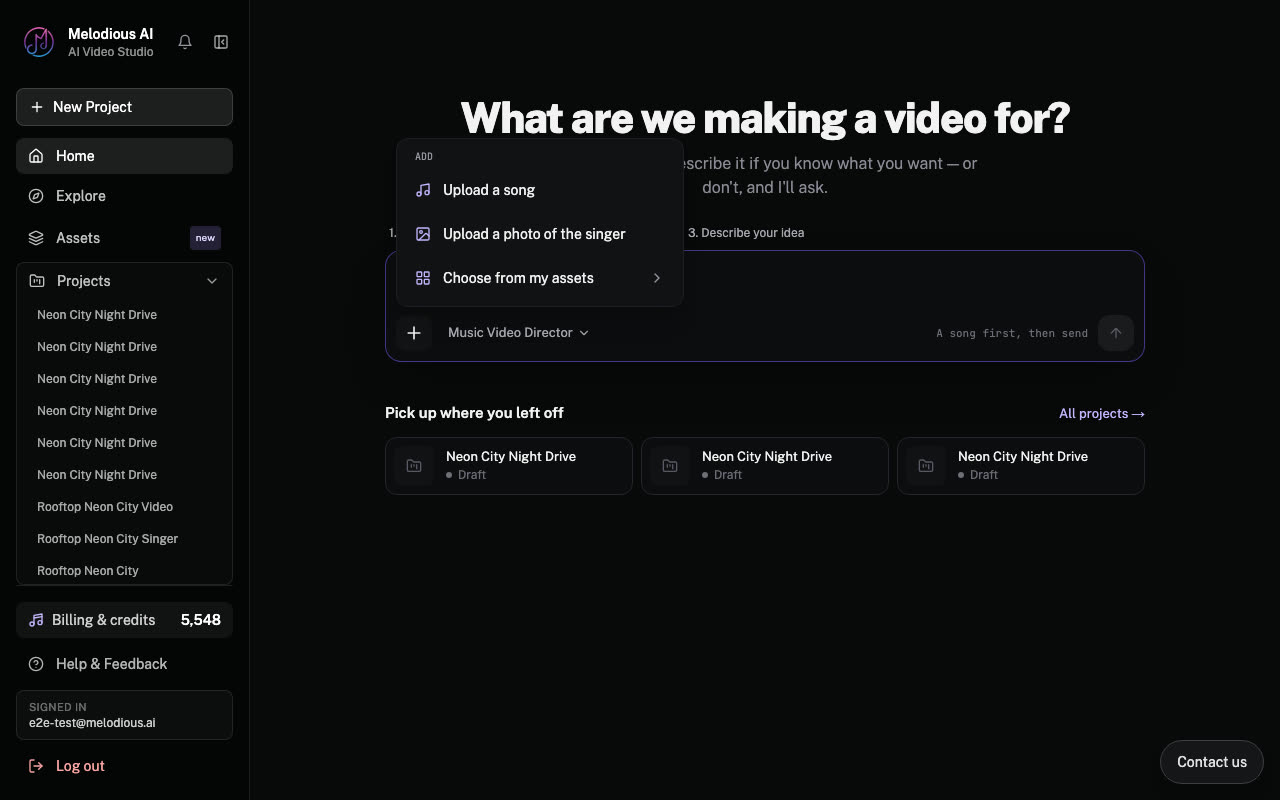
Say what you picture, then press Start
Write a sentence about your idea, or leave it short and let the director ask. The director is set to Music Video Director and stays the same for the whole project.
Answer the director's questions
The director listens to your song, then asks numbered questions. Tap an option or answer in your own words. The first one is which part of the song the video should cover: the hook, the chorus, verse plus chorus, the full song or a part you write in.
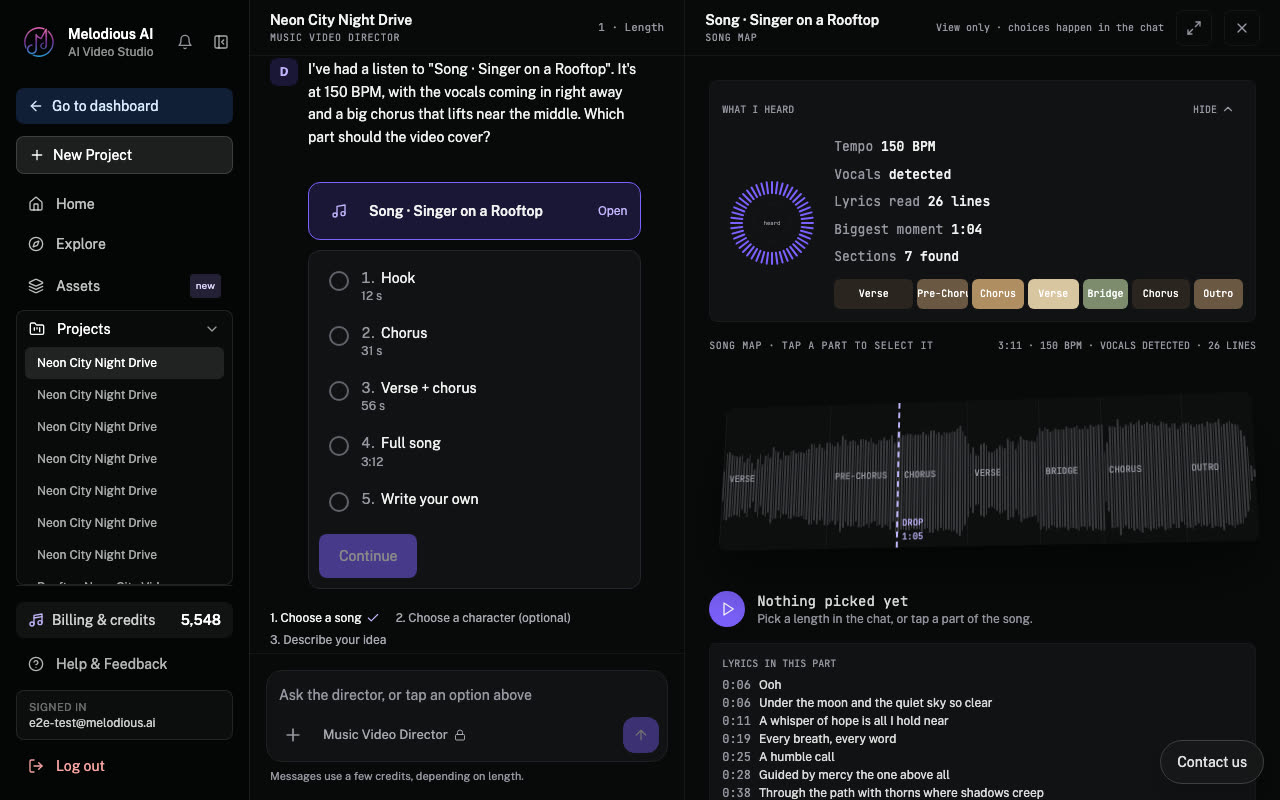
Pick one of three ideas
The director writes three ideas. Each one names who sings it. Pick one, or write your own.
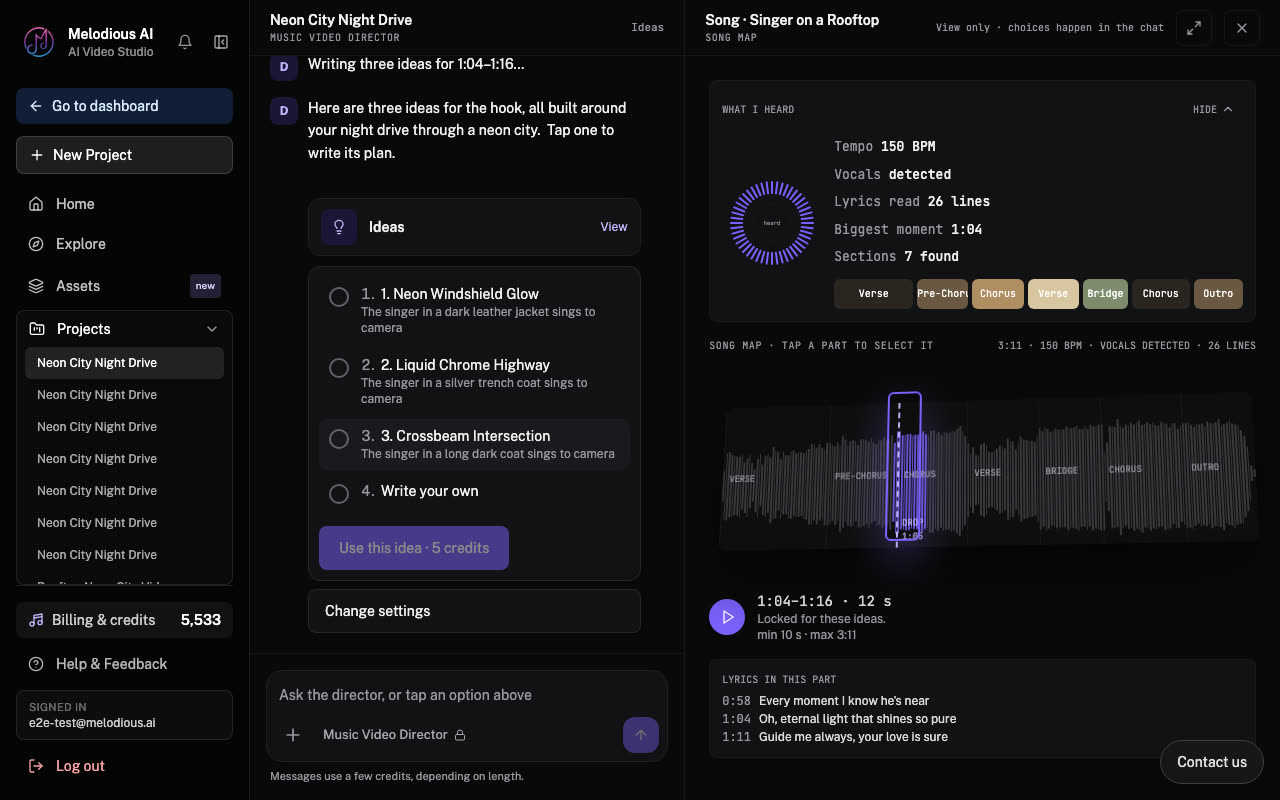
Read the plan
The plan says how the video unfolds and who sings. If your song has a singer, you can keep lip sync on or turn it off. A song with no vocals is planned as an instrumental, with no invented lyrics and no singing shots.
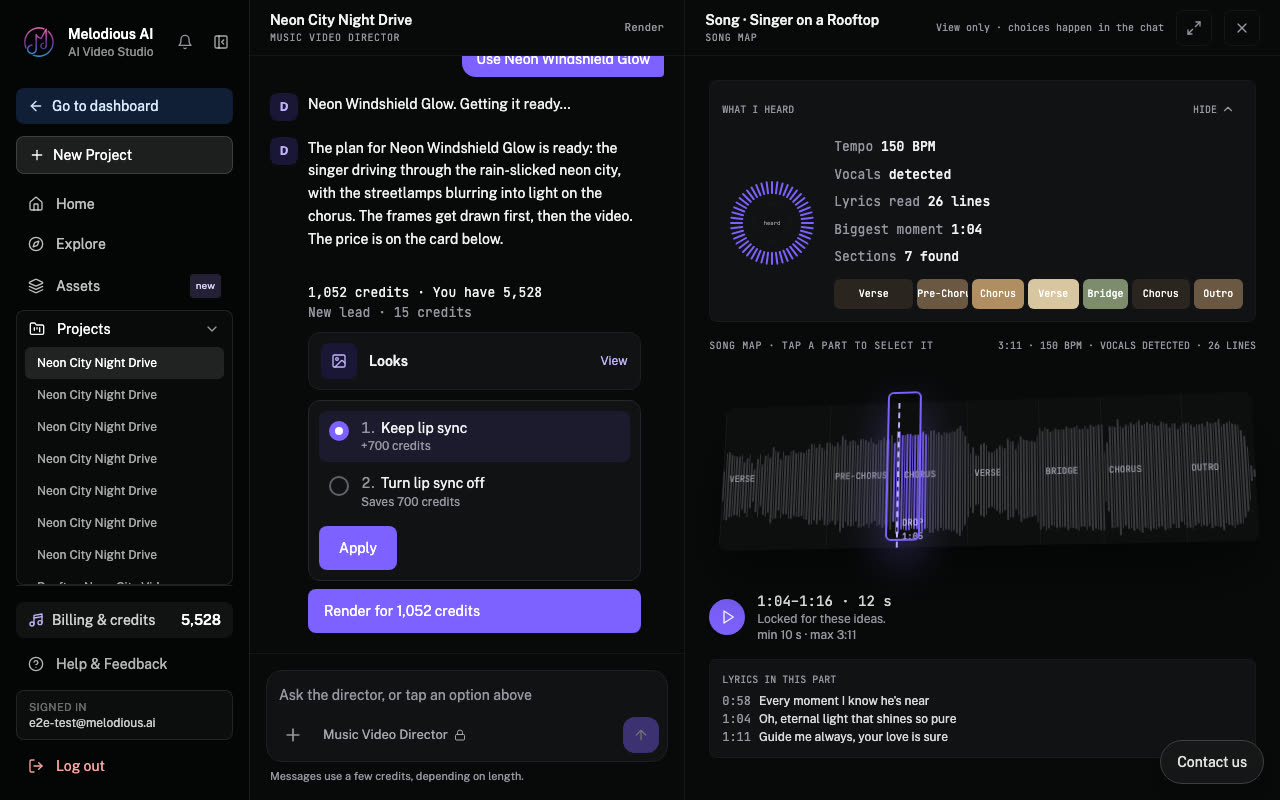
Approve the storyboard step
Drawing the storyboard is a paid step, so it appears as a card with its price. Tap it to run it; the card then reads "Approved" with the credits spent. To change something first, type it in the box under the card ("Tell me what to change...") and the director works it in.
Look over the frames, then approve the video
When the frames are drawn, look them over. The video is its own card with its own price, including lip sync if you kept it on. Tap it when you are happy.
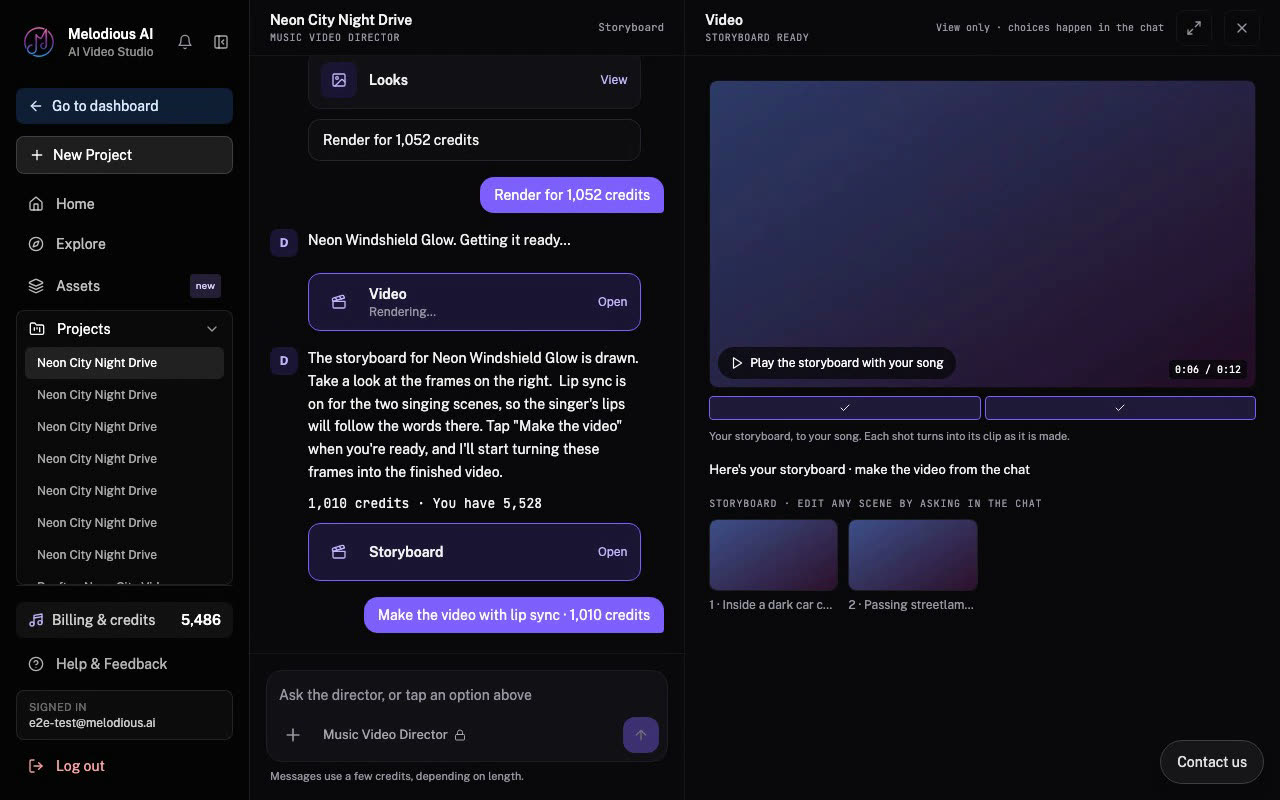
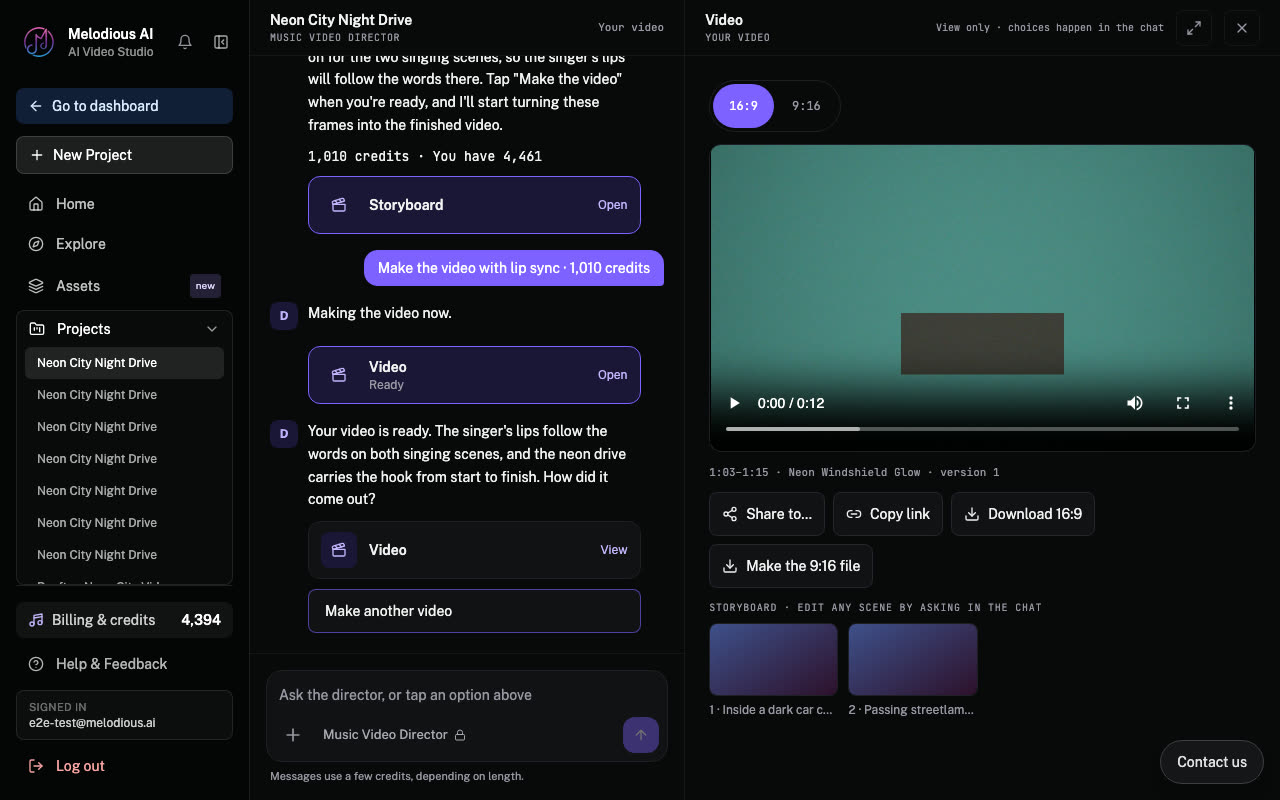
Share or download
The finished video lands in the same chat, with the player, Share to…, Copy link and a download.
Common questions
Is anything charged before I approve a card? The storyboard, the video and changes to them are only charged when you tap their card, and never more than it shows. Ideas, the plan and your messages to the director use a few credits each as you go, with no card. To skip the cards for changes, see Approvals.
What can my starting credits be used for? Video ideas, the plan and messages to the director, for 7 days. The storyboard and the video need a plan.
What if I want something different from what a card shows? Type the change in the box under the card. The director works it in before you decide.
Does it work on a phone? Yes. The same steps work at phone width, and the storyboard opens as a sheet over the chat.