Make a Music Video in the Style of Another Video
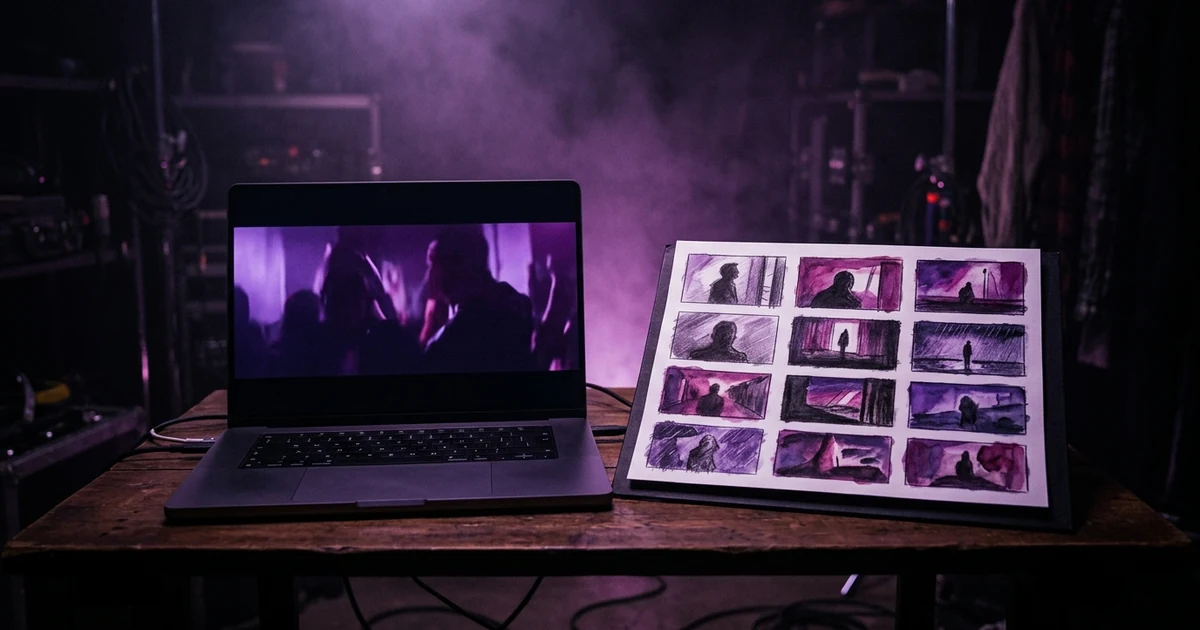
In Melodious, open the + menu in the composer, choose Style from a video, and paste a YouTube link or upload an MP4, MOV or WebM of up to 250 MB. Melodious watches it once and writes down a style recipe: the cut rhythm, light, colour palette, shots and opening hook. It uses the recipe to direct a brand-new video for your song. The footage, the people and the music in the reference are not used. Before you send, you can switch off any part of the recipe you do not want.
Your first 30-second storyboard is free. Plans from $19/month.
How do you make a music video in the style of another video?
You show Melodious the video and it writes down the style, not the footage. In the composer, open the + menu and choose Style from a video. A dialog gives you two ways in: paste a YouTube link, or upload a file (MP4, MOV or WebM, up to 250 MB). Melodious watches the video once and returns a style recipe. That recipe fills in your brief, and the storyboard is then written for your song.
The dialog states the boundary itself: the style is read, a brand-new video is directed for your song, and the reference's footage, people and music are not used.
What goes into the style recipe?
The recipe is shown as cards in words, with colour swatches for the palette. It never shows a frame of the reference. The parts you can switch on or off are:
| Recipe part | What it holds |
|---|---|
| Cut rhythm | How fast and how regularly the video cuts |
| Transitions | The flashes, whip pans, crossfades or straight cuts between shots |
| Shots | The mix of shot types: close-ups, wide frames, hand-held, static |
| Light | The kind and direction of light |
| Palette | The dominant colours, as swatches and named colours |
| Hook | What the first seconds show |
Each card has a switch, and the Cut rhythm and Transitions cards switch separately. Anything you switch off is dropped before the brief and the storyboard read it. The panel says it plainly: "Switch off anything you don't want: the rest directs a brand-new video for your song."
That switch is the most useful control on the page. A reference that has the colour you love and the cutting you hate is common, and you should not have to take both.
What can you use as a reference?
- A YouTube link: public videos and Shorts. For a long video, the first 5 minutes are read.
- An uploaded video: MP4, MOV or WebM, up to 250 MB.
- Not TikTok or Instagram links. They cannot be opened. Save the video and upload the file.
Style from a video is part of the paid plans, while templates and Trending this week stay free for everyone. Two limits to know. You can analyse 10 videos in any 24 hours. And a project holds one style video at a time; choosing another shows the current one and asks you to confirm with Replace it (or Keep it).
A song plus a style is enough to proceed: you do not have to type anything. If you do add a sentence, your words win over the recipe, so "the same look, but the lead is a woman in a yellow raincoat" works the way you would hope.
What happens to your reference video?
An uploaded file is analysed and then the uploaded copy is deleted. The temporary copy sent to the analysis service is deleted too. What you keep is the written recipe, saved under Templates, Yours, so you can reuse a style on the next song without finding the video again.
Only the abstract recipe crosses into your project: it holds words and colours, not frames, and it is the recipe that your storyboard and keyframes are written from. Whether a given style is safe to imitate for a commercial release is your call, and this is not legal advice. As a rule, a recipe made from words like "hard flash cuts, magenta light, close-ups" describes a look, which is a long way from copying a scene.
How do you get a clean result?
- Pick a reference that shows one idea. A video that changes look every verse produces a muddled recipe. A clip with one clear light and one cut rhythm gives a sharp one.
- Match the energy to your song. The cut rhythm is set to your song's own tempo, but a frantic recipe on a slow ballad still looks wrong. If the song and the reference disagree, switch off the Cut rhythm card and keep the colour.
- Switch off what you do not want, then read the brief. The brief shows the recipe-driven parts so you can see what came across before you spend anything.
- Add one sentence about your subject. The recipe describes how the video looks. Who is in it is still your call, and how to choose a visual style is a good checklist for that sentence.
What is Trending this week?
On the Templates page, the first tab is Trending this week: up to 6 new templates every Monday, each worked out automatically from music videos doing well on YouTube at that moment. Every card shows our own example video or stills, never frames from the source. Watch the original opens the source video on YouTube, with its channel credited, and it plays on YouTube itself. Use a trending template exactly like any other: press Use this template. They retire after four weeks, unless the source video is still trending, so a look you like is worth saving by using it.
For how the permanent templates work, see music video templates.
What does it cost?
Reading a style does not charge credits; the limit is the 10 videos in any 24 hours. The usual path applies afterwards: the brief and the first storyboard are free, within the free-tier limits, and payment starts at Render video. The first storyboard is what shows you whether the recipe worked, before you pay for anything. How Melodious builds a storyboard covers that step.
Related reading: how to choose your film look, K-pop music video ideas.
Mistakes to avoid
| Mistake | Better |
|---|---|
| Using a reference whose shape is not the one you need | The brief's "Where's it going?" starts on the reference's shape; change it before the first keyframe is drawn, when it locks |
| Keeping every card on | Switch off the parts you would not choose |
| Uploading a TikTok screen recording | Save the original file; a screen recording adds interface chrome |
| Expecting the same shots | You get the same style, not the same scenes |
If the finished video is going to vertical platforms, the TikTok guide covers the details.
Frequently asked questions
Can I make a music video in the style of another video?
Yes. Add a reference with Style from a video, in the composer's + menu. Melodious reads its style, meaning how it cuts, how it is lit, its colours, its typical shots and how it opens, and uses that to direct a new video for your song. It does not reuse the reference's footage, people or music.
What can I give it as a reference?
A public YouTube video or Short by link, or an uploaded MP4, MOV or WebM up to 250 MB. For a long YouTube video, the first 5 minutes are read. TikTok and Instagram links cannot be opened: save the video and upload the file instead.
Do I have to type a prompt as well?
No. A song plus a style is enough to proceed, and the brief and storyboard are written from them. If you do type something, such as who is on screen or what they wear, your words win over the recipe, so 'the same look, but the lead is a woman in a yellow raincoat' works.
Is my uploaded reference video kept?
The uploaded copy is deleted once the analysis finishes, and so is the temporary copy sent to the analysis service. What stays is the written recipe, made of words and colours rather than frames, which you can find again under Templates, Yours and reuse on your next song.
Is there a limit on how many videos I can analyse?
Yes: you can analyse 10 videos in any 24 hours. Separately, each project holds one style video at a time; adding another shows the current one and asks you to confirm with Replace it or keep the first with Keep it. Reading a style does not charge credits.
What is Trending this week?
A tab on the Templates page with up to 6 new templates every Monday, each worked out automatically from music videos doing well on YouTube that week. Melodious's own example is shown on each card, with a Watch the original link to the credited source on YouTube.
Have a video whose look you want?
Open the studio, choose Style from a video in the + menu, and add your song.
Open the studio