Music Video Templates: Start From a Look Instead of a Blank Page
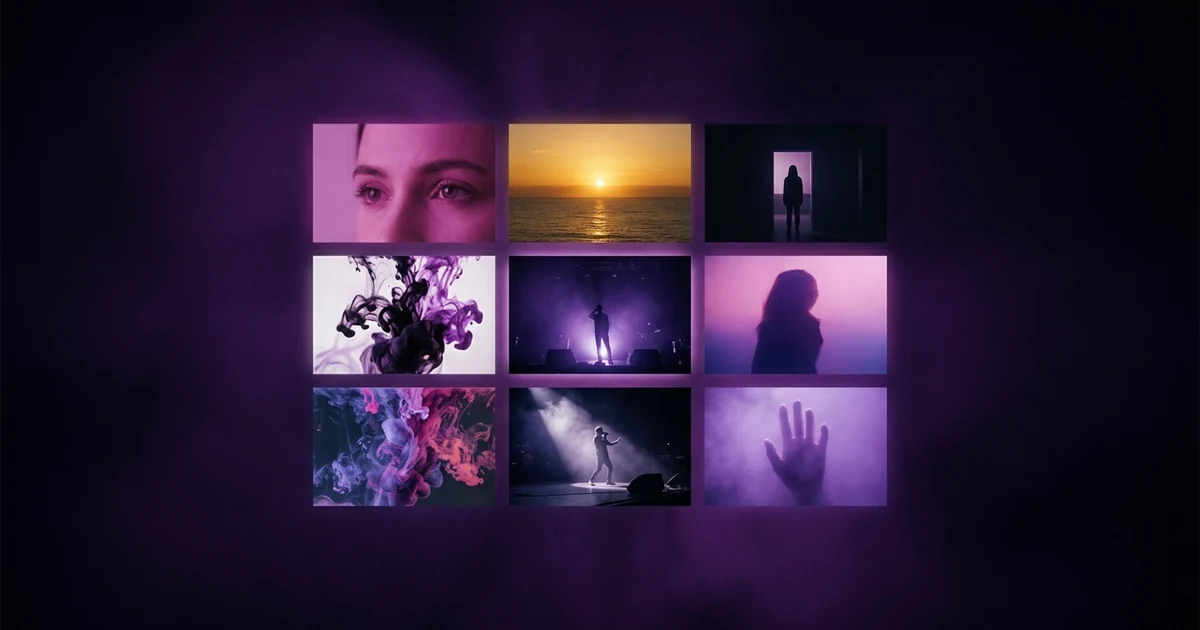
A music video template is a ready-made look you choose before you describe anything. In Melodious a template sets four things for the whole film: the palette and light, the mix of shots, the rhythm of the cuts and the opening shot. It does not fix the footage or the timing, so it adapts to your song's own tempo. Each template card plays a real 30-second example that Melodious made with that template, so you can watch the look before choosing it. Anything you type yourself overrides the template.
Your first 30-second storyboard is free. Plans from $19/month.
What does a music video template actually set?
A music video template is a saved look for the whole film. Open the studio and the dashboard shows a row of templates above the composer. Each card carries a 30-second example, the template's shape (vertical or landscape) and its pace. Press Use (or Use this template on the Templates page), add your song, and the brief fills in the look, the feeling, the places and the shape before it asks you a single question.
That is the practical value: the brief is the part of making a video that asks the most of you. A template answers most of it in one tap and leaves the brief to ask only what the template cannot know, such as who is on screen and what the story is.
Four things carry through the whole film, not just the first prompt:
| What the template sets | Where it shows up |
|---|---|
| Palette and light | Written into the concept's style and repeated in every keyframe prompt with the instruction to hold it, so the look carries from shot to shot |
| Shot mix | Shapes the shot cards: how many close-ups, how many wide frames |
| Cut rhythm | Shapes how the edit cuts to the beat and which transitions it uses, set to your song's own tempo |
| Hook | The template picks the opening shot: what the first seconds show |
Colours are named in words ("hot magenta", "electric cyan"), not as colour codes, because the image model responds to the words.
Which templates are there?
Melodious's curated set today includes Neon flash-cut, Golden-hour performance, POV story, Album-art loop, Velocity cut-up and the 15-second Hook tease.
A few concrete examples of what the hook means in practice, taken from the templates themselves:
- Neon flash-cut: a face lit in magenta, then a hard white flash into the first line.
- Golden-hour performance: the sun sits low behind the artist before the first note plays. This one is landscape.
- POV story: a door opens onto ordinary daylight, then the first line lands.
- Velocity cut-up: a single glitch cut flashes the hook before the beat lands.
The Templates page has tabs: Trending this week, Templates and Yours. Trending this week is a separate feature, covered in the guide to making a music video in the style of another video.
How do you judge a template before you commit?
Watch it. Every template card shows a 30-second video that Melodious made with that template, marked "Made with Melodious". On desktop, hover to play it muted and looping. On a phone, tap play. With reduced motion on, you get a still frame instead. A template without an example yet falls back to its three stills.
Watch for three things:
- Does the light match your song's mood? A song that sits in the dark does not need a golden-hour template, however good the example is.
- Does the pace fit the tempo? A fast cut rhythm on a slow ballad reads as noise. The template adapts to your tempo, but it cannot turn a ballad into a banger.
- Is the shape right for where it is going? Most templates are vertical. If the video is for YouTube, check the shape before you press send.
If the choice is still open, how to choose a visual style walks through the five decisions a style has to fix.
What stays yours when you use a template?
A template proposes; your words win. The brief's provenance runs your uploads first, then your answers, then your typed text, then the template, then what the audio suggests. In practice:
- Type "a dog dancing in a tree" and pick Neon flash-cut: you get the dog, lit in neon and cut on the beat.
- Uploads rank above everything else in the brief, so a photo or reference you add beats whatever the template would have chosen.
- Open the template in your brief ("From template", then "See what it sets") to read its pacing, camera, look, colours, effects and shape. You can edit those for this project only, and Reset puts the template's own values back. Edited settings are marked "edited".
- Change the film look (35 mm film, 90s tape or clean) at any time. It is a separate choice from the template, and changing it is free.
A project also keeps its own copy of the template when you start, so a template that is later retired or edited does not change a video in progress.
Where do templates sit in the cost?
The brief and the concept are free, and so is the first storyboard with its keyframes, within the free-tier limits. Payment starts at Render video. Choosing a template does not add a charge of its own. For the stages in between, how Melodious builds a storyboard shows what you get at each step.
Common mistakes with templates
| Mistake | What to do instead |
|---|---|
| Choosing a template by its name | Watch the template's 30-second example first |
| Treating the template as the whole brief | Add the one thing only you know: who is on screen and what happens |
| Picking a fast template for a slow song | Match the cut rhythm to the tempo |
| Forgetting the template's shape | Check vertical or landscape in the brief before the first keyframe locks it |
Related reading: make a music video from one sentence, K-pop music video ideas.
Make the video
Pick the template whose example you would be happy to see your song in, add the track, and write one sentence about who or what is on screen. If the finished video is going to TikTok, the guide to making a music video for TikTok covers the vertical details.
Frequently asked questions
What is a music video template?
A template is a saved look: a palette, a kind of light, a mix of shot types, a cut rhythm and an opening shot. In Melodious it is a starting point for the brief, not a fixed timeline. You still add your own song, and your own words about who or what is on screen.
Can I see what a template looks like before I use it?
Yes. Each template card on the dashboard and on the Templates page shows a 30-second example that Melodious made with that template, marked Made with Melodious. On desktop, hover over the card to play it, muted and looping. On a phone, tap the play button. If your device has reduced motion switched on, you see a still frame instead.
If I pick a template and also write a prompt, which one wins?
Yours. A template proposes; what you type wins. If you pick a neon template and type 'a dog dancing in a tree', you get the dog, lit in neon and cut to the beat.
Does the template decide whether my video is vertical or landscape?
It suggests one. The brief asks where the video is going, landscape 16:9 for YouTube or vertical 9:16 for TikTok, Reels and Shorts, and it picks an answer for you from the template. You can change it until your first keyframe is drawn, when the shape locks.
Does picking a template cost credits?
Picking one is not a separate charge. The brief and the first storyboard are free, within the free-tier limits; paying starts when you render the video.
Can I make a template from a video I like?
Yes, with Style from a video: paste a YouTube link or upload a clip, and Melodious writes down its style recipe and uses that recipe for a new video for your song. It is covered in its own guide.
Pick a look, then add your song
Choose a template, attach your track, and the brief fills in the look and shape before it asks you anything.
Open the studio