What Is 9:16 Video? Vertical Video Explained for Musicians
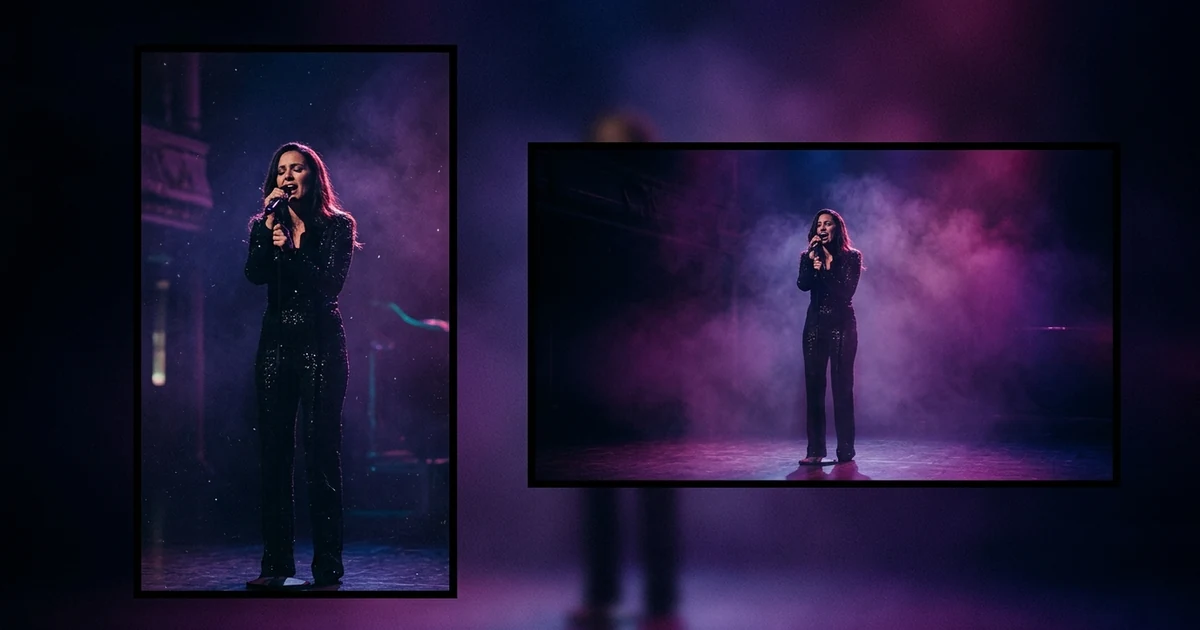
A 9:16 video is a frame that is 9 units wide for every 16 units tall: the shape of a phone held upright. The standard size is 1080 by 1920 pixels, and it is the native format of TikTok, Instagram Reels and YouTube Shorts. It fills a phone screen with no black bars. A video made for 9:16 from the start frames its shots for a tall frame; a widescreen video cropped to 9:16 loses the sides of every shot.
Your first 30-second storyboard is free. Plans from $19/month.
What does 9:16 mean for a video?
The short answer: A 9:16 video is a frame that is 9 units wide for every 16 units tall: the shape of a phone held upright. The standard size is 1080 by 1920 pixels, and it is the native format of TikTok, Instagram Reels and YouTube Shorts. It fills a phone screen with no black bars. A video made for 9:16 from the start frames its shots for a tall frame; a widescreen video cropped to 9:16 loses the sides of every shot.
An aspect ratio is only the relationship between width and height, written as two numbers. 16:9 is the familiar widescreen shape of TVs and YouTube's standard player. 9:16 is the same shape rotated, which is why people call it vertical video or portrait video. Social apps built around phones adopted it because it suits how people hold a phone.
This is the short explainer. If you want the full size table for every platform, the music video size and aspect ratio guide has it, and vertical vs horizontal covers which to make first.
What size is a 9:16 video in pixels?
The ratio is the shape; the pixel count is how sharp it is. The standard 9:16 size is 1080 x 1920 pixels. 720 x 1280 is the same shape with fewer pixels, so a smaller file and a softer image. The same maths gives the neighbouring shapes:
| Ratio | Common size | Typical use |
|---|---|---|
| 9:16 | 1080 x 1920 | Full-screen vertical feeds |
| 4:5 | 1080 x 1350 | Instagram feed portrait |
| 1:1 | 1080 x 1080 | Square posts |
| 16:9 | 1920 x 1080 | YouTube, TV, web players |
Two files can both be 9:16 and differ in resolution: 540 x 960 and 2160 x 3840 are also 9:16, just softer or sharper. To check a ratio, divide: 1080 divided by 1920 is 0.5625, which is exactly 9 divided by 16. The order of decisions is always the same: match the ratio to where the video will play, then choose the highest resolution that platform accepts.
Why 9:16 and not widescreen?
Because a widescreen video in a vertical feed does not fill the screen. The app shrinks it to fit the width and leaves empty space above and below, so most of the phone stays black and the picture is small. A 9:16 video uses the whole display, which usually makes faces larger and text easier to read.
The trade-off runs the other way on big screens. On a TV or a laptop, a 9:16 video sits as a narrow strip in the middle with bars either side. That is why vertical suits feeds you scroll on a phone, and widescreen suits places you sit and watch.
What does it change about how you frame a shot?
A tall frame gives you height and takes away width, so:
- Faces and single subjects work well. Close-ups and mid-shots fill the frame.
- Wide landscapes and group shots shrink. A band spread across the stage becomes a row of tiny figures.
- Keep key things away from the edges. On most apps, buttons, captions and the account name sit over the lower part and the sides of the screen, so a face or lyric placed there can be hidden. Leave margin and check in the app before posting.
- Lyrics and on-screen text need to be shorter per line, because the frame is narrower.
Take a 1920 x 1080 frame: cropping it to 9:16 keeps a column about 608 pixels wide, roughly a third of the picture. This is why cropping a widescreen video to 9:16 often goes wrong: shots composed for width have the subject at the edge, and the crop cuts them out.
Native 9:16 vs cropping
There are two ways to get a vertical video from a widescreen one.
| Method | What happens | Result |
|---|---|---|
| Crop 16:9 to 9:16 | A tall column is cut from the middle of each shot | Loses the sides, may cut the subject |
| Make it 9:16 from the start | Every shot is framed for the tall shape | Nothing is thrown away |
Melodious makes the second kind. In the brief you choose the shape: Landscape 16:9 or Vertical 9:16. Your keyframes, clips, rough cut and final video are all made in that shape, and lyrics are sized to fit it. It locks after the first keyframe is drawn. If you later want the other shape, "Make a vertical version" starts a new video from the same brief rather than cropping the old one.
When should you use 9:16 for a music video?
- For TikTok, Reels and Shorts, which are full-screen vertical feeds. YouTube Help describes Shorts as vertical videos up to 3 minutes long, with 1080p as the maximum resolution. See how to make a music video for TikTok for what performs there.
- When you want a Spotify Canvas, which is a vertical loop. In Melodious, a Canvas is made from a vertical video.
- When your plan is discovery first, with the main YouTube upload later.
Use 16:9 when the video's home is YouTube or you expect people to watch on a TV or laptop.
Mistakes with vertical video
| Mistake | What happens | Do instead |
|---|---|---|
| Posting 16:9 to a vertical feed | Black bars and a small picture | Make or export it as 9:16 |
| Subject at the edge of a wide shot | Cut out when cropped | Frame for the tall shape from the start |
| Lyrics or faces in the bottom third | Covered by app interface | Keep key content clear of the edges |
| Confusing ratio with resolution | Wrong shape or soft image | Pick ratio first, then 1080 x 1920 |
In short, choose 9:16 when the video will play in a full-screen phone feed and 16:9 when it will play on YouTube or a TV. Decide before you generate or shoot, not after.
Start a free brief and pick Vertical 9:16 when you set up your video.
Frequently asked questions
What does 9:16 mean?
It is the ratio of width to height: 9 units across for every 16 units up. It is the 16:9 widescreen shape turned on its side, and it matches how people hold a phone upright. The numbers describe shape only, not sharpness, so a 9:16 file can be small or large.
What size is a 9:16 video in pixels?
1080 by 1920 pixels is the standard. Any size with the same 9:16 shape, such as 720 by 1280, has the same proportions with fewer pixels. Match the ratio first, then export at the highest resolution the platform accepts.
Is 9:16 the same as vertical video?
For practical purposes, yes. Other tall shapes exist, such as 4:5 for the Instagram feed, but 9:16 is the full-screen vertical standard for short-form video feeds like TikTok, Reels and Shorts. If someone says vertical video without more detail, they almost always mean 9:16.
What happens if I turn a 16:9 video into 9:16?
You can crop it, which cuts off the sides of every shot, or fit it inside the tall frame, which leaves black space above and below. Neither is as clean as a video made for 9:16 from the start, where every shot is framed for the tall shape and nothing is thrown away.
Which platforms use 9:16?
TikTok, Instagram Reels, YouTube Shorts and Facebook Reels are all built around full-screen vertical video, and Spotify Canvas is a vertical 9:16 loop too. Length caps and upload rules change, so check each platform's current help page before you export.
Can I make a music video in 9:16 with AI?
Yes. Melodious, an AI music video generator, lets you choose Vertical 9:16 for TikTok, Reels and Shorts, or Landscape 16:9 for YouTube. The keyframes, clips and final video are made in that shape. It locks after the first keyframe is drawn, and you can start a vertical version from the same brief later.
Make it vertical from the first frame.
Pick Vertical 9:16 in the brief and the whole video is made in that shape, not cropped from a wide one.
Start free