Assets Library & @mention
Save reusable characters, styles, locations, props and songs, then pull them into any project by typing @.
What it is
The Assets library is your reusable cast and crew. Save a character, a visual style, a location, a prop, or a song once, then reference it in any project by typing @. Because a saved image conditions every keyframe it touches, the same character or look stays consistent across scenes and across projects, instead of the AI inventing a new person each time.
Your generated keyframes, clips and final videos are also auto-saved here, so you never lose work.
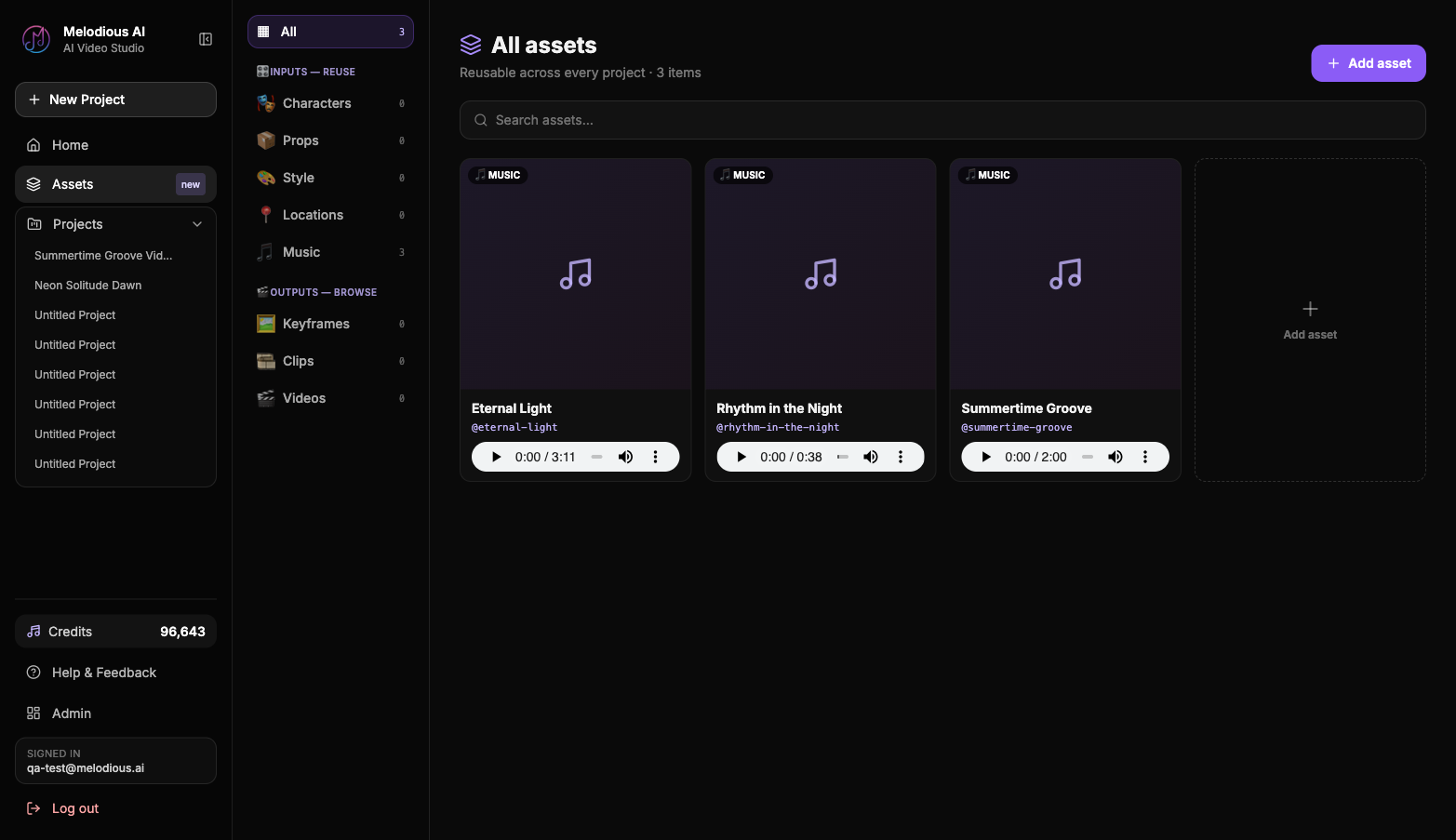
Saving an asset
There are two ways to add an asset:
- From the library. Open Assets in the left sidebar, click Add asset, choose a type (Character, Style, Location, Prop, or Music), upload an image (or audio for Music), give it a name and a short brief, then save.
- From a generated scene. Hover a keyframe in your storyboard and click Save frame as asset. Name it, pick a type, add a brief. That promotes a generated output into a reusable input you can
@mentionlater.
The brief is the consistency directive, for example "auburn curls, olive bomber jacket, gold hoop earrings." The more specific it is, the more reliably the look carries.
Referencing an asset with @mention
In the composer, type @ to open the asset picker. Each asset is colour-coded by type, so you can tell them apart at a glance:
- Characters violet
- Music cyan
- Style fuchsia
- Locations emerald
- Props amber
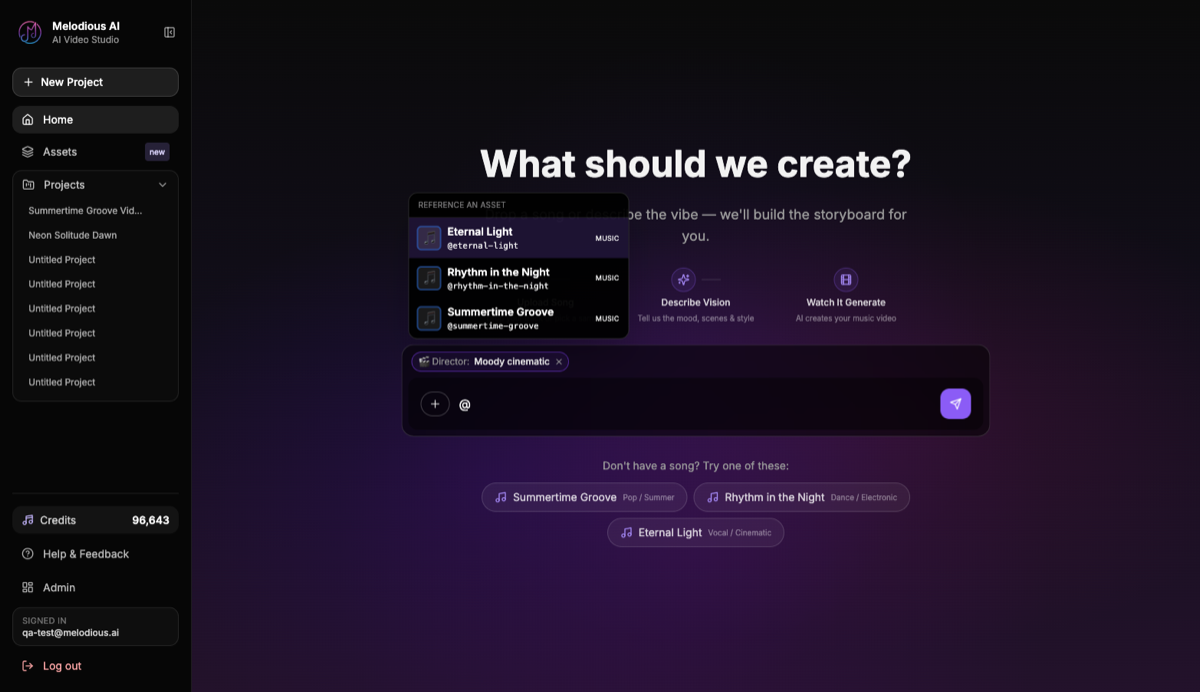
Select an asset and it inserts an @slug and stages it:
- A visual asset (character, style, location, prop) adds its image as a reference, and appends a consistency note to your prompt so the AI features it and keeps it consistent.
- A Music asset sets or replaces the project's song.
You can @mention an asset in the very first message on the create screen, not just inside an existing project.
Outputs are auto-saved
Every keyframe, clip and final video you generate is auto-saved to the library under the Outputs section. Each regeneration is kept as its own item, so a replay or a refresh never overwrites earlier work. Clips and videos play inline.
Outputs stay out of the @mention menu so it doesn't get flooded. To reuse an output as a reference, promote it with Save frame as asset.
Common questions
Does the same character really stay consistent across scenes? Yes. The saved image is fed into the keyframe generator as a conditioning image, so the subject's likeness is preserved rather than re-invented. One reference holds the same character across very different scenes (rooftop, subway, café).
Can two assets share a name?
Yes. A Character and a Location can both be called "River." Display names can repeat, but each asset has a unique @handle, and references bind to the asset, not the text.
Where do the three demo songs come from?
Every account is seeded with three reusable Music assets (Summertime Groove, Rhythm in the Night, Eternal Light) so you can try @mention and storyboarding without uploading anything. They're there for convenience, not as a free trial — building with one spends credits exactly like your own upload does.
Will I lose my work if I close the tab mid-render? No. Outputs auto-save on generation and on reload, so generated keyframes and videos persist in your library.