Gemini Omni 1.2 vs 1.1 for Music Videos: The Same Video on Both Models
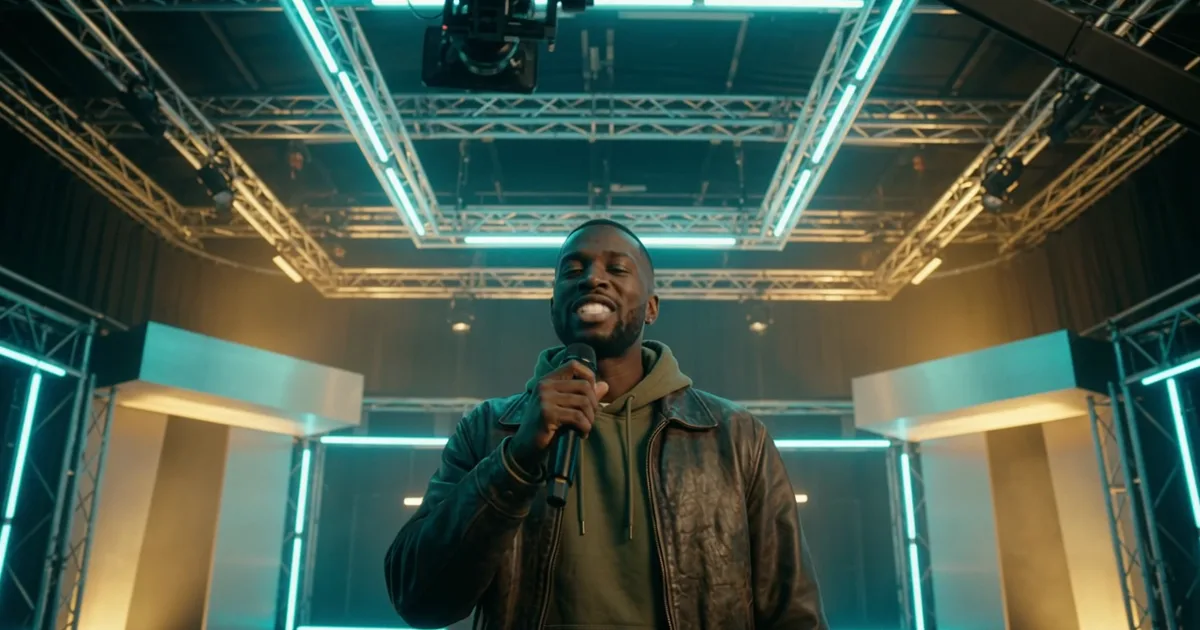
Gemini Omni 1.2 Flash is Google's video model released on 5 November 2026. Google says it costs $0.07 a second at 720p, 30% less than Omni 1.1, makes clips up to 15 seconds instead of 10, and makes fewer unwanted jump cuts. In a test at Melodious (melodious.ai), an AI music video maker, we rendered the same five-shot rap music video on both models (gemini-omni-1.2-flash and 1.1) from identical storyboard frames and prompts, one render per shot. Both kept the rapper the same person in every shot. On 1.2 the big camera moves followed the prompt more closely, and the one mid-shot jump cut 1.1 made did not happen. On one close-up 1.1 followed the camera instruction better. For a presenter talking to camera, Gemini scored both 7 out of 10 on lip sync. Five shots is a first look, not a benchmark.
Plans from $50/month, cancel anytime. Starter makes a 1-minute video with lip sync a month.
The short answer: Gemini Omni 1.2 Flash is Google's video model released on 5 November 2026. Google says it costs $0.07 a second at 720p, 30% less than Omni 1.1, makes clips up to 15 seconds instead of 10, and makes fewer unwanted jump cuts. In a test at Melodious (melodious.ai), an AI music video maker, we rendered the same five-shot rap music video on both models (gemini-omni-1.2-flash and 1.1) from identical storyboard frames and prompts, one render per shot. Both kept the rapper the same person in every shot. On 1.2 the big camera moves followed the prompt more closely, and the one mid-shot jump cut 1.1 made did not happen. On one close-up 1.1 followed the camera instruction better. For a presenter talking to camera, Gemini scored both 7 out of 10 on lip sync. Five shots is a first look, not a benchmark.
How did we compare Gemini Omni 1.1 and 1.2?
We kept everything the same except the model. (New to this? How to make an AI music video covers the flow.) The video is a 30-second hip-hop music video made in Melodious for a demo song called Visuals: a rapper in his late twenties, in an olive hoodie and a leather bomber, who raps in a dim bedroom studio until the walls fold open onto a neon soundstage.
Melodious had already drawn five storyboard keyframes for it and written one prompt per shot. The first version was rendered on Omni 1.1. On 7 November we sent each of those five keyframes, with its exact prompt, to Omni 1.2 on Google Cloud:
- the same first frame for every shot, at 720p and 16:9
- the same shot lengths (4 to 8 seconds in the edit) and the same edit points
- the same song under both cuts, with the model's own audio removed
We also re-shot two lines of our presenter, Amy, speaking to camera, because a talking shot is where lip sync shows. Every shot and line was rendered once per model, except one presenter line that needed a retake on 1.1 (more below). We judged the music video by eye, frame by frame, knowing which clip was which, and had Gemini transcribe and score the presenter lines. No human panel scored them, and Gemini is Google's model, as Omni is, so treat the score as a rough check.
What changed in Gemini Omni 1.2?
Google lists these changes in its announcement:
| Feature | Omni 1.1 Flash | Omni 1.2 Flash |
|---|---|---|
| Price, 720p | about $0.10 a second (implied by Google's 30%) | $0.07 a second |
| Longest clip | 10 seconds | 15 seconds |
| Multi-turn editing across a full clip | not listed | yes, per Google (not tested by us) |
| Unwanted jump cuts | previous generation | "significantly fewer", per Google |
| Lip sync | previous generation | "clearer lip-sync", per Google (our two lines scored the same) |
The model ID is gemini-omni-1.2-flash, and Google Cloud lists 360p to 4K output in 16:9 or 9:16 (model page). On Google Cloud we sent 1.2 the same request we send 1.1, with only the model name changed, and every call worked first time.
Did Omni 1.2 fix the jump cuts?
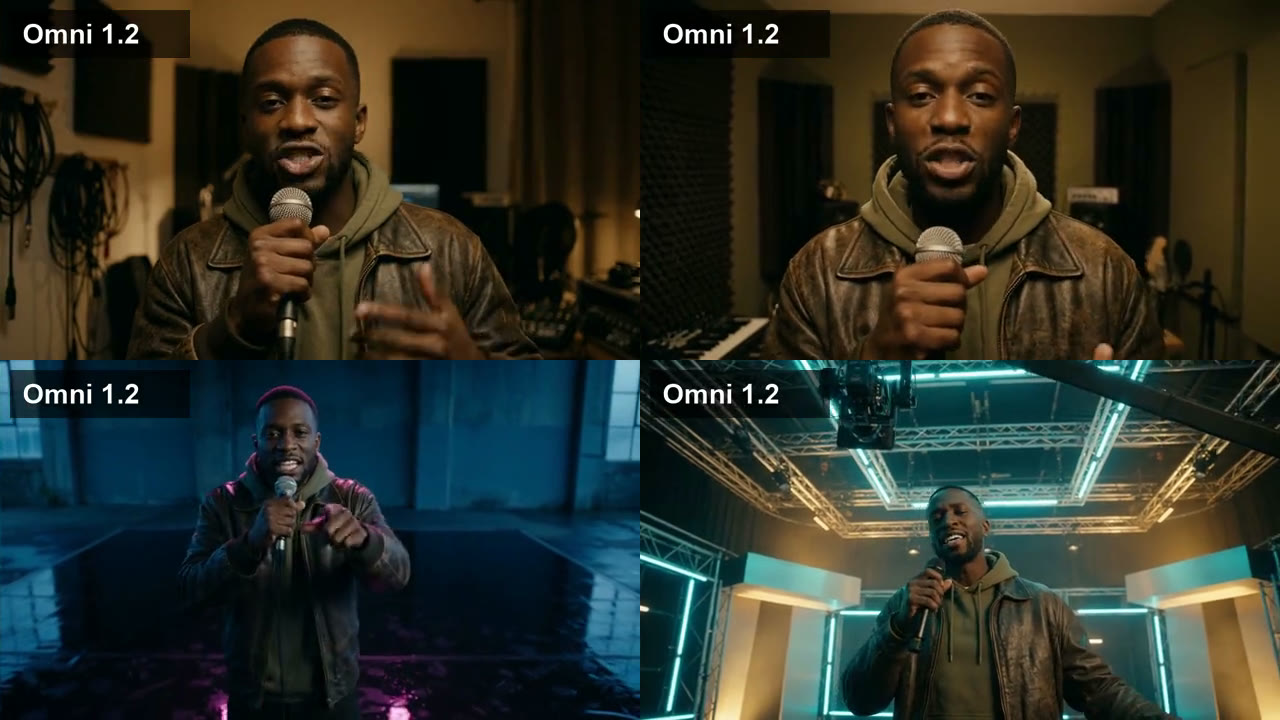
In our one jump-cut shot, yes. Shot four asks for "a low-angle tracking shot widening out" as the bedroom wall flattens into a stage floor. On 1.1 the shot started in a blue concrete room and then cut to a different neon set halfway through, which reads as an edit inside one clip. On 1.2 the camera tracked back in one continuous move, with the magenta rim light on the wet floor the prompt asked for.
Did Omni 1.2 follow the camera and props better?
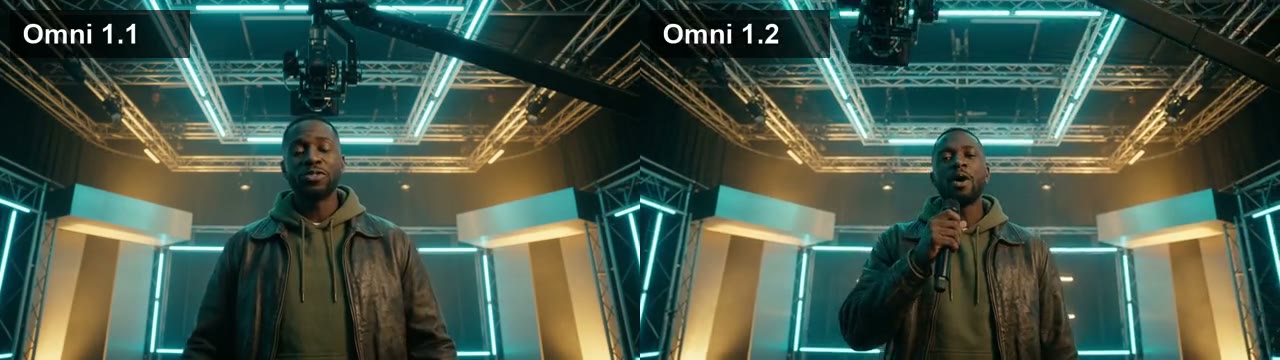
On the big moves, yes. The last shot asks for a wide crane shot circling a neon soundstage, with the rapper holding the microphone below his chin. On 1.1 the camera barely moved and his hands were empty. On 1.2 the camera swept and circled, and he raps into the mic. One honest note: on 1.2 his hands start empty and the mic only appears partway through the shot.
Did the character stay the same?
Yes, on both. Across all five shots, the rapper kept his face, skin tone, beard, hoodie and jacket from the keyframe on 1.1 and on 1.2. Neither model won here.
Where was Omni 1.1 as good or better?
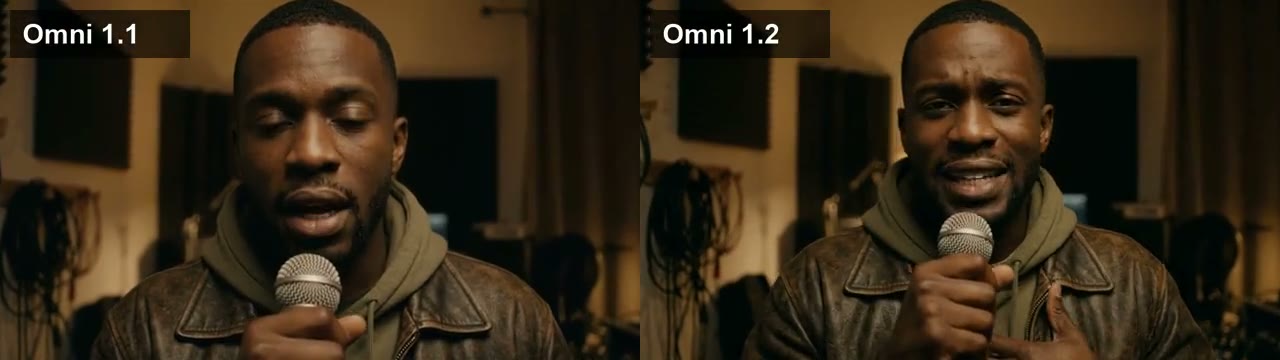
The slow push-in. The first bedroom close-up asks for "a medium close-up pushing in slowly". On 1.1 the camera crept in as asked. On 1.2 it pushed in much less, which still looks good but is not what the prompt said.
Talking to camera. For Amy's two lines we gave both models the same first frame and the same script. Both versions said every word exactly, in the same American accent, and Gemini scored both 7 out of 10 on lip sync. The one difference: one line needed a second take on 1.1 because her mouth stopped moving for a moment, and 1.2 got it on the first take. That is one retake, so we would not call it a trend.
Speed. On Google Cloud, 1.2 took 38 to 56 seconds per clip. For the presenter lines, where we timed both, 1.1 took 46 to 51 seconds and 1.2 took 44 to 46. No clear winner.
How much does Omni 1.2 save on a music video?
At Google's rates, a 30-second video at 720p costs about $3.00 of model time on 1.1 and about $2.10 on 1.2, before retakes. The usage data on every response showed 5,792 video tokens per second of footage on both models, so a shot costs less on 1.2 because the rate fell, not because the output shrank. Google also says clips can now run to 15 seconds, so a chorus could be one shot; we did not test that.
How do you make a music video like this in Melodious?
The rap video above came out of the normal Melodious flow:
- Add your song. Upload the track, or pick one of your saved songs.
- Describe the video and the singer. We typed: "A late-20s Black rapper with dark brown skin, a sharp fade and short beard, in an olive hoodie under a vintage leather bomber, raps in a dim bedroom studio as the walls fold open into a glowing neon film set."
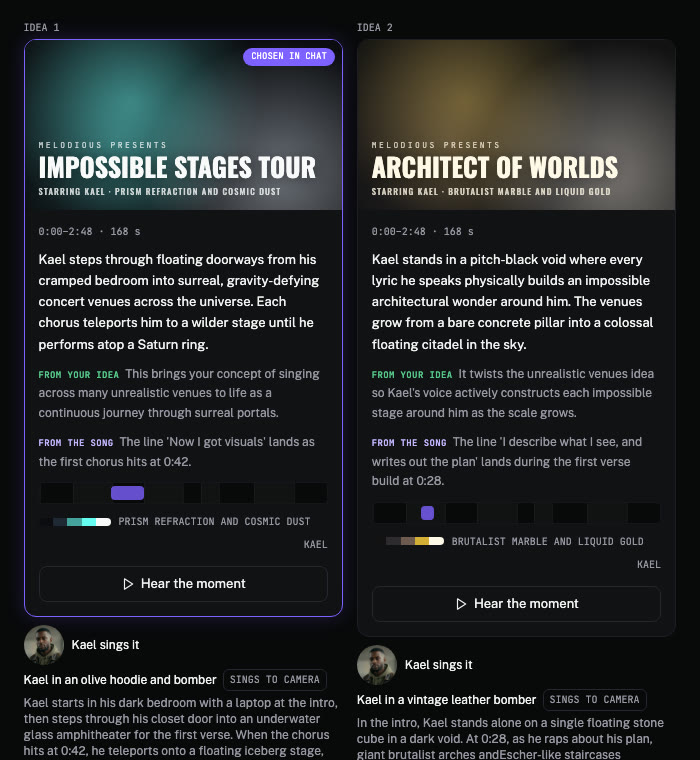
- Pick an idea and approve the storyboard. The director writes three ideas for the part of the song you choose. You see every keyframe before you spend anything on video, and you can change a shot first.
See AI music video lip sync for how sung shots work, and how much an AI music video costs for what a video costs on each plan.
Should you switch to Gemini Omni 1.2?
From our single run of five shots, here is how we would choose:
- Try 1.2 first for wide, moving shots, such as crane and tracking moves, which is where it did better for us. Clips longer than 10 seconds are Google's claim, untested by us. It is also cheaper.
- Stay on 1.1 for now if a prompt you rely on is a slow push-in close-up, and re-test it on 1.2 first.
One render per shot can come down to luck, so re-test any prompt you depend on. If you make music videos in Melodious, you do not need to do anything: you approve the same storyboard either way, and testing the model is our job.
Make your own music video
Upload your song, describe your singer and approve a storyboard. You see the price before anything renders.
Start my music videoFrequently asked questions
What is the difference between Gemini Omni 1.1 and 1.2?
Google says 1.2 costs 30% less ($0.07 a second at 720p), makes clips up to 15 seconds instead of 10, supports multi-turn editing across a clip and makes significantly fewer unwanted jump cuts. In our five-shot music video test, 1.2 avoided the one jump cut 1.1 made and followed the large camera moves more closely.
What is Gemini Omni 1.2 Flash?
It is Google's video generation and editing model, released on 5 November 2026 as generally available on the Gemini API and Google Cloud. Its model ID is gemini-omni-1.2-flash. It makes clips from 3 to 15 seconds at 360p, 720p, 1080p or 4K, in 16:9 or 9:16.
Is Gemini Omni 1.2 cheaper than 1.1?
Yes. Google's announcement puts 720p video at $0.07 a second, 30% less than Omni 1.1. In our test both models returned the same number of video tokens per second of footage in the API's usage data, so the saving comes from the lower rate, not from shorter output.
Is Gemini Omni 1.2 better than 1.1 for music videos?
In our side-by-side it was better on the wide, moving shots: no jump cut, and the crane move followed the prompt (the microphone appeared partway through the shot). On one slow push-in close-up, 1.1 followed the camera instruction more closely. It is five shots rendered once per model, plus two presenter lines, so treat it as a first look, not a benchmark.
Does Gemini Omni 1.2 lip sync to a song I already have?
No, not on its own. Omni makes its own audio, so a presenter can speak a written line with the mouth in sync, and Google says 1.2 has clearer lip sync. Syncing a singer's mouth to an existing song is a separate step. In Melodious that step runs on the sung shots you choose, after each clip is made.
Which Gemini Omni version does Melodious use?
Melodious renders its video shots on Gemini Omni through Google Cloud. The renders in this post were made on both versions from one Melodious storyboard. Melodious now renders every shot on Gemini Omni 1.2 Flash. Your credits and plan prices did not change with the switch.