AI Music Video Ideas: 15 Concepts to Try on Your Next Song
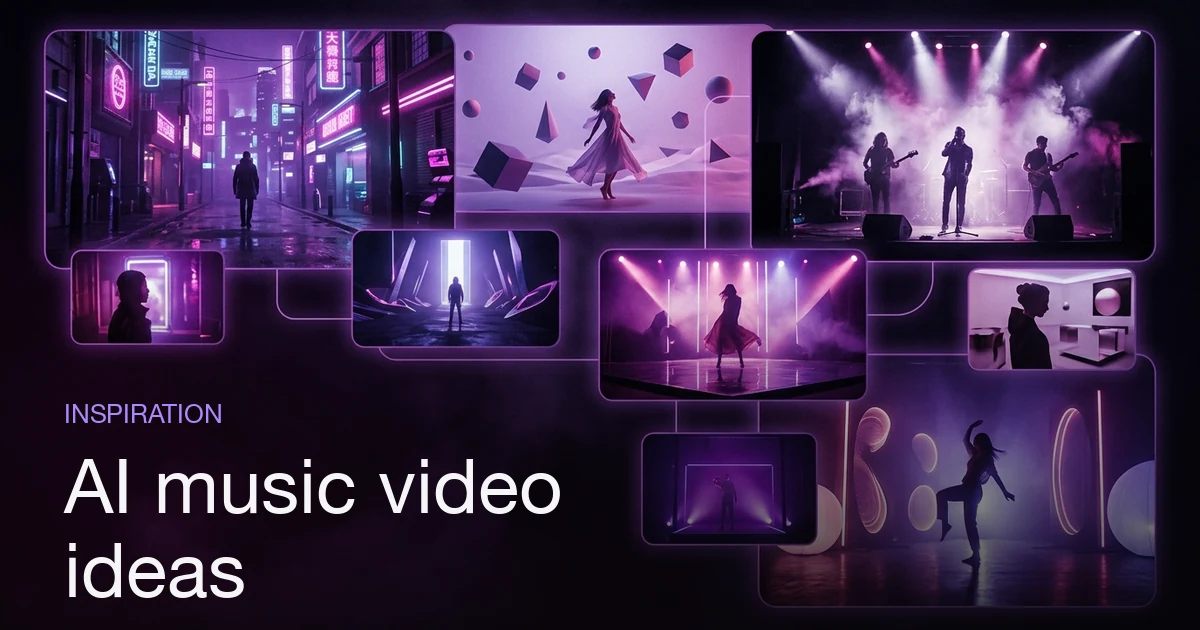
The best AI music video ideas are ones an AI generator can actually build: cinematic scene-driven concepts (a neon night drive, a surreal dreamscape), performance concepts (a single artist on a spotlit stage), and story concepts carried by one recurring character across every scene. Pick an idea, match it to a director style — cinematic, hip-hop, indie, performance, surreal, or documentary — so the whole video shares one visual lens, then describe it in plain language and let the AI storyboard it against your song's real structure. The strongest concepts lean on what AI does well: consistent characters, style-driven looks, and impossible scenes you could never shoot in real life. You can test any concept on one of three demo songs before uploading your own track, and because you review the storyboard before the final render, trying several ideas on one song stays cheap.
Plans from $19/month, cancel anytime. Starter makes one 30-second video a month.
What are the best AI music video ideas to try?
The short answer: The best AI music video ideas are ones an AI generator can actually build: cinematic scene-driven concepts (a neon night drive, a surreal dreamscape), performance concepts (a single artist on a spotlit stage), and story concepts carried by one recurring character across every scene. Pick an idea, match it to a director style — cinematic, hip-hop, indie, performance, surreal, or documentary — so the whole video shares one visual lens, then describe it in plain language and let the AI storyboard it against your song's real structure. The strongest concepts lean on what AI does well: consistent characters, style-driven looks, and impossible scenes you could never shoot in real life. You can test any concept on one of three demo songs before uploading your own track, and because you review the storyboard before the final render, trying several ideas on one song stays cheap.
A blank composer is the hardest part of making a music video. You have a song you love and no idea what it should look like. This is a list of concepts to break that block — fifteen of them, grouped by mood, by genre, and by format. Every idea here is buildable with an AI music video generator: no camera, no location, no crew. You bring the song and the concept; the AI plans the shots, generates the imagery, animates it, and cuts it to your track. If you're brand new to the workflow, read how to make an AI music video first — this post assumes you know the basic loop and focuses purely on what to make.
Mood-driven ideas
Mood is the easiest place to start, because a single feeling gives the whole video one consistent visual identity. Pick the emotion the song already carries and lean all the way into it.
1. The neon night drive
A lone figure moving through a rain-slicked city after dark, neon signs smearing across wet glass. This is the classic synthwave and late-night R&B look, and it's perfect for AI because the mood does the heavy lifting — every shot just needs to feel like the same night. Anchor it with one recurring character in the driver's seat so the person stays consistent from verse to chorus. Best under the cinematic director style.
2. The surreal dreamscape
Impossible spaces that shift with the song: floors that become oceans, doorways opening onto skies, a room that slowly fills with flowers. This is a concept you literally cannot shoot in real life, which is exactly why it plays to AI's strengths. Let the visuals morph at each section change so the bridge feels like a different dream than the verse. A natural fit for the surreal style.
3. The intimate close-up
Warm, quiet, handheld — a single subject in soft light, shot close, like a bedroom acoustic session. Ideal for a stripped-back ballad or a lo-fi track where you want the feeling of being right there. Keep the palette warm and the framing tight across every shot. Use the indie director style to hold that lo-fi intimacy.
4. The golden-hour wander
One character walking through open landscapes at the magic hour — fields, coastlines, empty roads bathed in low gold light. It's a mood of freedom and momentum that suits an uplifting or nostalgic song. The recurring character keeps it grounded as the backdrops change. Cinematic or indie, depending on how polished you want it.
Genre-driven ideas
Genre carries a whole visual vocabulary with it (K-pop videos run on concepts, for one). Matching your concept to the sound your listeners already expect makes the video feel native to the track.
5. The hip-hop performance set
High-energy, artist-forward, bold urban backdrops — the performer commanding the frame against dramatic city or studio settings. This is the most recognizable music-video format there is, and the hip-hop director style is built for it. Save your artist as a recurring character so it's unmistakably them in every shot.
6. The cinematic pop epic
Big, filmic, wide establishing shots and dramatic lighting — the kind of scale a major-label pop single reaches for. Think sweeping locations and a story that feels larger than the room it was recorded in. Lean fully into the cinematic style and let the storyboard build to the chorus like a film builds to its set-piece.
7. The indie band story
Warm, grainy, a little imperfect — a loose visual narrative that feels shot on film in a single afternoon (see the three film looks). Great for indie rock, folk, and singer-songwriter tracks where polish would feel wrong. The indie style delivers the handheld, lo-fi texture; a recurring character gives the loose story a thread to follow.
8. The documentary portrait
Grounded and observational, like a short film about the artist's real world — no spectacle, just texture and truth. This suits a confessional or story-song where the lyrics carry the weight. The documentary director style keeps everything believable and unglamorous in the best way.
9. The electronic abstract
For dance, techno, and ambient tracks, drop the literal narrative entirely: pure motion, light, and geometry that pulse with the song's energy. No character needed — the concept is the visuals. Push the surreal style toward abstract shapes and let each section bring a new visual movement.
Format-driven ideas
Format is about structure — how the video is built rather than how it feels. These are reusable skeletons you can hang almost any song on.
10. The one-character journey
A single recurring character travels through the whole video — different scenes, one continuous protagonist. This is the strongest AI-native format, because a consistent character is the hard problem AI solves for you. Save the character once and carry them from the first verse to the final chorus. Works under any style; pick the one that matches your song's mood.
11. The performance video
The artist front-and-centre on a spotlit stage, the camera circling and cutting as they perform. It's the simplest concept to pull off and it never goes out of style. The performance director style is purpose-built for this — stage, spotlight, and the artist owning the frame the whole way through.
12. The chapter-per-section video
Map each song section to its own visual chapter: the verse is one world, the chorus is another, the bridge shifts again — all tied together by a recurring character or a running motif. Because the AI storyboards against your song's real structure, this format keeps the imagery and the music locked in step. Strong for lyrics-heavy songs where the words already tell a story.
13. The single-location evolution
One place, transformed across the song — a room that changes with the light, the season, or the mood as the track progresses. It's a tight, disciplined concept that reads as intentional. Any style works; the constraint is what makes it feel deliberate.
14. The recurring-motif video
Pick one visual symbol — a colour, an object, a shape — and return to it at every chorus so it becomes the video's signature. The motif gives an otherwise abstract video a spine. Pair it with the surreal or cinematic style depending on how literal you want it.
15. The style face-off
Take one song and generate it under two or three different director styles, then compare. It's less a single concept than a way to discover your concept — see the same track as cinematic, then hip-hop, then surreal, and let the winner reveal itself. If you would rather borrow a look than compare styles, style from a video reads a reference clip. This is the fastest way to break creative block when nothing else has clicked.
Which director style fits each idea?
Every concept above has a natural visual lens, and if you would rather start from a look than a style name, music video templates let you watch one before you commit. Here's the quick mapping so you can pick a style before you start describing your vision — set it up front and the whole storyboard inherits one consistent look.
| Music video idea | Best director style |
|---|---|
| Neon night drive | Cinematic |
| Surreal dreamscape | Surreal |
| Intimate close-up | Indie |
| Golden-hour wander | Cinematic / Indie |
| Hip-hop performance set | Hip-hop |
| Cinematic pop epic | Cinematic |
| Indie band story | Indie |
| Documentary portrait | Documentary |
| Electronic abstract | Surreal |
| One-character journey | Any (match the mood) |
| Performance video | Performance |
| Chapter-per-section | Cinematic / Indie |
| Single-location evolution | Any (the constraint carries it) |
| Recurring-motif | Surreal / Cinematic |
| Style face-off | Two or three, compared |
The pattern across the whole table: the idea and the style are one decision, not two. A concept without a style renders generic; a style without a concept renders aimless. Pick both up front, in that order, and the storyboard has a point of view from the very first shot.
How do you turn one of these ideas into a real video?
The ideas are the hard part — the build is a conversation. Once you've picked a concept and a matching style, the loop is short:
- Bring a song — upload your track or start with one of the three demo songs. It's analyzed once for tempo, sections, and lyrics, so the storyboard lines up with the real music.
- Pick the director style from the list above so the whole video shares one visual lens.
- Describe the concept in plain language — "a lone driver through a neon city at night, rain on the glass" — the way you'd brief a human director.
- Save your recurring character if the idea needs one, so the same face holds across every scene instead of changing shot to shot.
- Review the storyboard, then generate — the AI turns each shot into a keyframe, animates it into a clip, and stitches everything to your audio into one finished video.
The reason these concepts work is that AI is genuinely good at the things a music video needs most: a consistent character across scenes, a style-driven look held from start to finish, and scenes you could never afford or physically shoot. You're not fighting the tool — you're leaning on exactly what it does best. If you already have a track ready to go, the fastest on-ramp is the MP3-to-video tool; if you want the full step-by-step, start with how to make an AI music video.
Common mistakes when picking an AI music video concept
| Mistake | Why it hurts | Do instead |
|---|---|---|
| Choosing a concept that changes every scene | Nothing feels connected | Anchor with one character, motif, or location |
| Picking an idea before a style | The look comes out generic | Choose the concept and its style together |
| Copying a live-action video shot-for-shot | Fights what AI does well | Pick concepts built on consistency and impossible scenes |
| Naming a real artist for the "look" | Brand-safety and trademark risk | Describe the aesthetic with concrete features |
| Over-stuffing one video with five ideas | Reads as chaotic | Commit to one strong concept and hold it |
Every one of these comes back to a single principle: consistency is the concept. The AI music video ideas that land are the ones that pick one strong visual anchor — a character, a mood, a motif, a place — and hold it from the first bar to the last. That's not a limitation of the tool; it's the whole reason the tool works.
Start with one idea and one demo song
You don't need to commit. Pick the single concept on this list that made you think oh, that would look good for your song, choose its director style, and try it on a demo track before you touch your own. The creative stages are cheap and reviewable — try a neon night drive, then a surreal dreamscape, then a performance set, and keep the one that clicks. For a sharper sense of what separates a good idea from one people still talk about, the best music videos of all time reads them for the decisions behind them.
Open Melodious and turn one of these ideas into a finished music video — bring a song or use a demo, pick a director style, describe your concept, and watch it become a real video without a camera or a crew.
Frequently asked questions
What are some good AI music video ideas for a first attempt?
Start with a single strong visual anchor: one recurring character walking through a neon city at night, a surreal dreamscape that shifts with the song's sections, or a single artist on a spotlit stage. Pick one director style, describe the mood in plain language, and let the AI storyboard it against your song. A simple, consistent concept beats a busy one that changes every scene.
How do I match a music video idea to a director style?
Each idea has a natural lens. Cinematic suits scene-driven, filmic concepts; hip-hop suits high-energy performance; indie suits warm, intimate stories; surreal suits dreamlike or impossible scenes; performance suits artist-forward videos; documentary suits grounded, real-world texture. Pick the style before your first message so the whole storyboard shares one look.
Can I use the same character in a story-based music video idea?
Yes — that's what makes story concepts work with AI. Save a character once as a reusable asset (a reference image plus a short brief), then mention it in every scene so the same face is anchored across shots instead of a new person each time. Recurring-character ideas are among the strongest AI music video concepts because consistency is the hard part AI handles for you.
Which AI music video ideas work best for a lyrics-heavy song?
Story-driven and scene-driven concepts work well: let each verse and chorus map to a visual chapter so the imagery follows the song's structure. Because the AI storyboards against your track's real sections, the chorus gets its own recurring visual and the bridge gets a shift — the narrative and the song stay in sync.
Do I need my own song to try these ideas?
No. You pick a plan first, from $19 a month. Every account then comes with three demo songs, so you can test any of these concepts — a style, a recurring character, a surreal scene — before you upload a track of your own.
Are these AI music video ideas expensive to experiment with?
The creative stages are cheap. You choose a style, describe a concept, and review the storyboard before anything renders, so you can try several ideas on the same song and only generate the one you like. The costly step is the final render — everything up to it is cheap to change.
Make your next music video in Melodious
Attach your song and an AI director builds the storyboard scene by scene — with characters that stay consistent the whole way through. Plans from $19/month, cancel anytime. Starter makes one 30-second video a month.
Make your music video